How to follow up pending quotes and collect instalments
Presupuestos pendientes is the list of sent treatment plans the patient has not yet fully accepted, from the one that has been waiting longest to the most recent. Each row tells you the next step. And when the patient pays an instalment, you collect it from their plan.
Before you start
- It appears in dental clinics, in the Atención → Seguimiento menu.
- To collect a payment you need the finance permission (administration or front desk).
Follow up the quotes
- Open Atención → Seguimiento → Presupuestos pendientes.
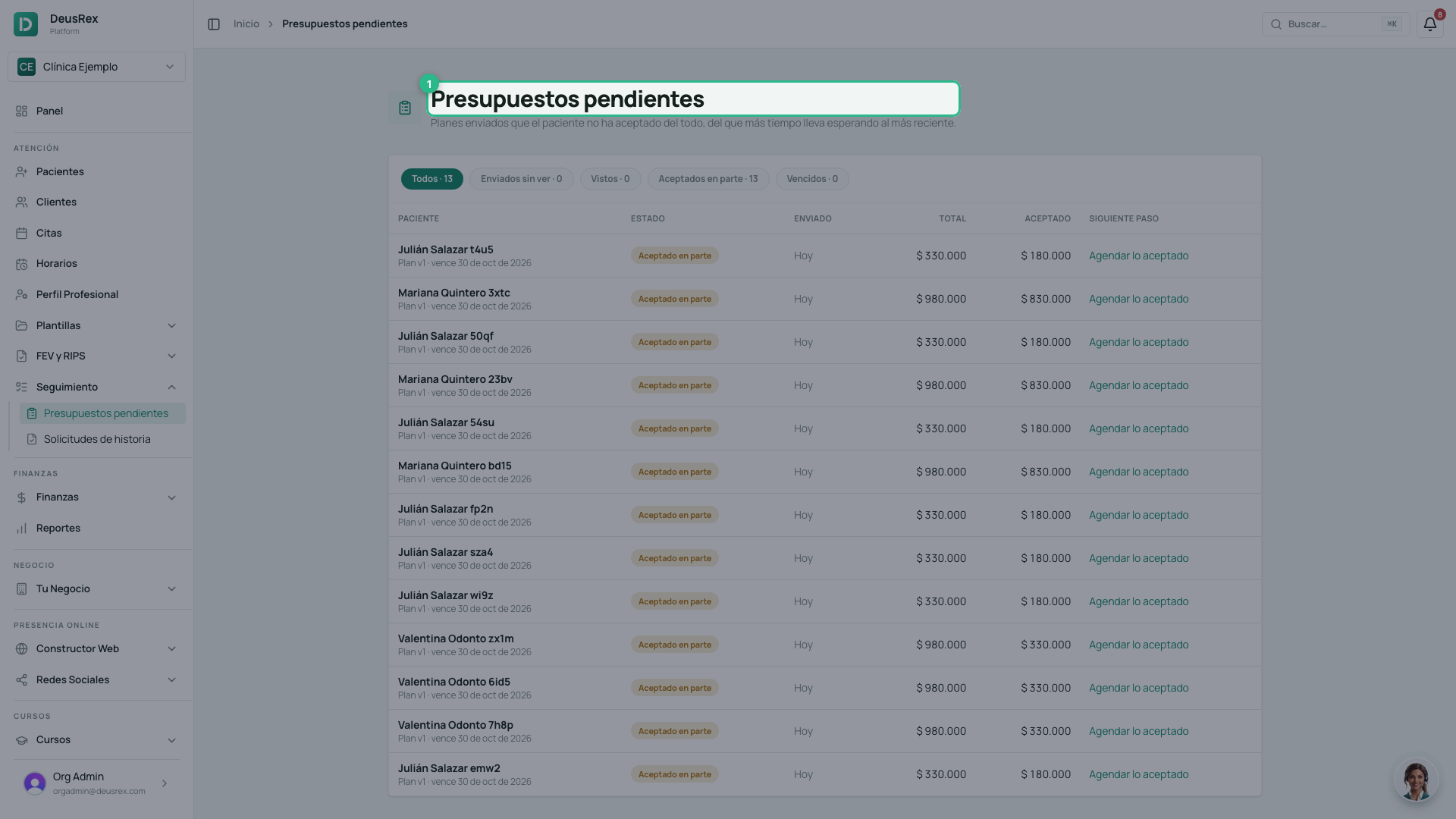
- Filter by status: Enviados sin ver, Vistos, Aceptados en parte or Vencidos.
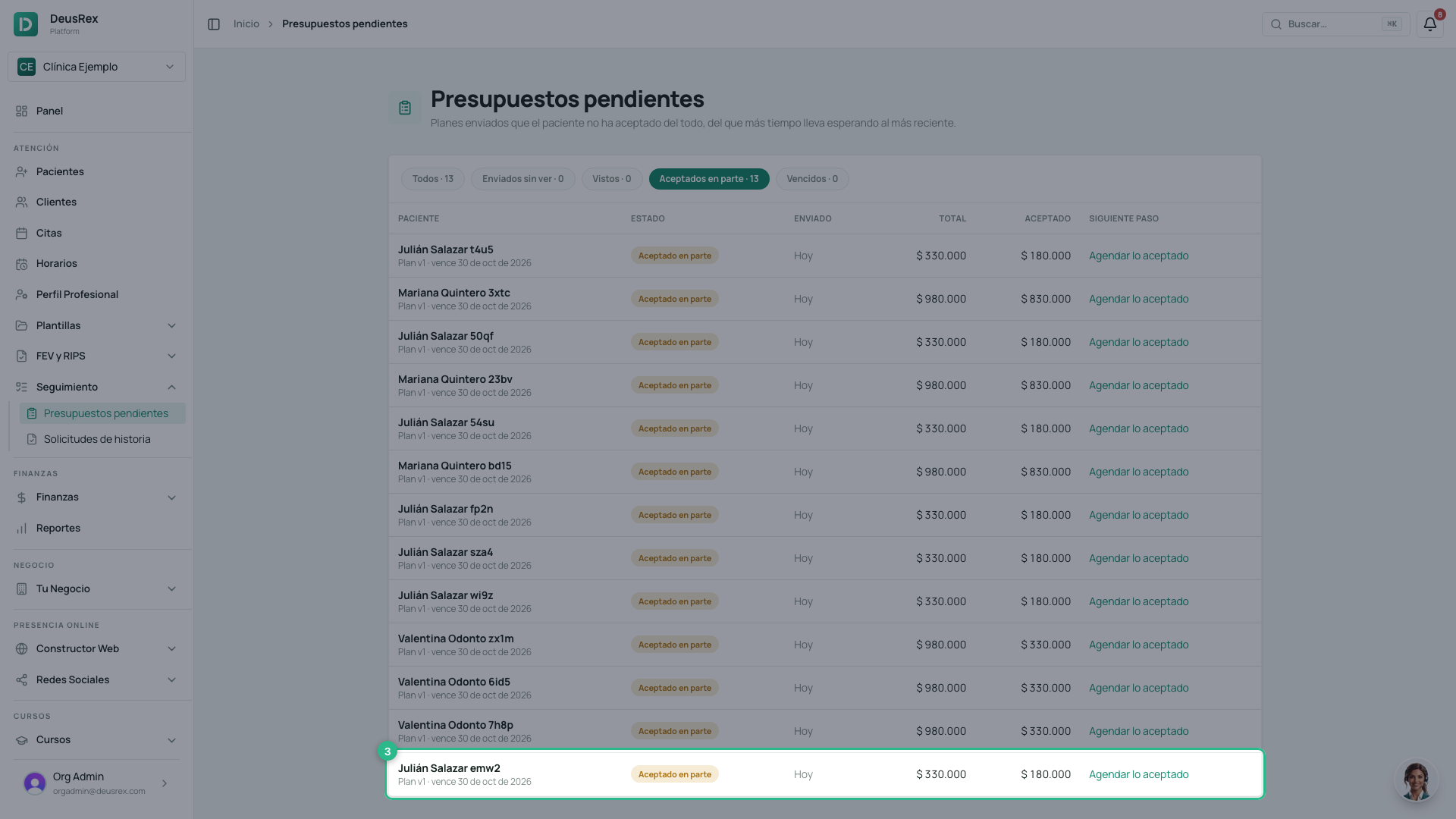
- Each row shows the status, how long ago it was sent, the total, what was accepted and the next step: send a WhatsApp reminder, schedule what was accepted or send a new version.
Collect an instalment
An instalment is collected like any other charge: with Recibir pago, the same one as in Facturación. You can combine payment methods or take just part.
- Click the row to open the patient’s odontogram.
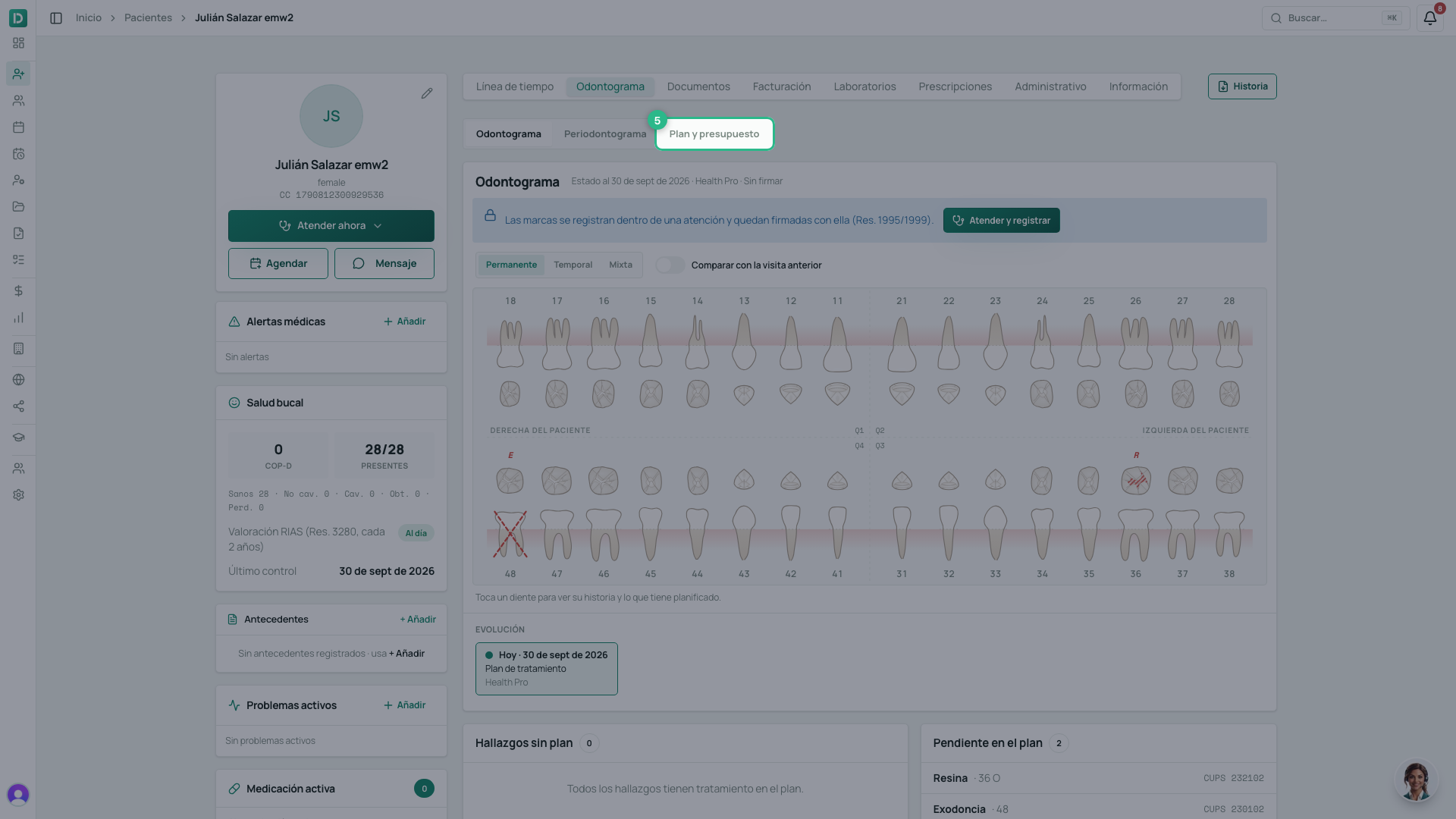
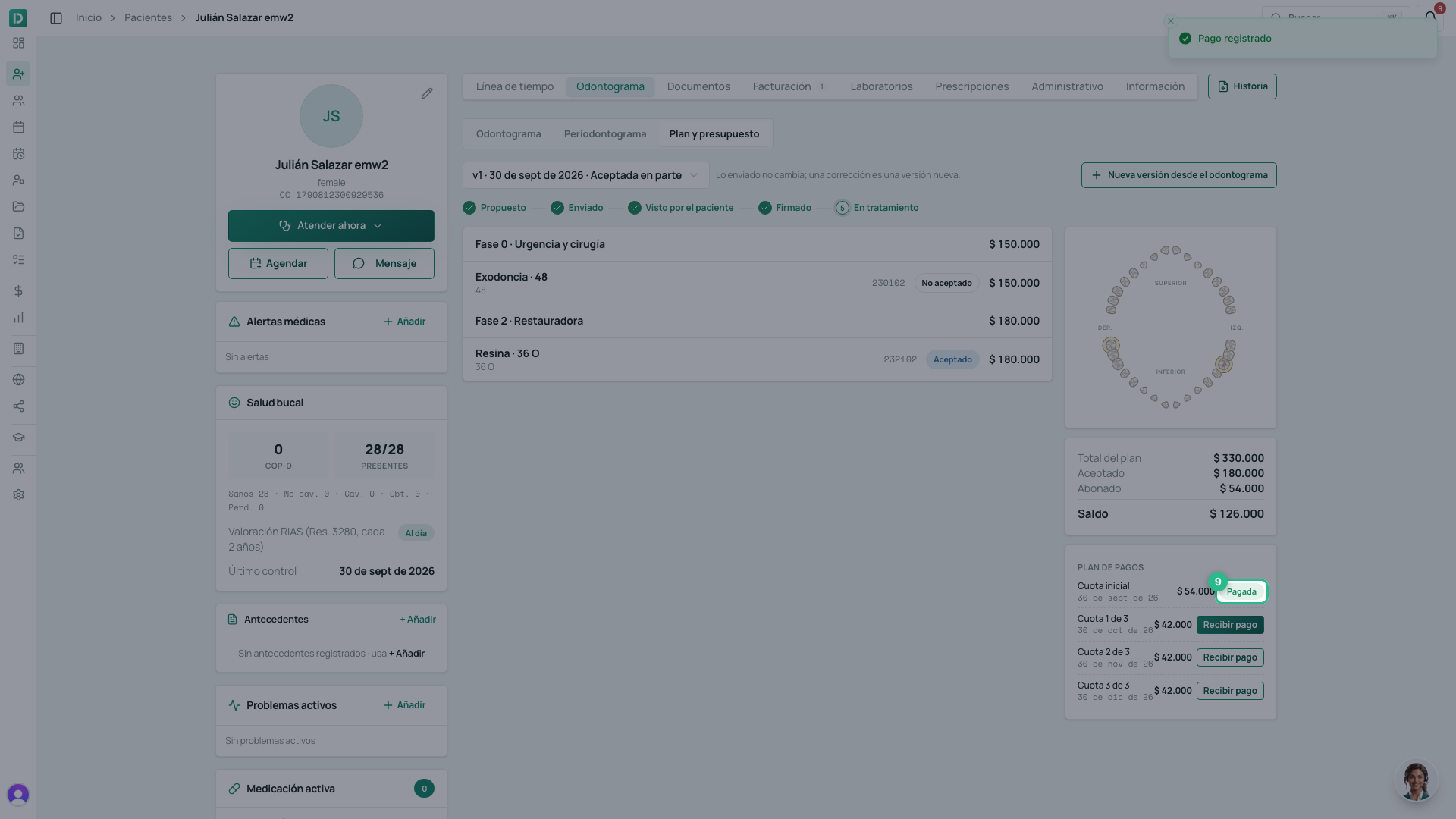
- In Vista, choose Plan y presupuesto. The Plan de pagos shows the instalments, with their dates counted from the day the patient signed.
- Click Recibir pago on the instalment.
- The usual Recibir pago opens, with the instalment already selected. Choose the method and the amount — Pagar saldo, Mitad or Otro monto — and, if needed, Agregar otro medio (pago mixto).
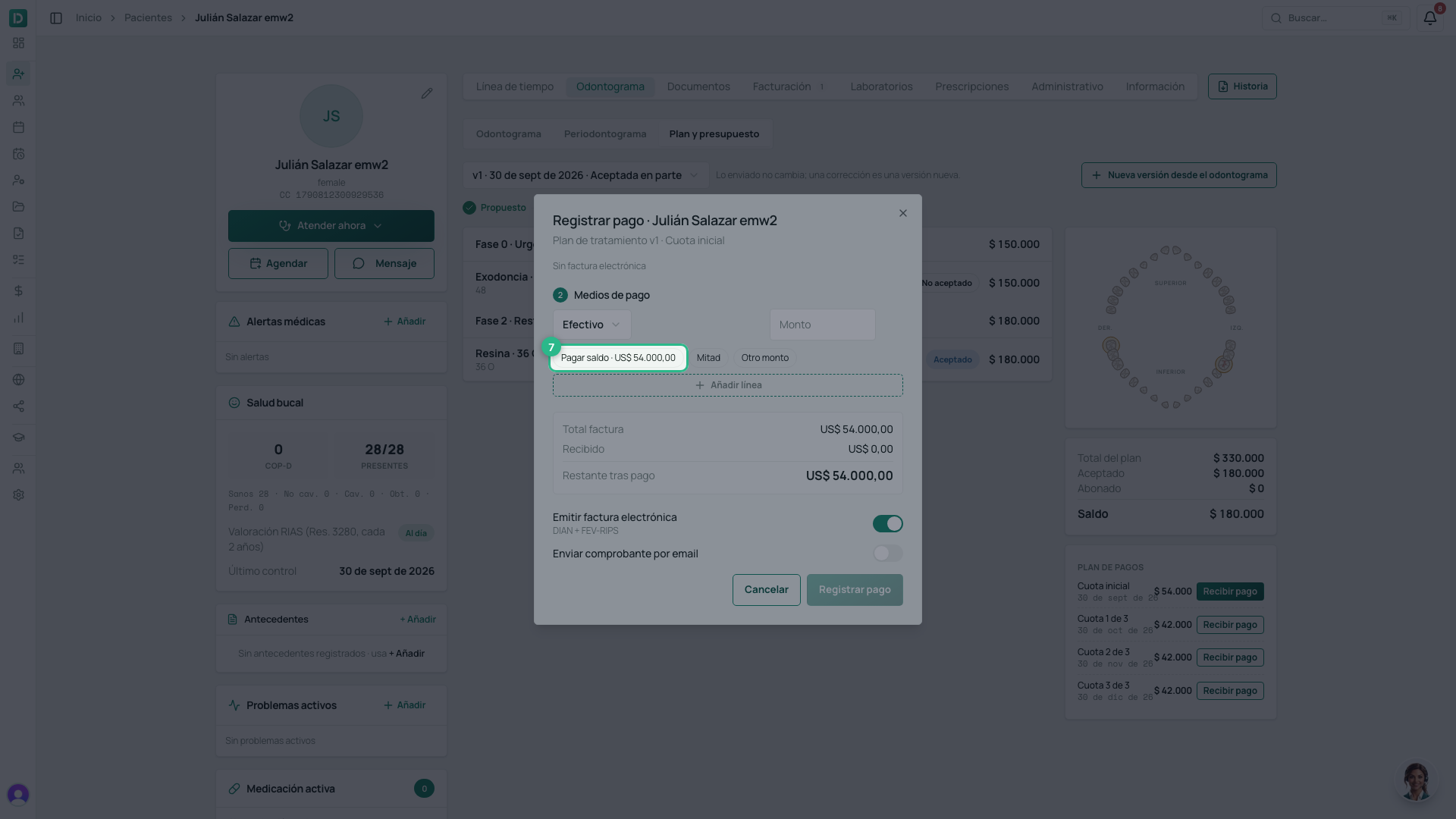
- Click Registrar pago.
- The instalment becomes Pagada, or shows what was paid (Abonado) if only part was. The payment is in Facturación, like any other — and if the instalment is collected from Facturación, the plan sees it paid too.
Tip
An expired quote no longer accepts signatures. Create a new version from the odontogram and send it: the previous one is replaced (how).