How to export the visits you provide at an IPS
On this page
If you see patients inside an IPS, the IPS invoices the EPS, not you. With Exportar atenciones, on each IPS under FEV y RIPS → Configuración → IPS externas, you prepare what the IPS needs to invoice and file those visits: the RIPS under the IPS’s REPS code, a visitas.csv sheet and each visit’s supporting documents, in one ZIP. DeusRex issues no invoice for these visits.
Before you start
- Register the IPS in FEV y RIPS → Configuración → IPS externas (name, NIT and 12-digit REPS code).
- On each visit, under Facturación, choose IPS externa and the IPS.
- The visit must be signed: unsigned visits are not exported, and the screen tells you how many there are.
Steps
-
Open FEV y RIPS → Configuración → IPS externas and, on the IPS’s row, tap Exportar atenciones.
-
The IPS comes already chosen; you can change it. Its NIT and REPS code show below.
-
Choose the visit period. It defaults to the current month.
-
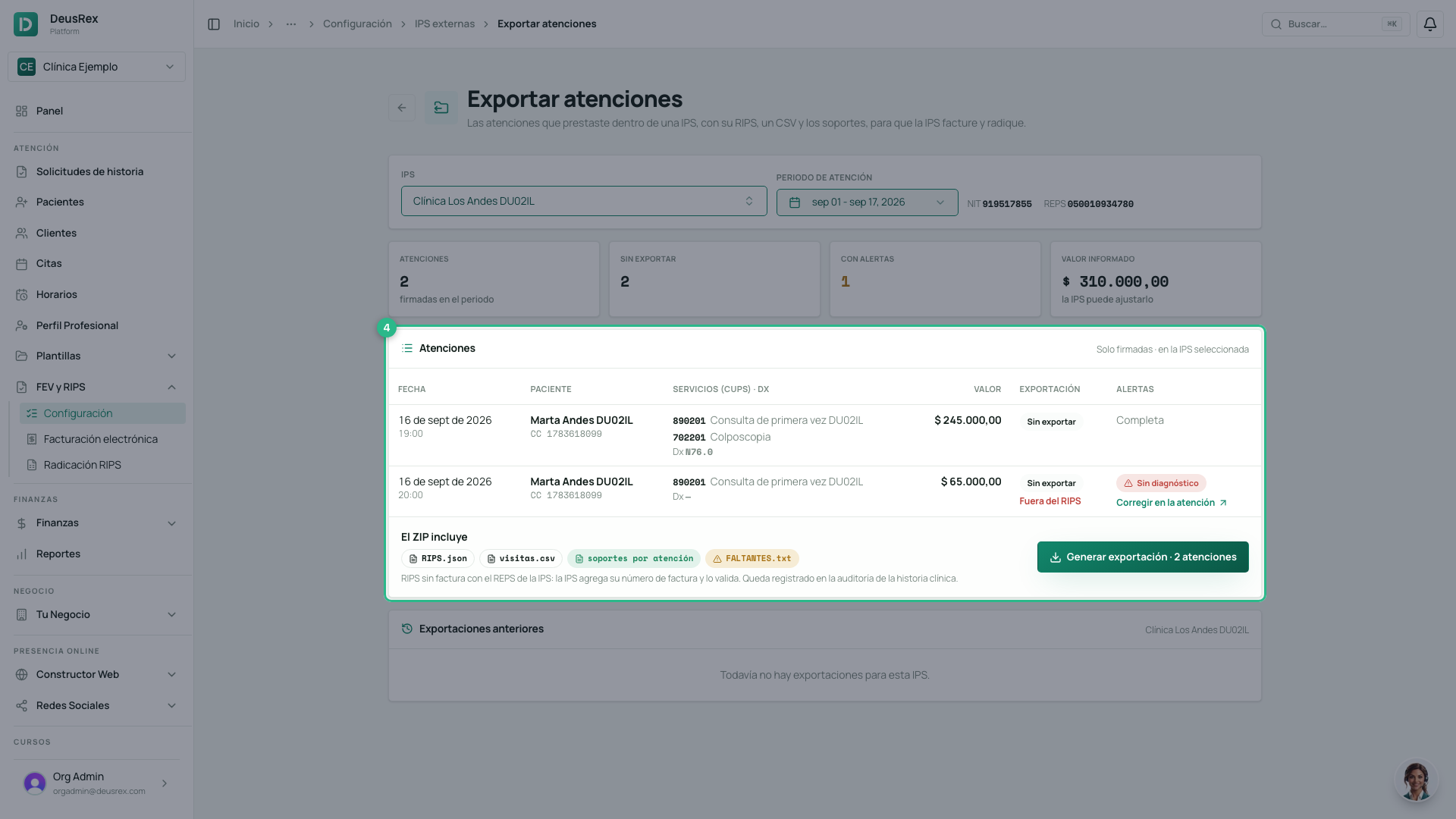
Review the IPS’s signed visits in the period: the services (CUPS) and the diagnosis, the value, whether they were already exported (and when), and their warnings.
-
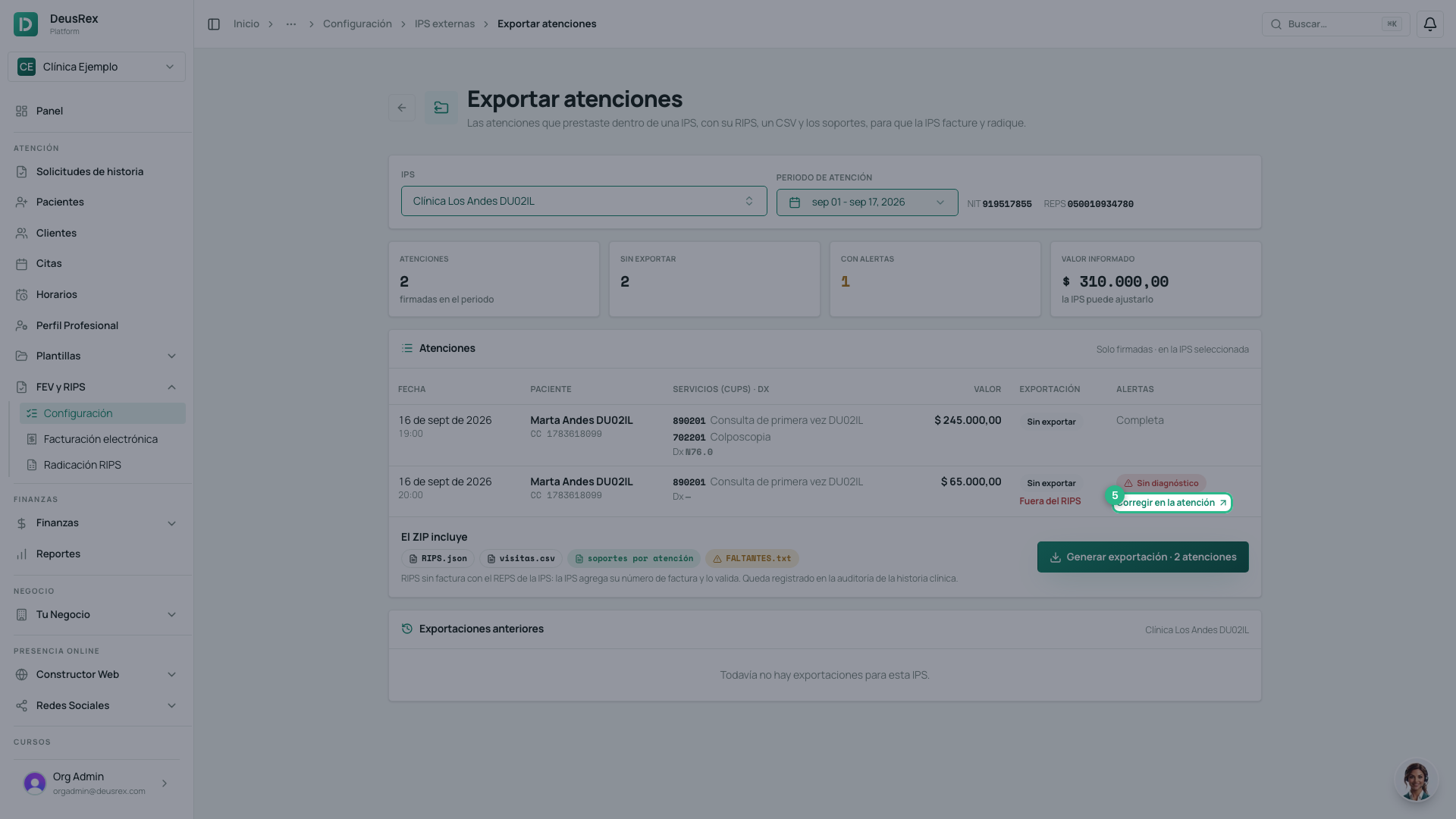
Red warnings leave the visit out of the RIPS (for example, no diagnosis or no purpose): click Corregir en la atención, complete it and come back. Sin valor (yellow) does not leave it out: it is reported at 0 and the IPS applies its own rate.
-
Click Generar exportación.
-
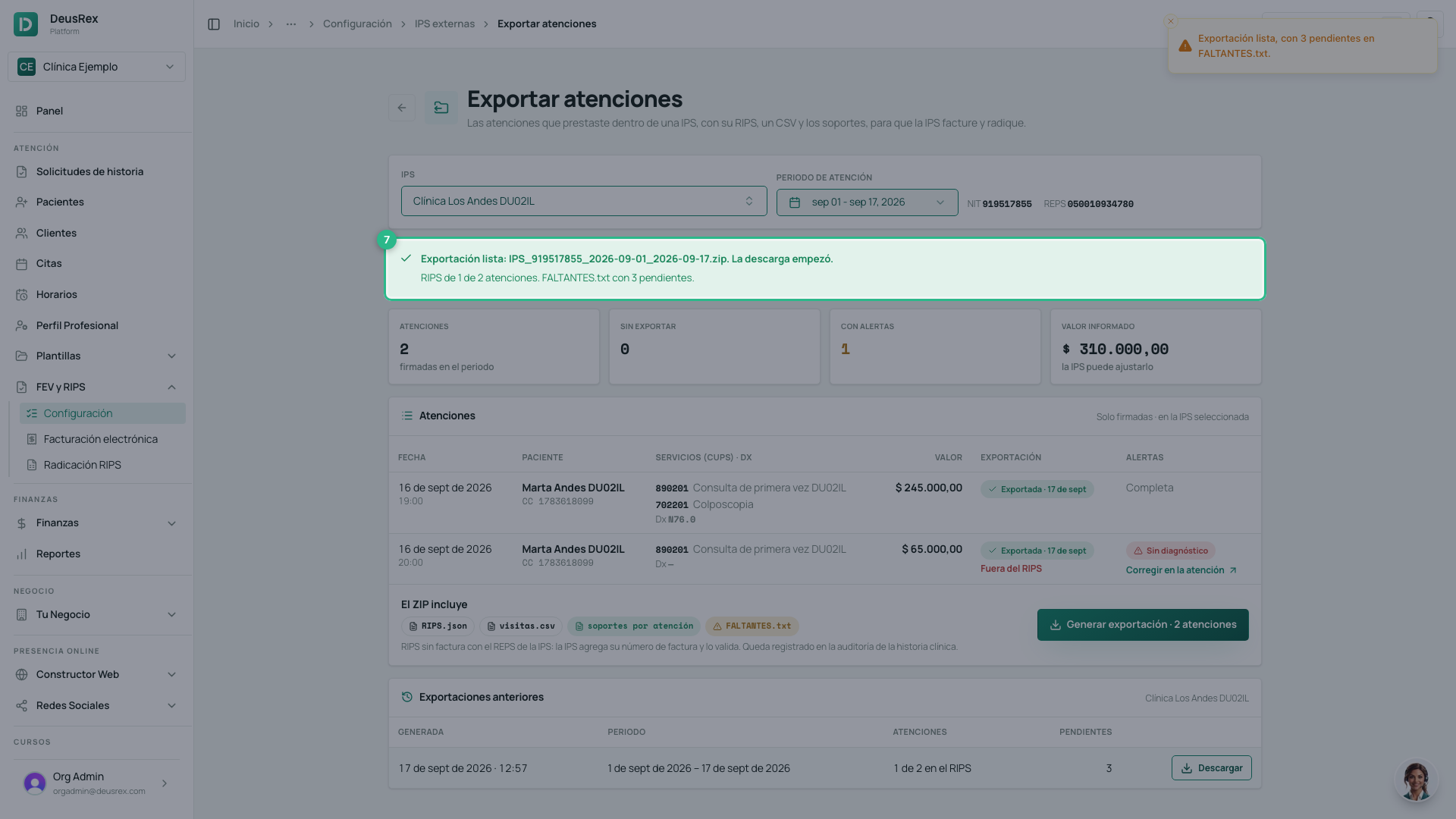
The ZIP download starts on its own, and the summary tells you how many visits made it into the RIPS and how many items FALTANTES.txt lists. The visits are marked Exportada.
-
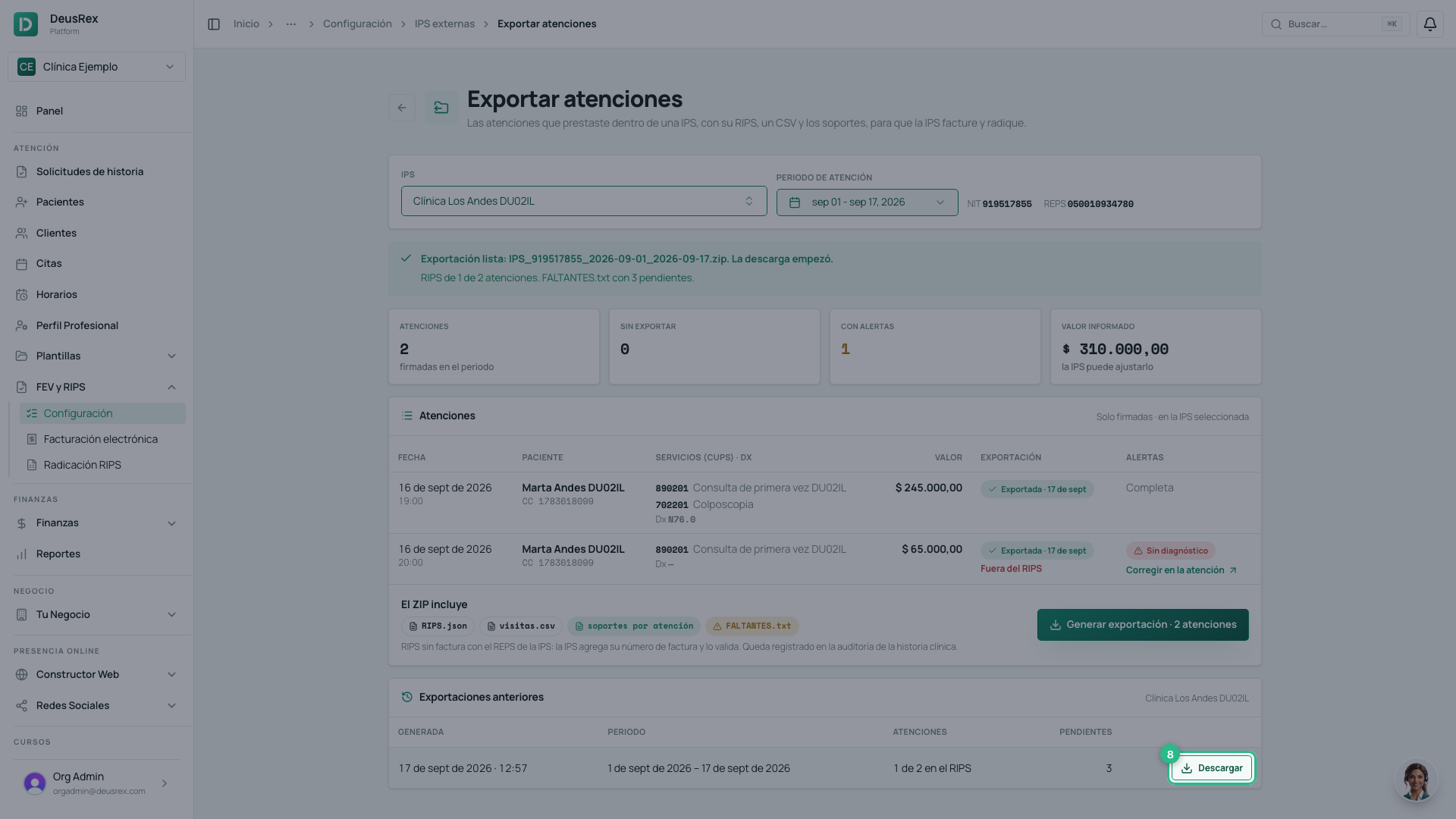
Under Exportaciones anteriores, download any past export again with Descargar. You can also generate the same period again, for example after fixing a visit.
What the ZIP contains
| File | What it is |
|---|---|
RIPS_<NIT>_<from>_<to>.json | The RIPS (Technical Document 1, Res. 948/2026) with the IPS’s REPS code and its NIT. numFactura is empty (null): the IPS adds its invoice number. |
visitas.csv | One line per service: date, patient, CUPS, value, diagnosis, authorization, whether it is in the RIPS, warnings and the visit’s supports. |
HEV_…, OPF_…, PDE_… | Each visit’s supports (Res. 2284/2023): the visit summary, the prescription or orders and the authorization-request evidence. They carry SINFACTURA where the invoice number will go. |
LEEME.txt | Explains the package to the IPS. |
FALTANTES.txt | What is missing: visits left out of the RIPS, services with no value and supports that could not be produced. |
Each service’s value is the price of your service or procedure. Per-event payment requires a value above zero in the RIPS, so the IPS must check it against its own rates before invoicing.
The RIPS in this ZIP is not a filing: the IPS completes it with its invoice and validates it with the Ministry to obtain the CUV.
Every download is recorded in the clinical-record audit trail, because the package carries patients’ clinical data.