How to read your dashboard
On this page
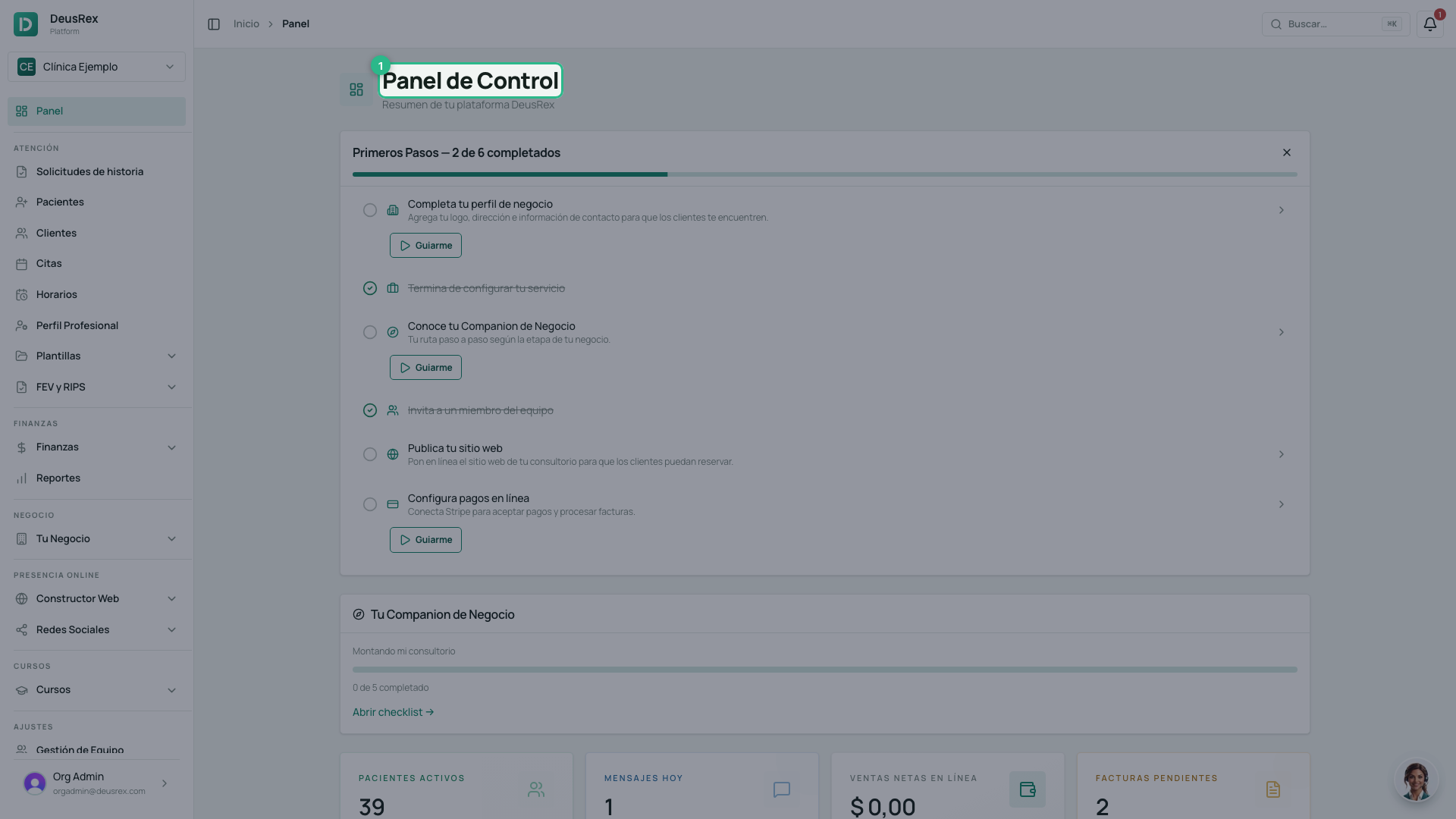
The Panel de Control is the first screen you see when you sign in. It brings together what happened in your practice today and what you still have pending, so you do not have to open five sections to find out.
Before you start
The dashboard changes with your role. It is not the same screen for a clinic owner, a professional and a patient: each one sees the figures and blocks that belong to them. If you hold two roles, you see the union of both, with no duplicates.
Steps
-
Sign in. The dashboard opens on its own; you can also reach it from Panel de Control in the sidebar.
-
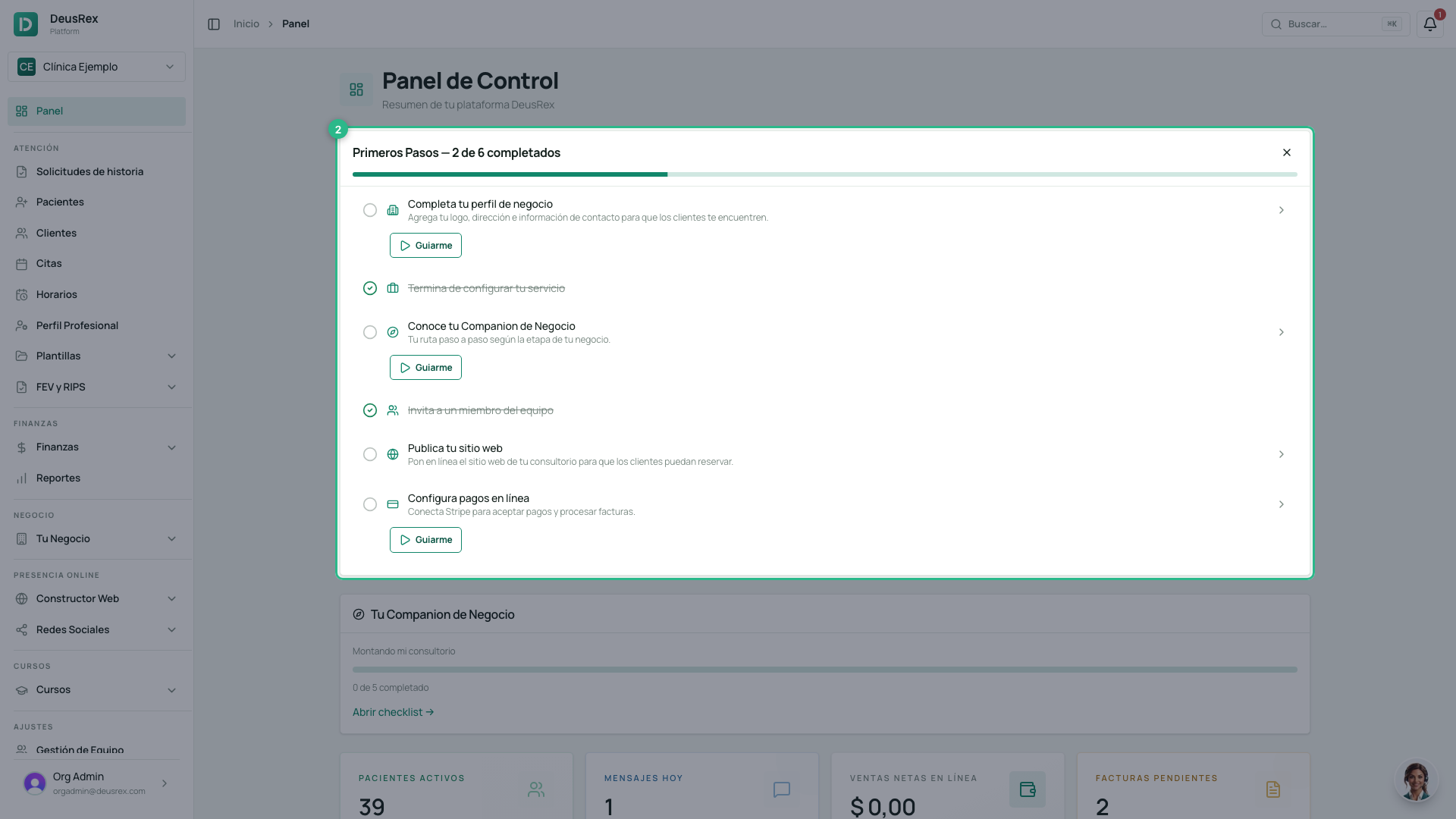
At the top sits the start-up band, showing one of two things:
- Primeros Pasos — the list of what is still unconfigured, with its progress bar. It comes first on purpose: a brand-new clinic must not meet “no activity yet” before it meets the checklist that fixes exactly that.
- Tu consultorio está listo — once you have finished everything. The list disappears and this card takes its place, with Ver mi agenda and Cerrar.
-
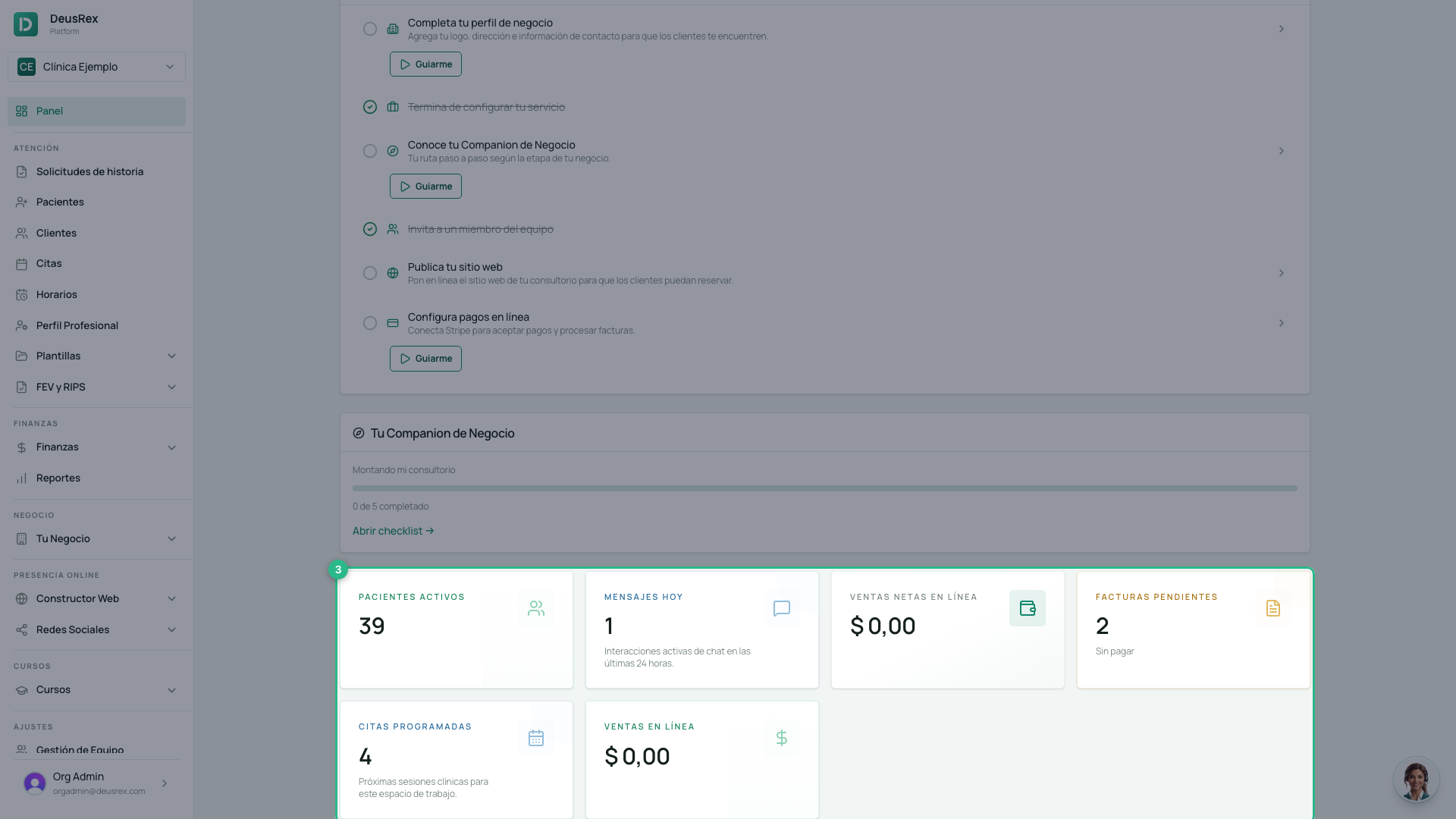
Below it sits the row of metrics. Each tile is one number and its label.
-
Click a tile and it takes you to its screen. Pacientes Activos opens the patient list, Facturas pendientes opens billing, Mensajes Hoy opens the inbox.
-
Further down are the detail blocks: Facturas Pendientes, Gastos Recientes, Próximas Citas or Consultas Pendientes, depending on your role.
What each role sees
| Role | Metrics |
|---|---|
| Owner or administrator | Citas Programadas · Pacientes Activos · Facturas pendientes · Mensajes Hoy · Ingresos Totales · Ingresos Netos |
| Professional | Citas de Hoy · Completadas Hoy · and their pending encounters |
| Patient | Their upcoming appointments and their lab history |
| Student | Their courses, their certificates and their subscription |
Tips
- If you are an administrator who does not see patients, you will not see
Citas de Hoy or Consultas Pendientes. This is neither a bug nor a missing
permission: those two figures are calculated for the user asking, so an
administrator who does not practise would be told
0even in a fully booked clinic. Open Agenda to see the whole schedule. - A
0on a brand-new clinic is correct. The dashboard counts what exists; if you have just started, what exists is nothing. Use Primeros Pasos to fill it. - If Primeros Pasos is gone, nothing was lost. It becomes the Tu consultorio está listo card once you finish the list, and pressing Cerrar hides it for good — that choice is stored in that browser.
- The dashboard recalculates every time you open it. There is nothing to refresh by hand.