How to issue the electronic invoice to the EPS (Por facturar)
On this page
FEV y RIPS → Cuentas EPS → Por facturar lists the visits billed to an EPS that are not on an invoice yet. From there you issue one electronic invoice to the EPS per contract, with every visit you choose.
Before you start
- Each visit must be signed, marked EPS in its Facturación block, with its contract chosen. See How to bill a visit to the EPS.
- The visit must come from an attended appointment whose service has a CUPS code, and the contract must have a rate for that code and for each procedure.
- DIAN electronic invoicing must be enabled, with the provider’s REPS code and an active numbering resolution.
- The EPS must have a NIT and check digit in the catalog.
Steps
-
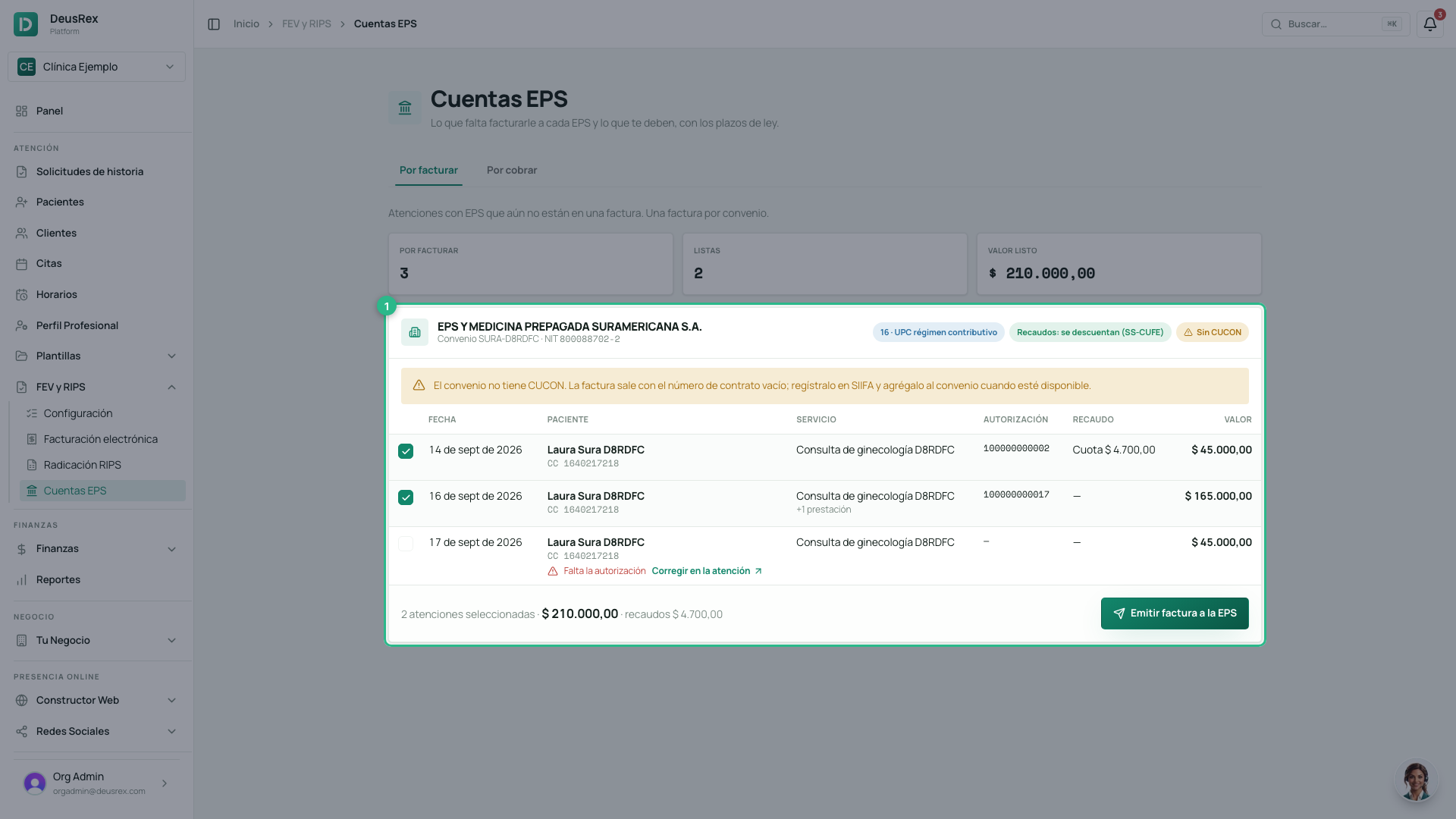
Open FEV y RIPS → Cuentas EPS; Por facturar is the first tab. There is one card per contract, with the EPS, the contract number, the coverage and how collections are handled.
-
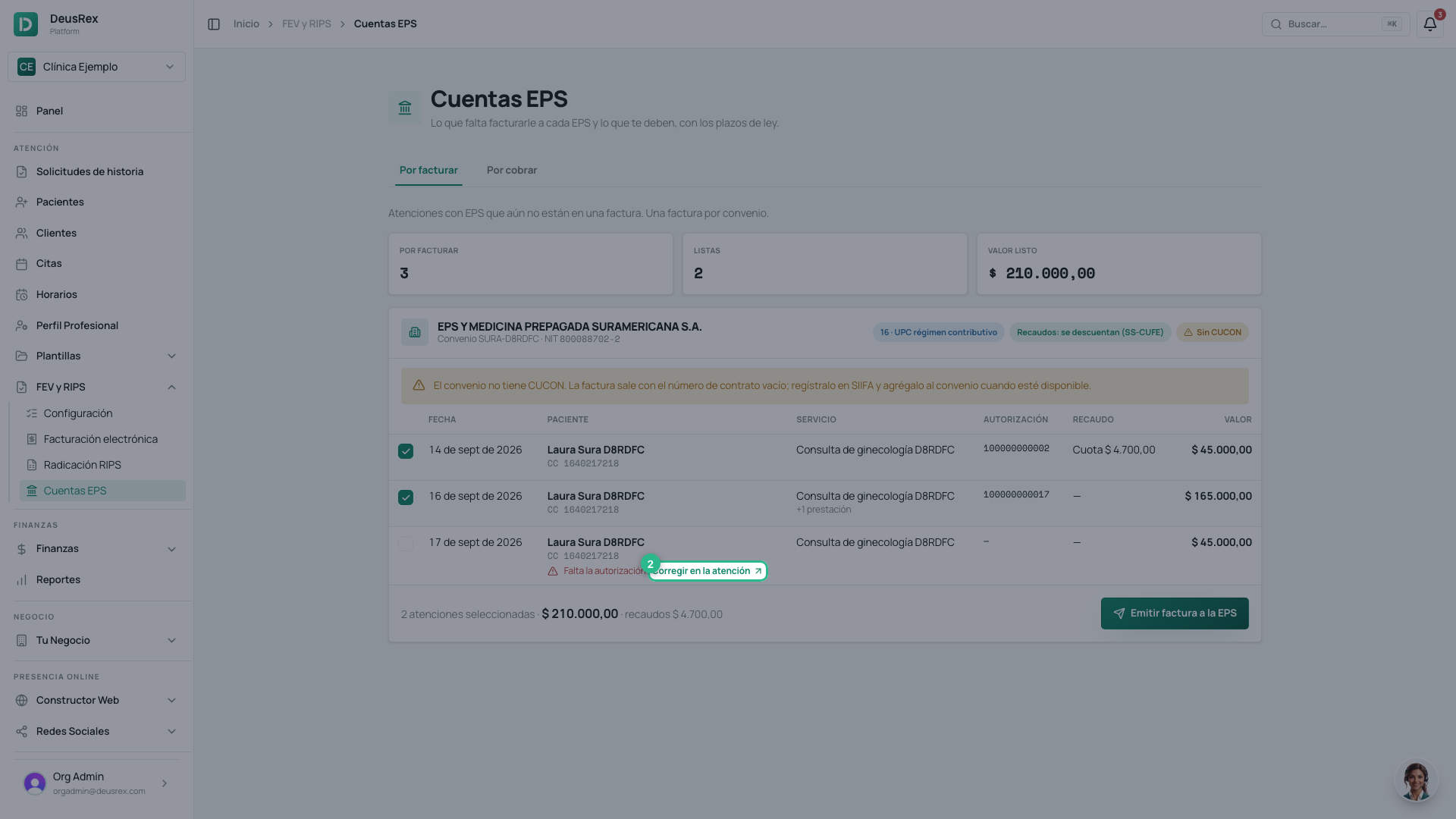
A visit with pending items says what it is missing (for example Falta la autorización or Sin tarifa pactada) and cannot be selected. Click Corregir en la atención to fix it on the visit.
-
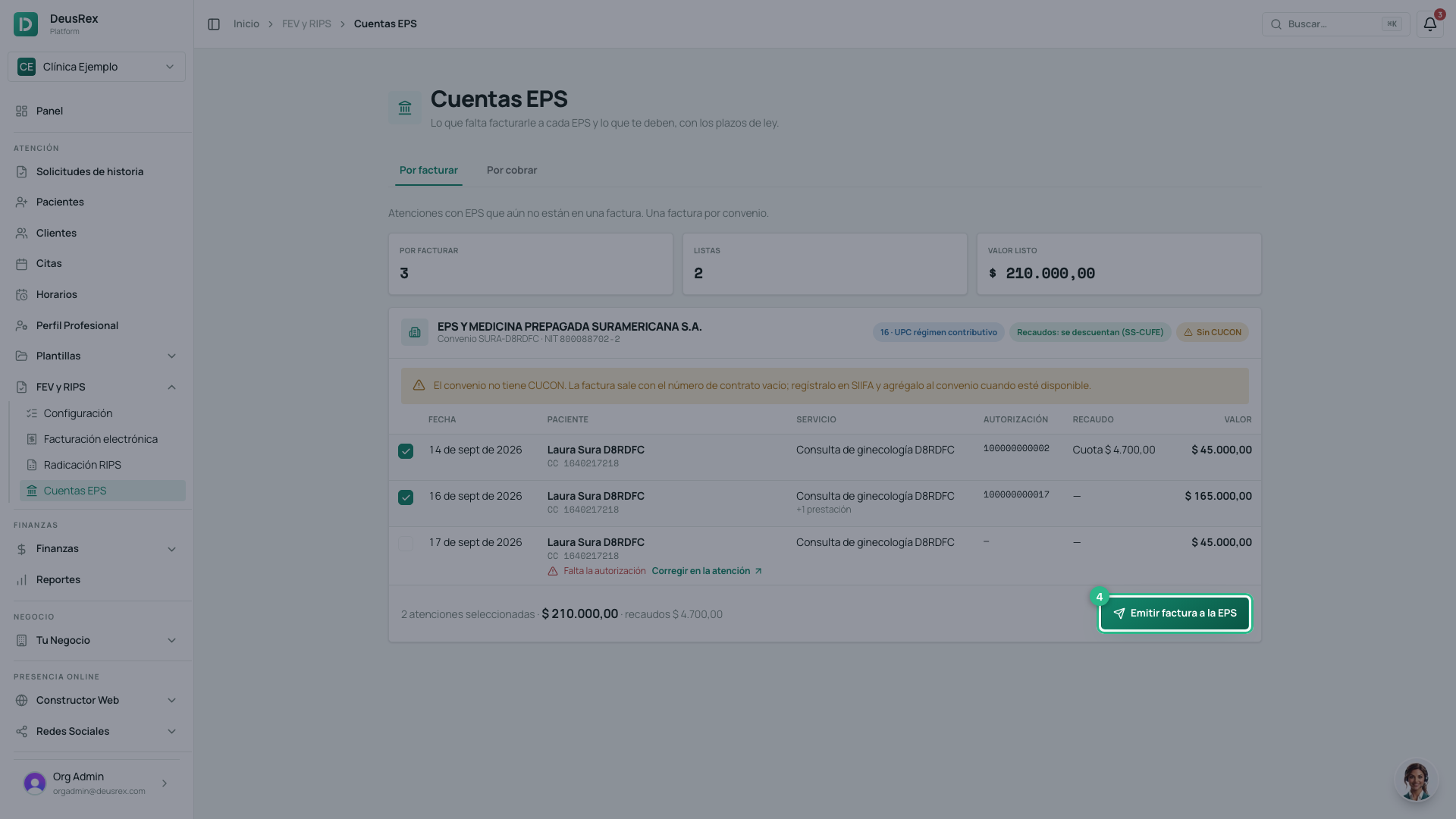
Keep the visits you want to invoice selected. The ready ones come selected; the footer shows how many, the amount and the collections.
-
Click Emitir factura a la EPS.
-
Confirm with Emitir factura. The invoice is sent to the DIAN right away and the visits are locked.
-
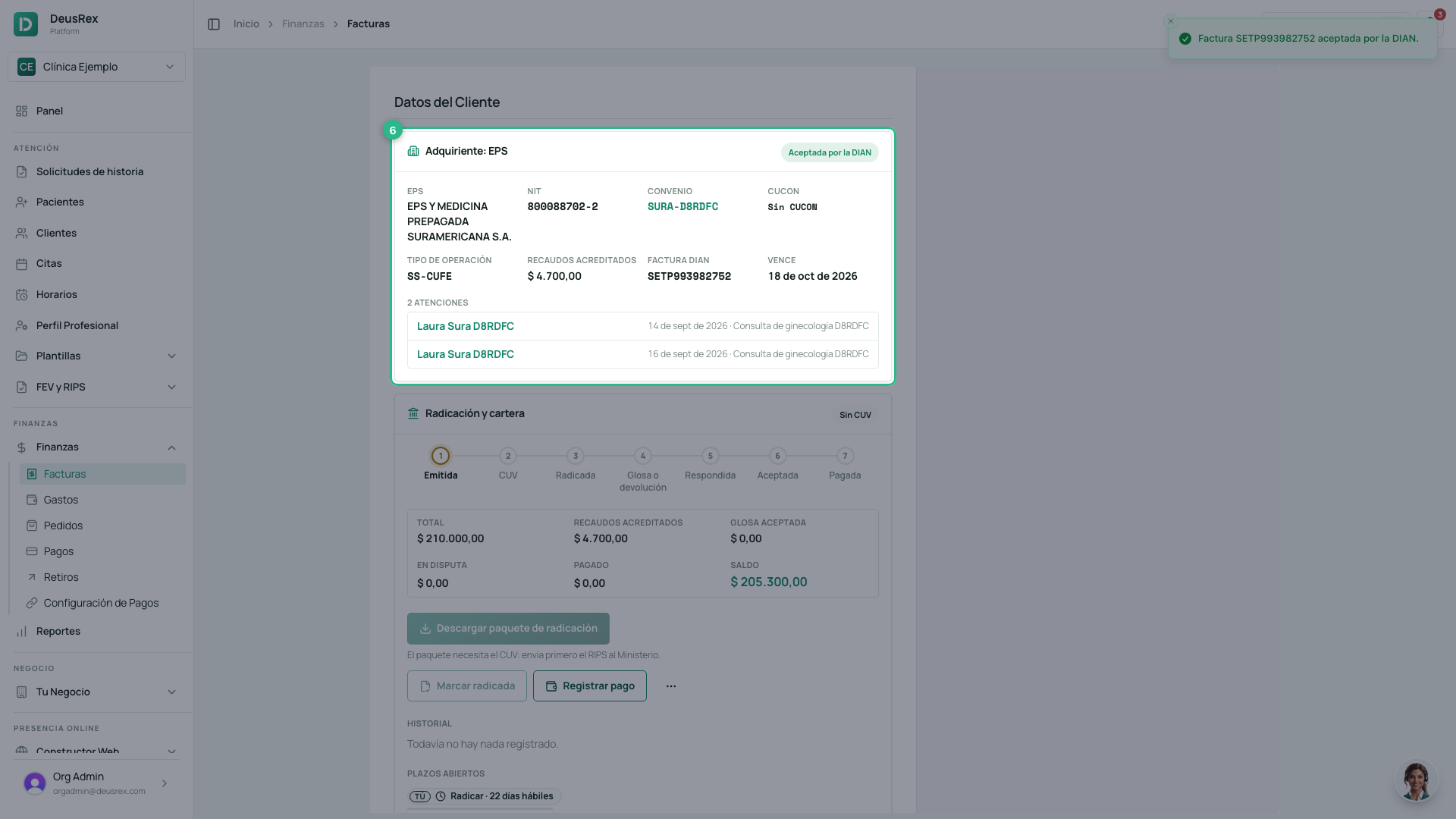
The invoice opens. Adquiriente: EPS shows the EPS with its NIT, the contract and its CUCON, the operation type, the credited collections, the DIAN number and status, and the visits it bills.
-
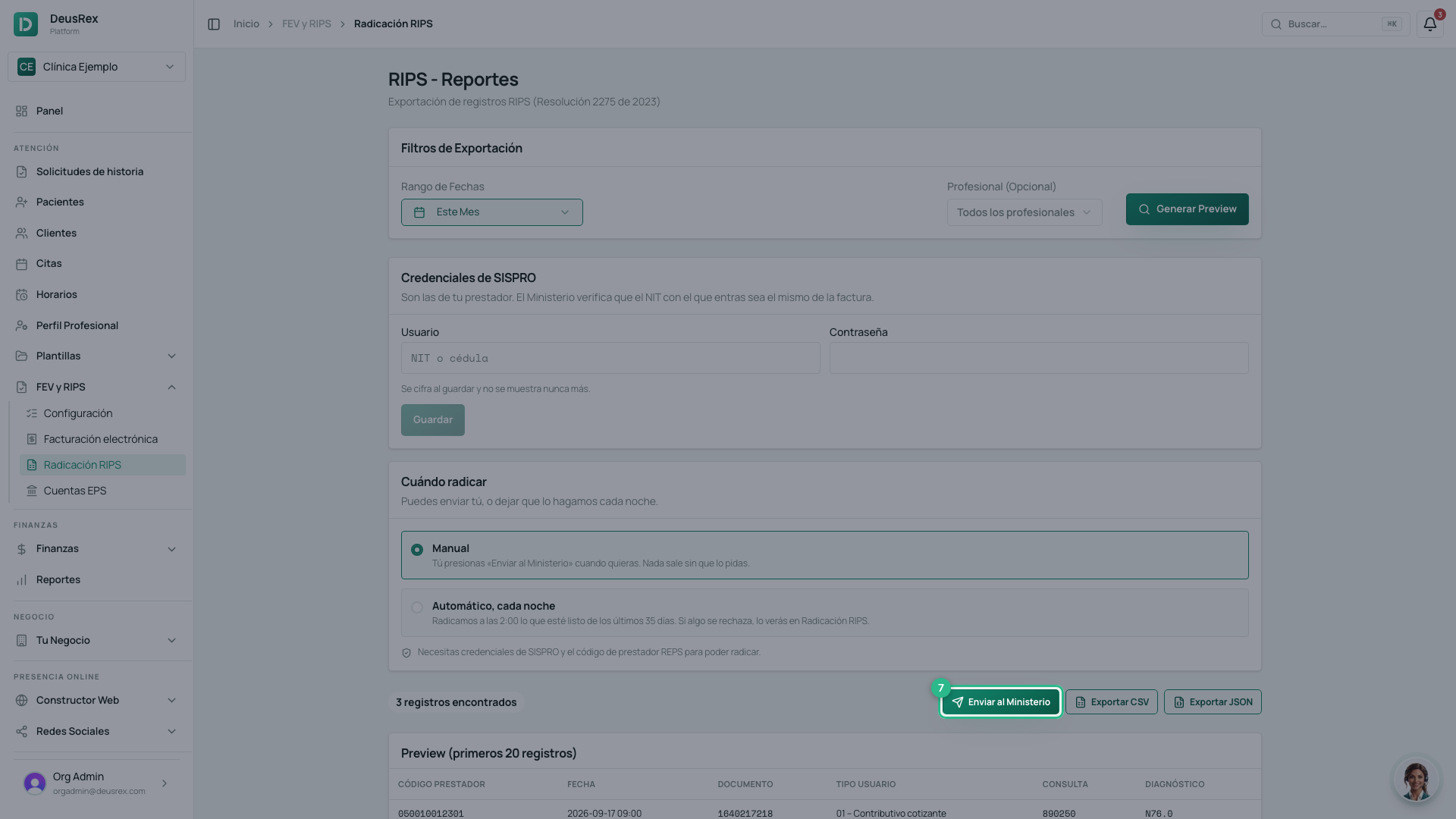
To get the CUV, open FEV y RIPS → Radicación RIPS, choose the period of the visits and click Enviar al Ministerio. The invoice’s RIPS includes all its visits, even one outside the period.
What the invoice carries
- Buyer: the EPS (NIT and check digit), not the patient.
- One line per service of each visit and one per procedure, at the contract’s agreed rate. No VAT: health services are excluded.
- Payment: credit, due in 30 days.
- Health-sector data: your REPS code, fee-for-service (
04), the contract’s coverage, the CUCON, and the period from the first to the last visit.
Moderator fee and copayment
What the patient paid is recorded on each visit with its receipt (SS-Recaudo). On the EPS invoice:
- If the contract deducts collections, the invoice is SS-CUFE: it adds up copayments and moderator fees per concept and subtracts them from what the EPS pays.
- With no collections, it is SS-SinAporte.
- If the contract only informs collections, a visit with a collection cannot be invoiced: the Ministry rejects a RIPS whose collections do not add up to what the invoice credits. Review that contract with your accountant.
No CUCON
If the contract has no CUCON yet (the SIIFA contract registry code), the card says so and the invoice goes out with an empty contract number. It does not block the invoice. Add the CUCON to the contract once SIIFA issues it.
If the DIAN does not accept it
The invoice stays created and the visits locked. Read the DIAN message on the invoice and resubmit it from Facturación. To fix a visit, void the invoice with a credit note from Radicación y cartera → Anular factura; its visits return to Por facturar (EPS).
To file it, and to log returns, objections and payments, see How to file an invoice with the EPS and answer returns and objections.