How to correct a signed consulta
A signed consulta is never edited. It is a legal document: what it says is what was recorded, and changing it silently would destroy its value as evidence.
To correct it you add an amendment. The original text is kept, the correction sits beside it, and both carry your name, your licence and the date.
Before you start
Amending creates a clinical record, so your professional profile must be ReTHUS-verified. Without it the button saves nothing.
Steps
-
Open the patient’s profile and find the consulta in the Línea de tiempo.
-
Open it.
-
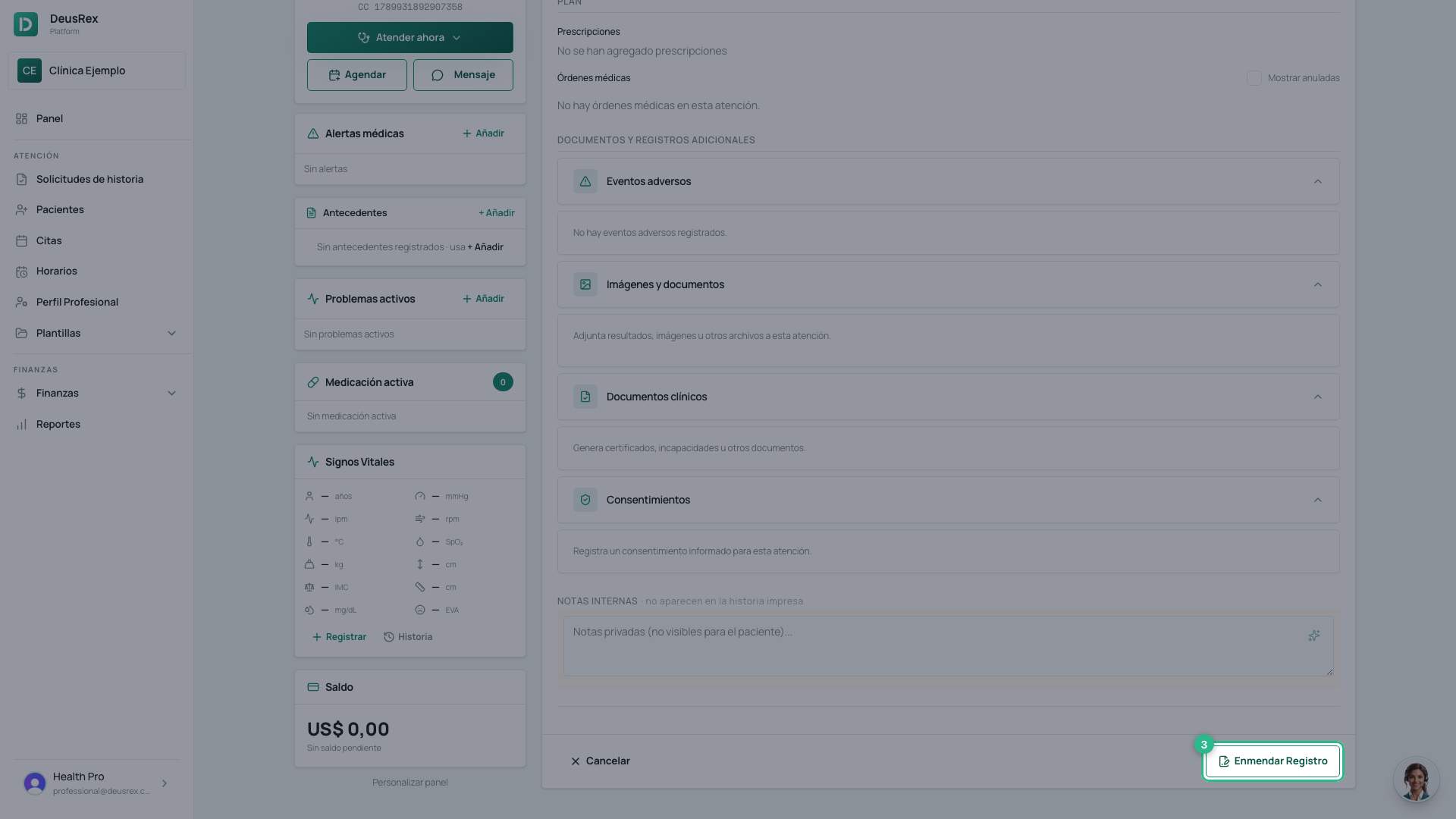
Click Enmendar Registro. That button appears only on a signed consulta — an unsigned one is still edited normally.
-
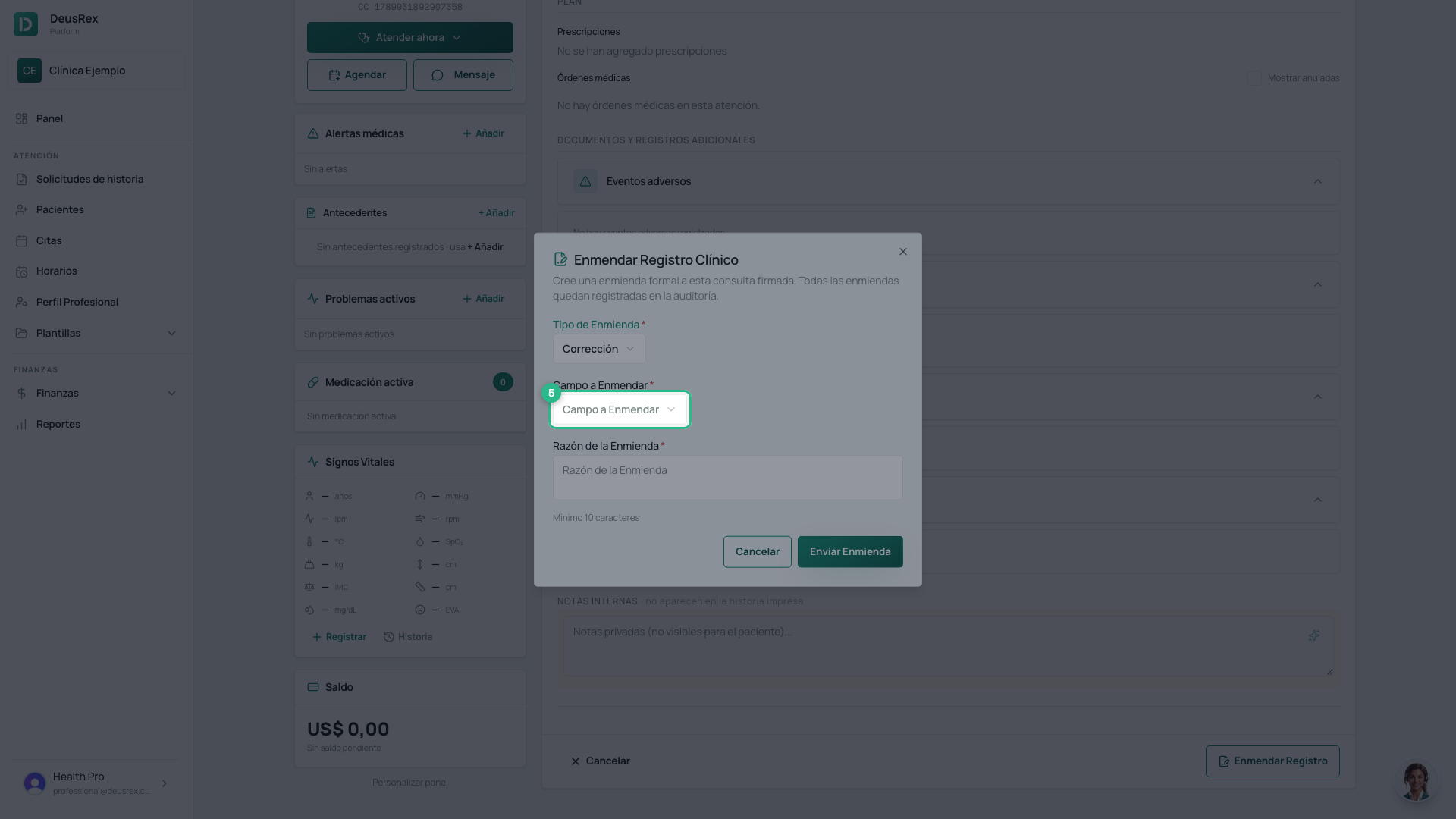
Choose the Tipo de Enmienda:
Type When Corrección What was written was wrong Adenda Information that arrived later is missing Aclaración What was written was ambiguous -
Choose the Campo a Enmendar: chief complaint, present illness, clinical analysis or internal notes.
-
Write the Nuevo Valor: what the field should have said.
-
Write the Razón, at least 10 characters. Explain why it changes, not what changes — that is already visible.
-
Click Enviar Enmienda.
All three fields are required
Campo a Enmendar, Nuevo Valor and Razón. Leave one empty and the button does nothing visible: the form stays as it was and the amendment is not sent. Check all three before clicking.
What is left afterwards
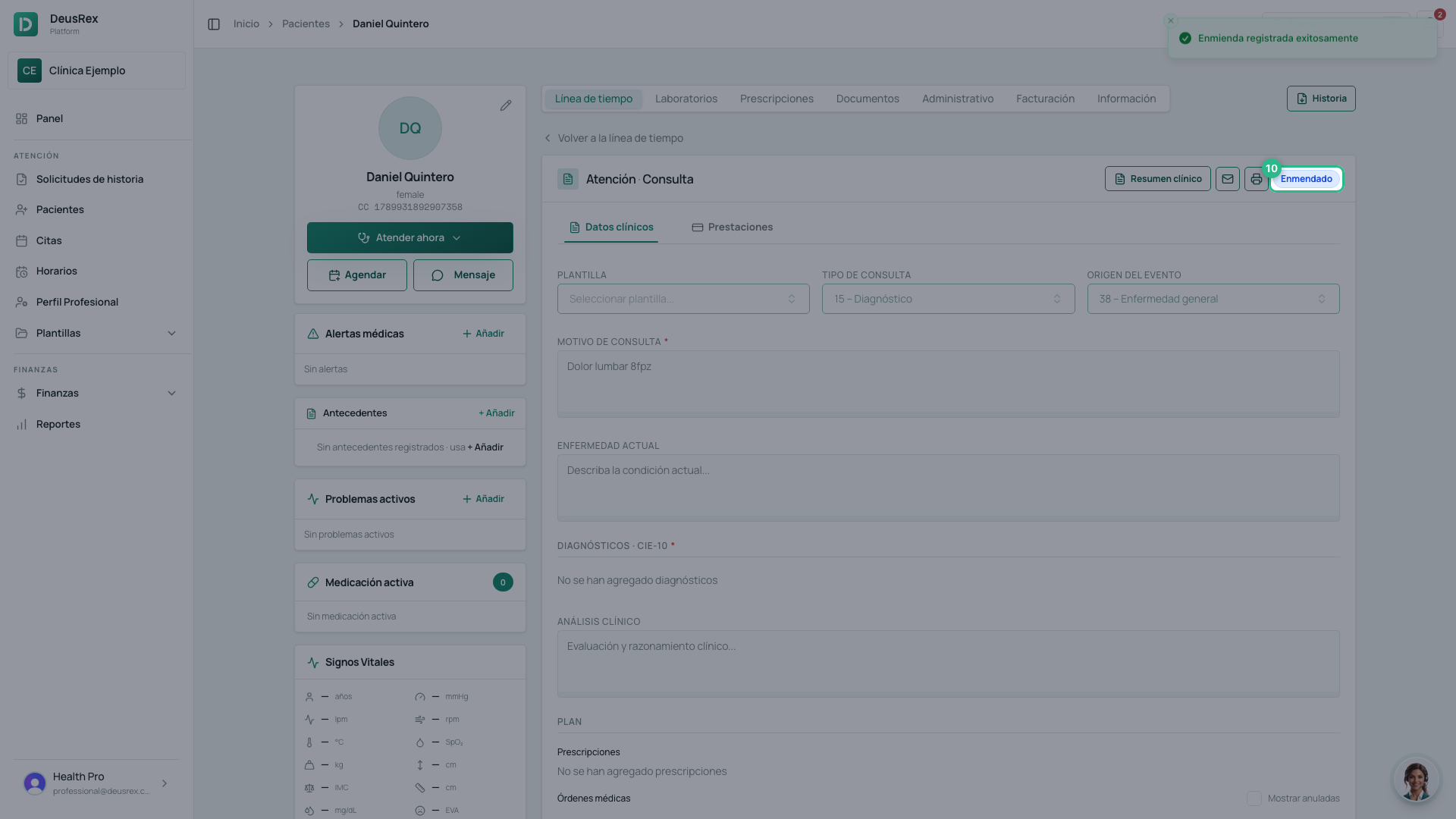
The consulta becomes Enmendado and the amendment appears in the record’s history, with who made it and when.
Tip
The reason will be read by someone who was not there — an audit, a colleague, a judge. “Typing error” explains nothing. “The left knee was recorded; the visit was for the right one” does.