What is your Business Companion
On this page
The Business Companion (menu Companion) is your step-by-step guide to building and growing your practice, adapted to the stage you’re at.
The stages
The stages are your country’s journey: each country has its own sequence, because the steps to open a practice are not the same everywhere. Your current stage appears at the top of the hub, next to your progress.
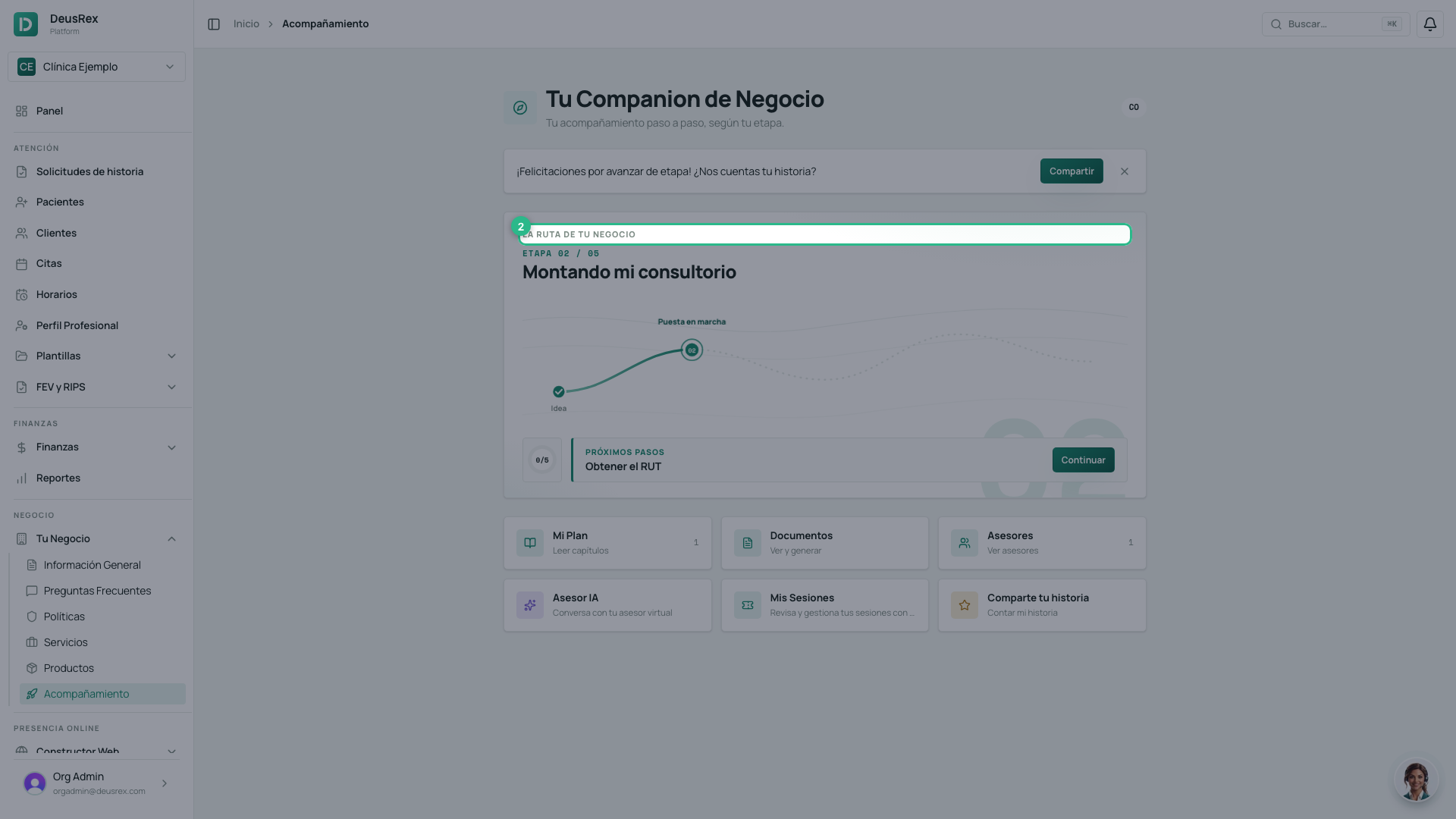
In Colombia, for example, the journey is: Idea, Setting up, Licensing, Operating and Continuous improvement.
If your organization is in another country, you’ll see that country’s stages — with their own names and their own order. You don’t have to choose them: the Companion shows the ones that apply to your organization.
You move to the next stage by completing the required tasks in your current stage’s checklist. Advancement is one-way: once you reach a stage, you don’t go back.
What you find in the hub
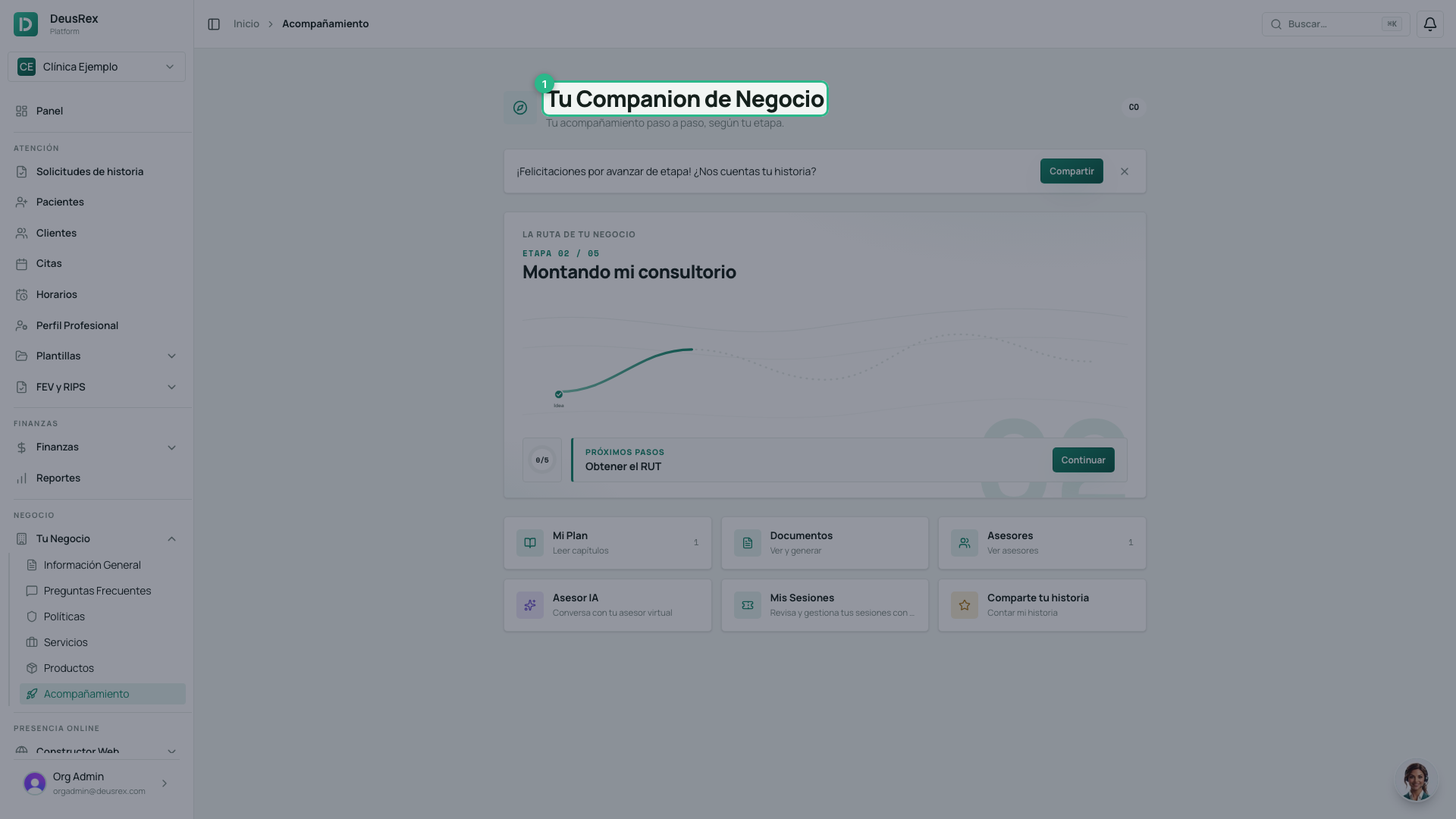
- My Plan — every guide for your stage; open one to read its chapters.
- Checklist — concrete tasks to mark as done.
- AI Advisor — a virtual advisor who responds based on your stage.
- Documents — generate your business plan, mission/vision, and quality manual.
- Advisors — schedule sessions with expert advisors.
- Share your story — tell your progress to inspire others.
When your stage has pending tasks, the hub also shows Next steps with the ones to do next; Continue takes you to the checklist. On your first day (first stage, nothing done yet) the button is Start my route, in the middle of the route.
If you don’t see any content
The content for each stage is published by the DeusRex team, per country. If your stage looks empty, no guides or tasks have been published for it yet — check back later.
Guides where you need them
Besides My Plan, when a checklist task has a linked guide you can read it inside the task itself: tap Read: … and the chapter expands in place.
If you have not moved forward in days
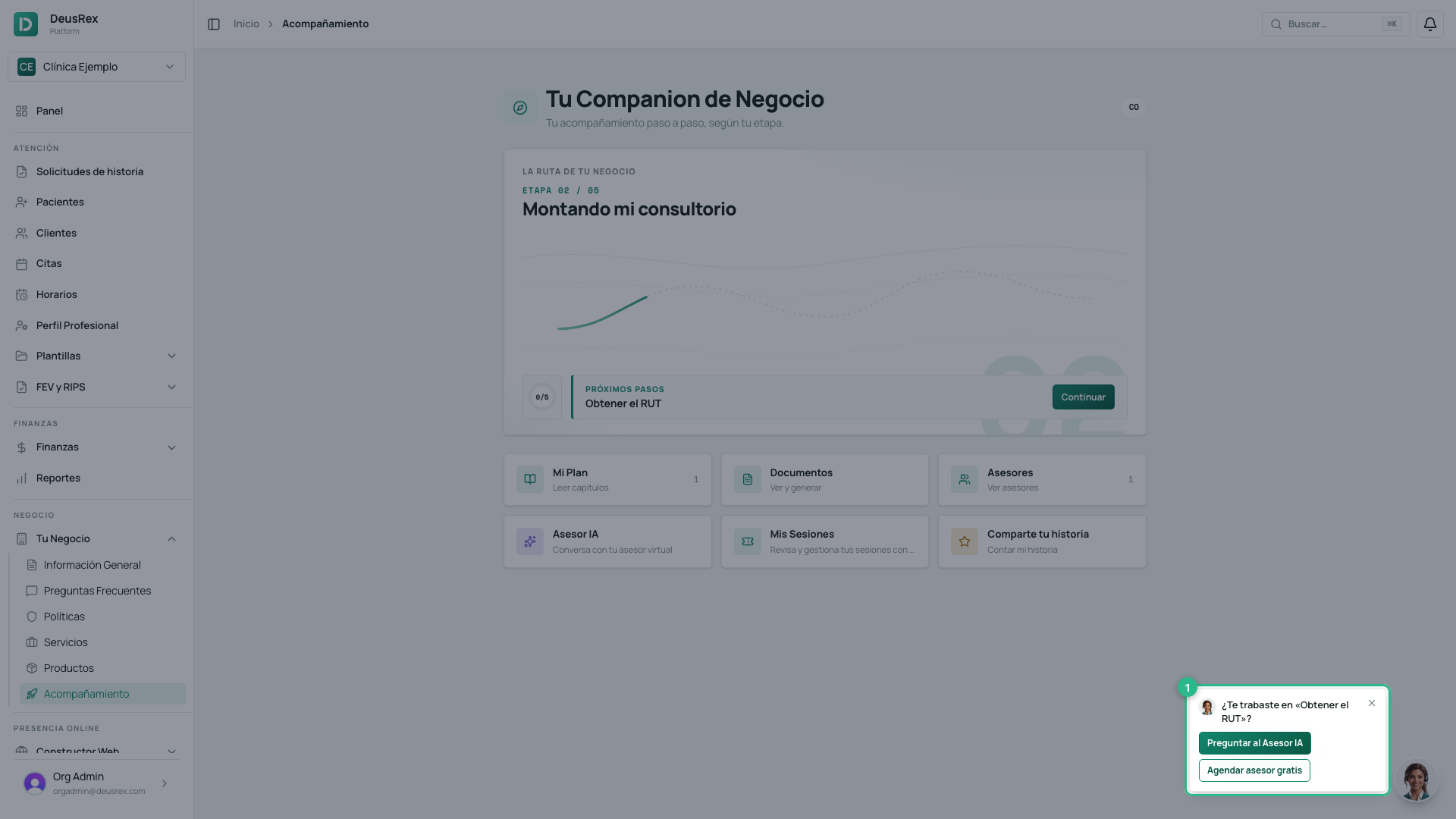
If 3 days go by without you ticking a checklist task or saving a document, SarAI asks where you got stuck when you open the Companion. It only happens while you are setting up your practice, not once you are operating.
-
Open Companion. SarAI’s card appears in the corner: Stuck on “…”?, with the name of the step you are on.
-
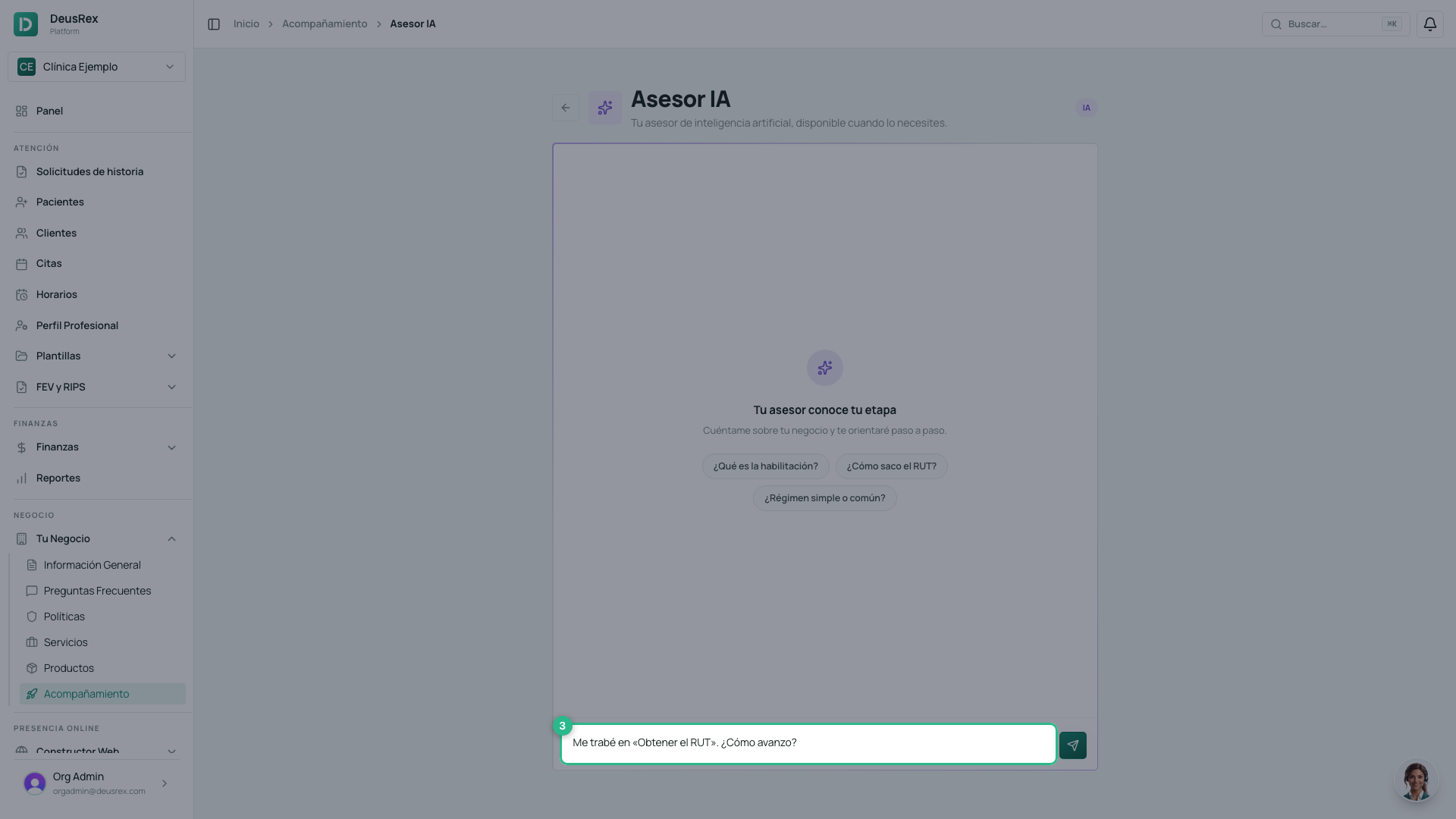
Click Ask the AI Advisor. The AI Advisor opens with the question already written. It is not sent on its own: review it and send it yourself.
-
If you would rather talk to a person, click Book an advisor to go to Advisors. While your organization has not used its discovery session, the button reads Book a free advisor.
Clicking either button, or the x, dismisses the card. You also get the same notice by email, once each time you stall.