How to tag X-rays with their teeth
An X-ray is more useful when you know which tooth it shows. In a dental consultation, every image you upload in Imágenes y documentos (images and documents) is tagged with the teeth it shows — one, several, a range or the whole mouth — and from then on it appears on the sheet of each of those teeth, in the patient’s Odontograma tab.
Before you start
- Tooth tags appear in dental clinics: it is enough for one professional to have the Odontología or Ortodoncia specialty.
- You need a consultation for the patient. It can be open or already signed: tagging does not change the file, and if the consultation is signed the change is logged.
Upload it and tag it
- In the consultation, open Imágenes y documentos.

- Click Subir archivo (upload file) and choose the X-ray: an image or a PDF.
- As soon as it uploads, Dientes de esta imagen (teeth in this image)
opens. Type the teeth by their FDI number and press Enter: one (
36), several (36, 37) or a range on the same arch (34-37). A number that is not a tooth is flagged in red.
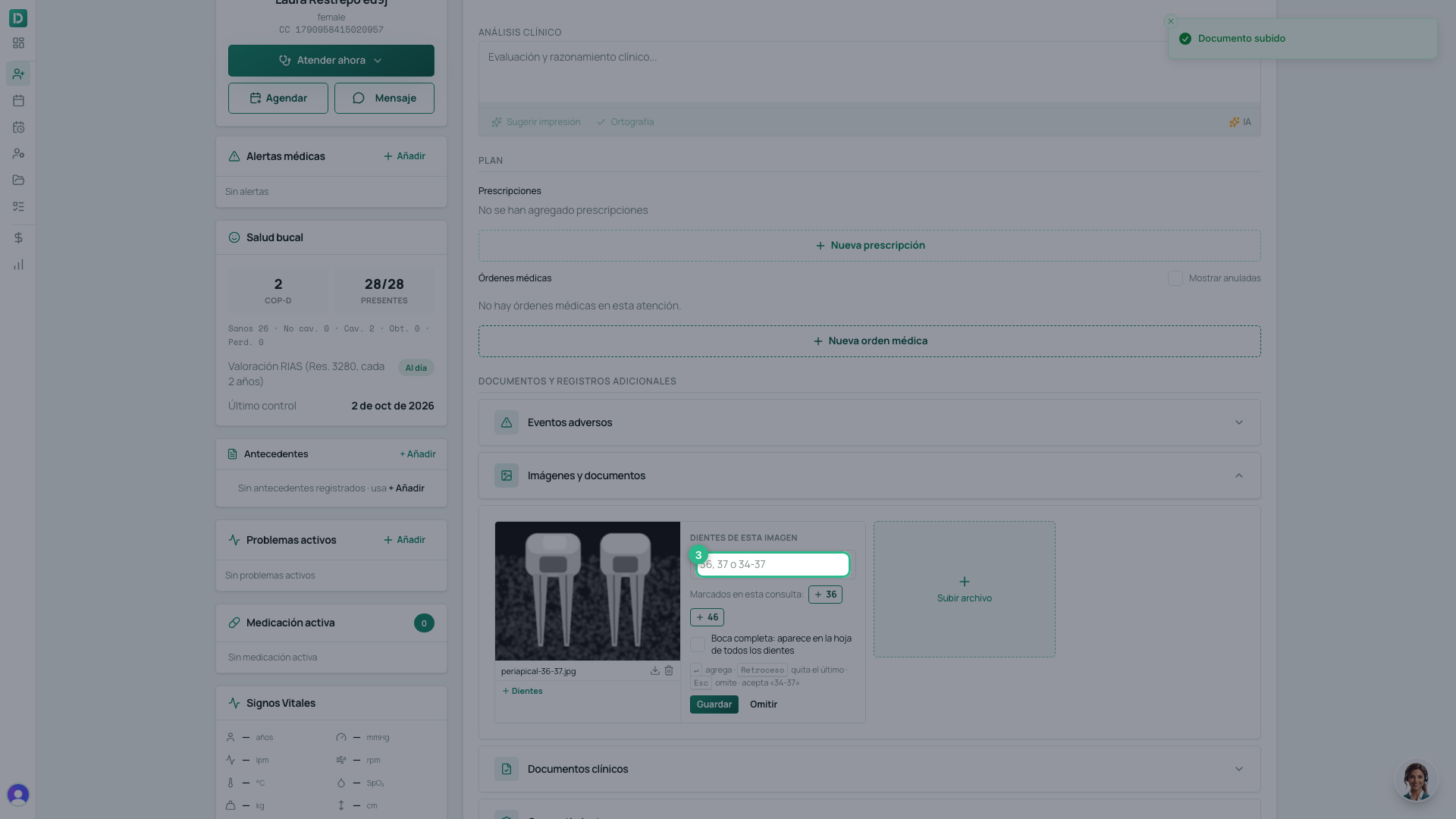
- Below, Marcados en esta consulta (marked in this consultation) offers the teeth you marked on this visit’s odontogram: one tap adds them. Backspace removes the last one.
- Is it a panoramic? Tick Boca completa (whole mouth): it appears on every tooth’s sheet.
- Click Guardar (save). If you do not want to tag it now, click Omitir (skip).
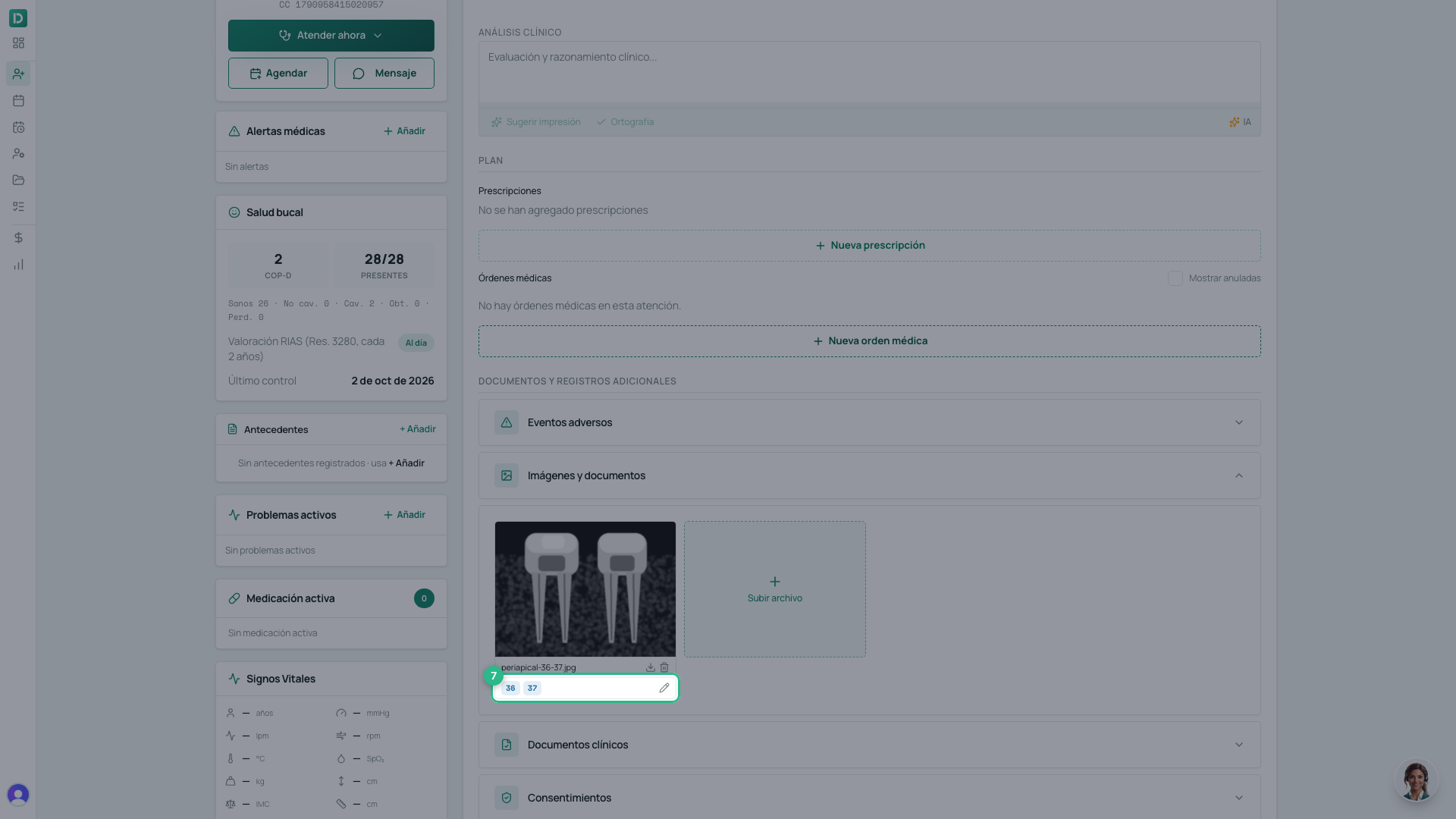
- The image shows its teeth underneath. To change them, click the pencil; an untagged image shows + Dientes.
Find it on the tooth
- Open the patient’s Odontograma tab.
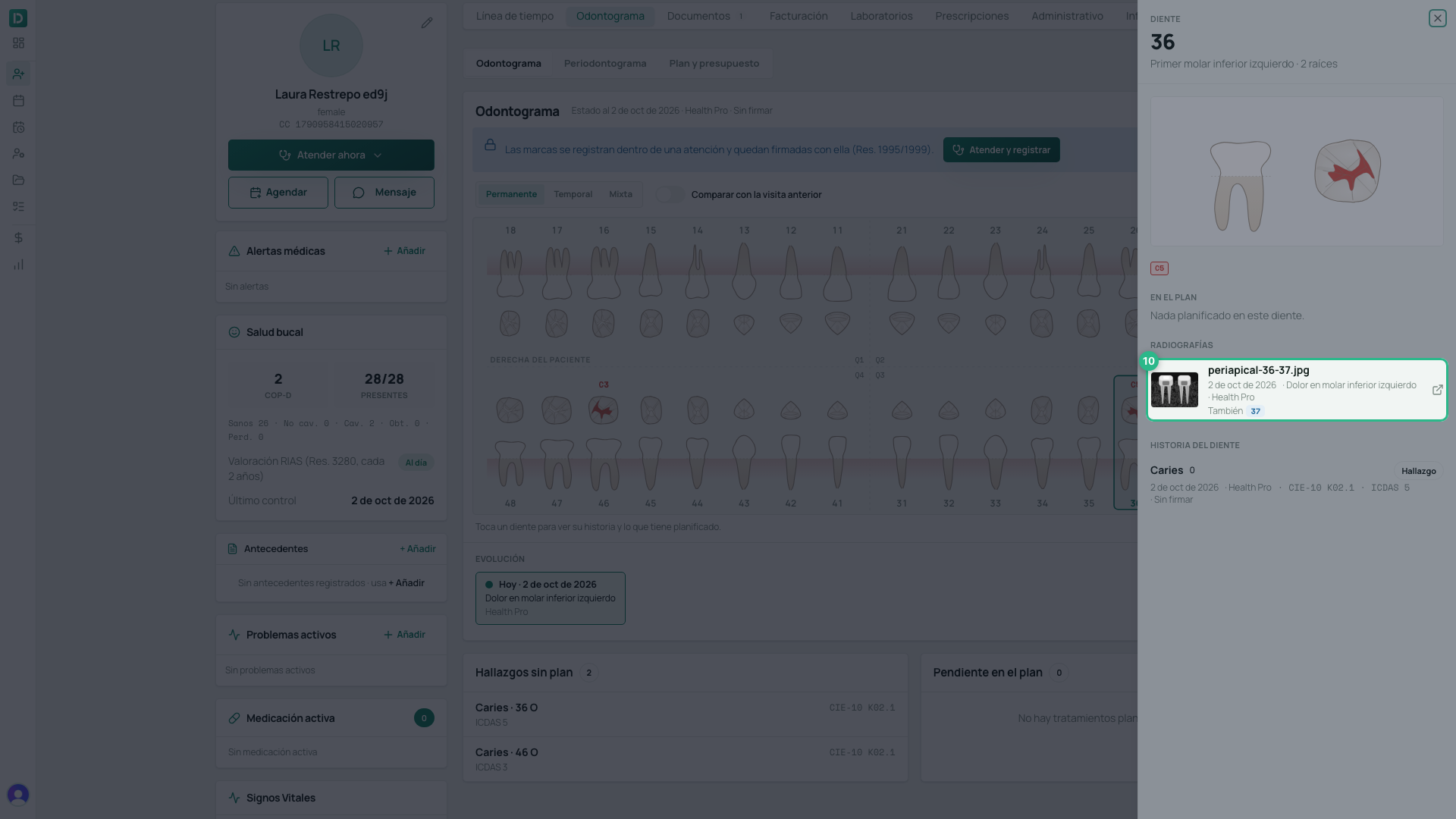
- Tap the tooth — here, 36.
- Under Radiografías (X-rays) on its sheet is the image, with the date, the consultation and who saw the patient, and the other teeth it shows (También 37, also 37). Tap it to open it.
Tip
A tooth with no X-rays says so on its sheet. If today’s consultation is still open, the Abrir la consulta de hoy (open today’s consultation) button takes you straight there to upload one. The rest of the tooth sheet is covered in the patient’s odontogram.