How to create consent templates
On this page
Consent templates are your usual documents — agreements, authorizations, policies — written once for the whole practice. When you use one with a patient, their details fill in on their own and the document carries your practice’s logo and colour.
Steps
-
Go to Plantillas → Consentimientos.
-
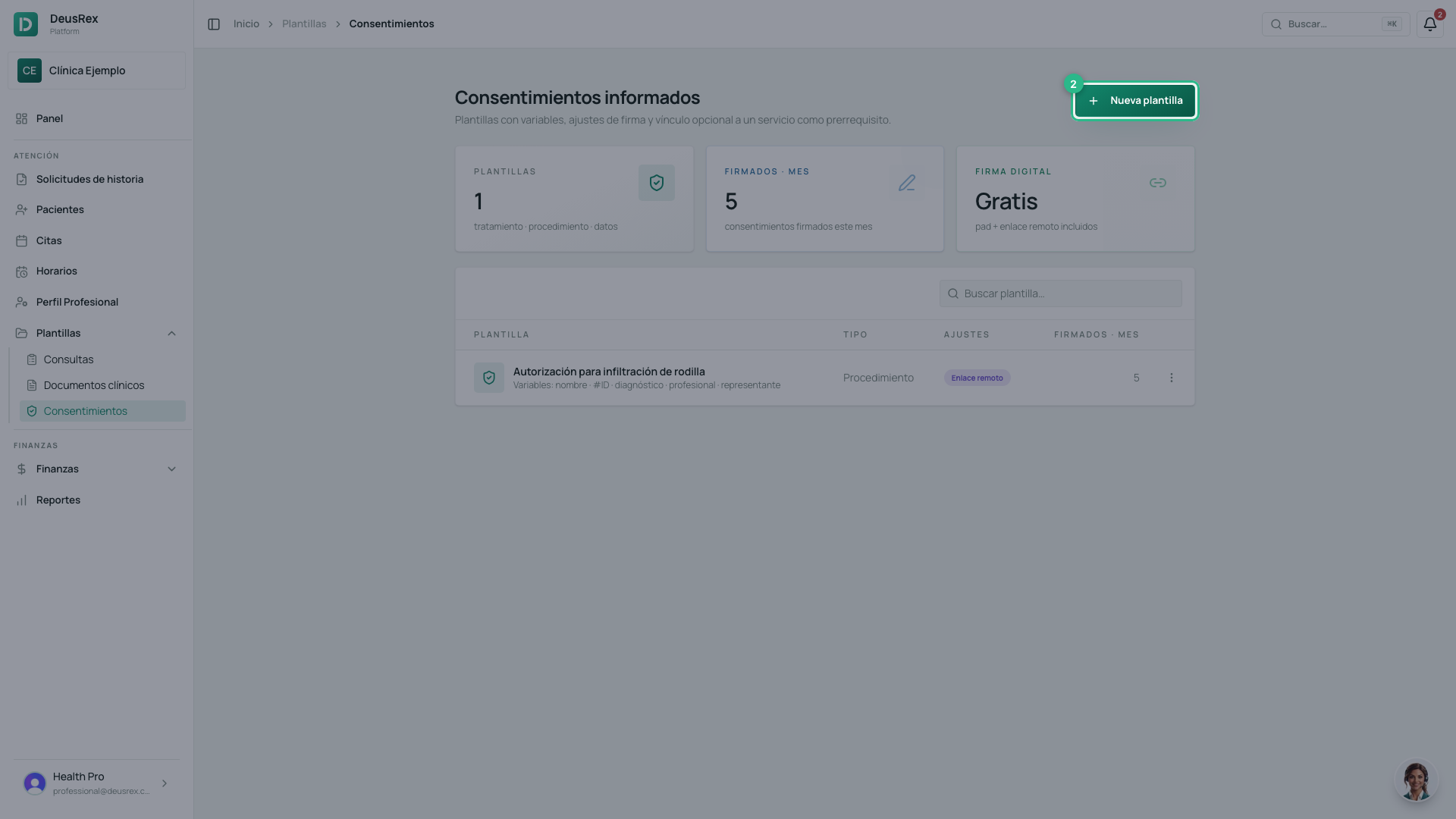
Click Nueva plantilla.
-
Give the template a name.
-
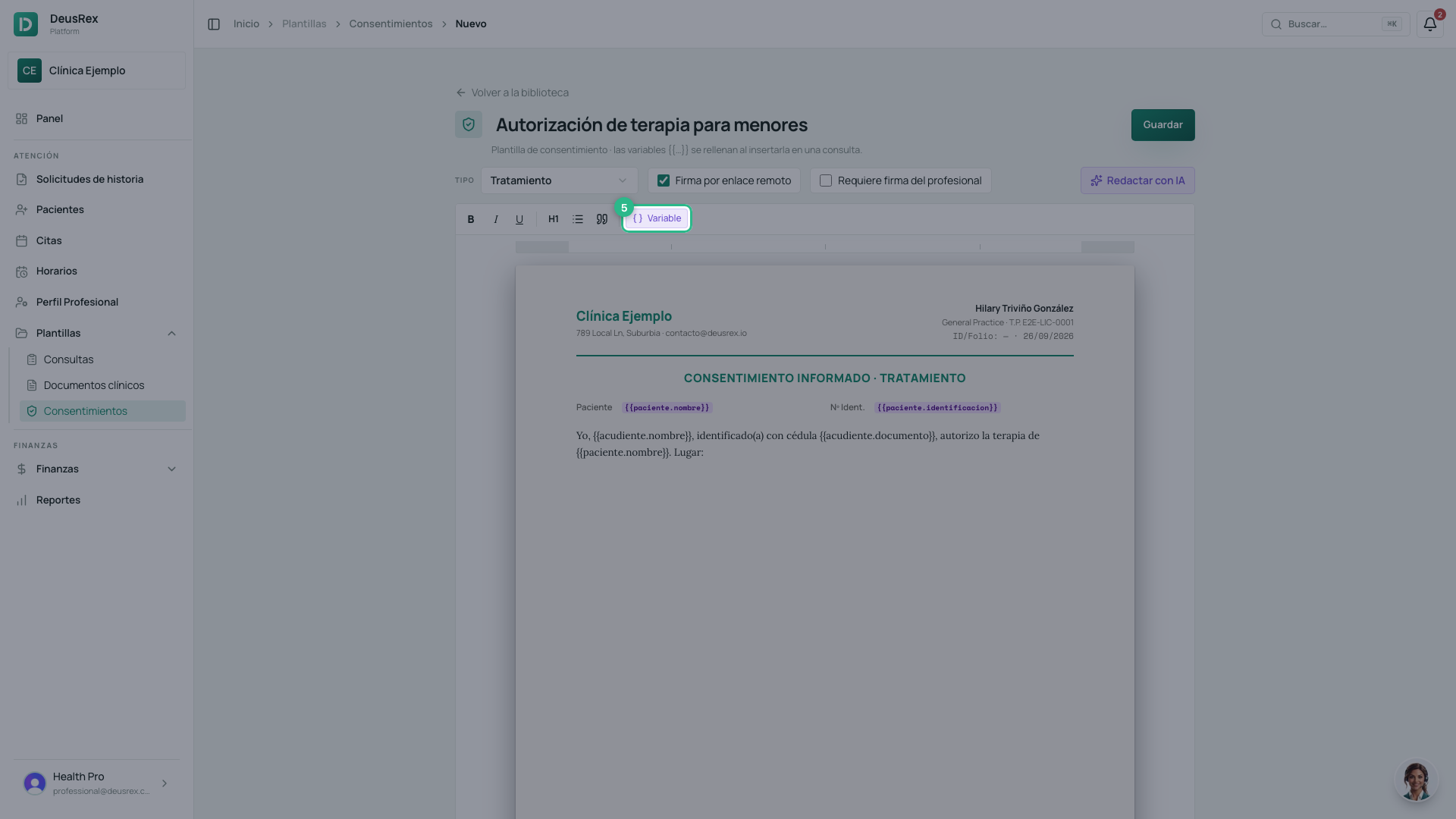
Write the text. Wherever a patient detail goes, write a variable in double braces, for example
{{paciente.nombre}}: it fills in when you use the template. -
Click Variable to see every available one.
-
Pick one — for example Lugar (consultorio) — and it is inserted at the cursor.
-
If you would rather not start from scratch, Redactar con IA writes a draft for you (see below).
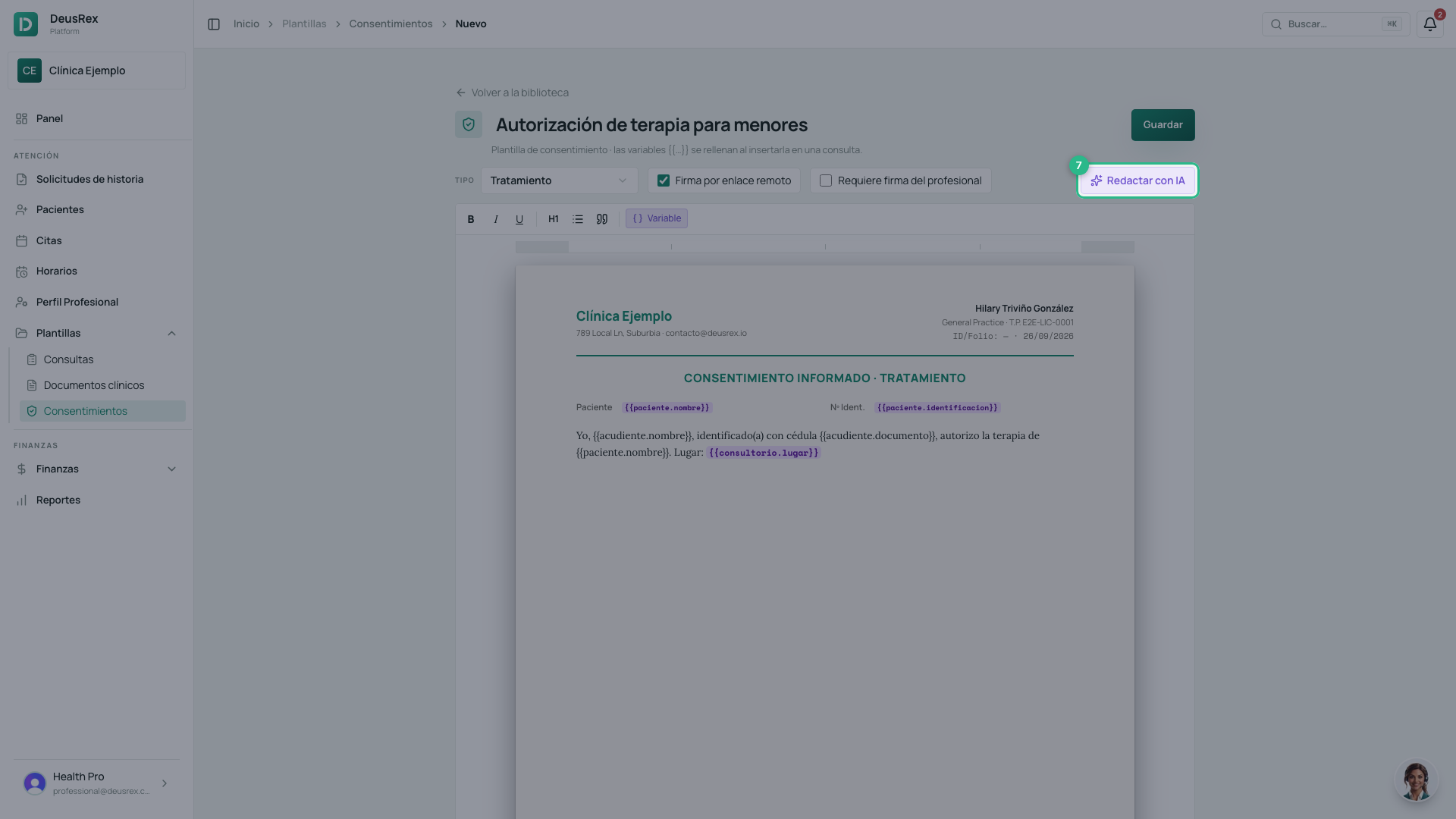
- Click Guardar.
The variables
| Variable | What it inserts |
|---|---|
{{paciente.nombre}} | The patient’s full name |
{{paciente.identificacion}} | Their ID document |
{{acudiente.nombre}} | Who signs for a minor: the primary guardian on file |
{{acudiente.documento}} | The guardian’s ID number |
{{acudiente.telefono}} | The guardian’s phone |
{{profesional.nombre}} | Your name, as registered in ReTHUS |
{{profesional.registro}} | Your professional licence |
{{consultorio.lugar}} | Where it is signed |
{{fecha}} | Today’s date |
If a detail is missing from the file, the variable stays visible in the document, so you can see what to complete instead of signing a consent that is silently missing something.
Redactar con IA
Redactar con IA writes a draft for the consent type you chose. You can give it an instruction (“for speech therapy in children”) or use one of the examples it offers.
The draft replaces whatever is in the editor. Review it before saving: the text is yours and it is what the patient signs. It uses your organization’s AI credits.
Your brand on the document
The logo and colour come from Tu Negocio → Información General. The colour is used for the title, the headings and the letterhead line; if it is too light to read on white paper, the DeusRex green is used instead.
If your text opens with its own title (for example ACUERDOS DEL PROCESO TERAPÉUTICO), that is the document’s title: no second one is added above it.
Options
- Firma por enlace remoto: lets you send the consent for the patient to sign on their phone. See how to send a consent to sign remotely.
- Requiere firma del profesional: asks for your signature as well as the patient’s.
Patients who are minors
If the patient is under 18, their guardian signs. Use the
{{acudiente.…}} variables in the text and add the guardian to the patient’s
file: their name and ID number arrive prefilled at signing, and the PDF names
them as Representante legal.