How to book sessions with advisors
Beyond the AI Advisor, you can connect with real expert advisors and book sessions with them from the Companion.
Before you start
An advisor does not work every day. The booking box only shows the days they have free times, so the first one may be a few days out.
Booking a session
- Open Companion and go to Advisors.
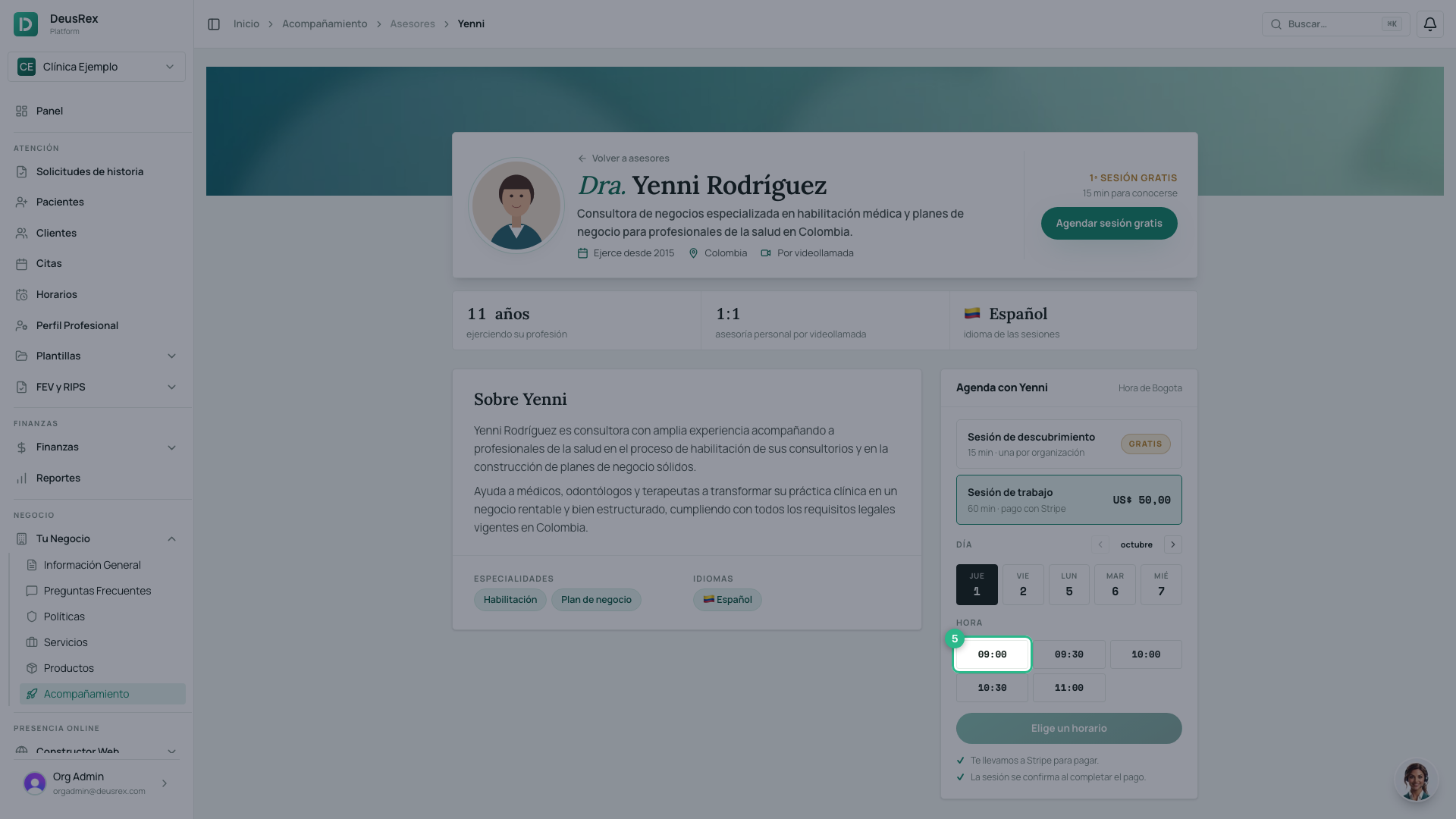
- Open an advisor’s profile: you will see their cover, their title and name, their introduction and their specialties. Details in How to read an advisor profile.
- In the Book with… box, choose a Discovery session (free) or a Working session (paid). The discovery session is one per organization: once used, it shows as Used and the working session is selected.
- Pick a day. Only days with free times appear; use the arrows beside the month to see more.
- Click the time that suits you. Times are in your local time.
- Confirm with the button, which names what you are booking (for example, Book free · Fri 2, 08:30). A free session is booked immediately; a working session takes you to pay by card before it is confirmed.
Paying for a working session
Stripe processes the payment, not DeusRex: your card details never pass through our servers.
- Pressing Reservar y pagar opens Stripe’s payment page with the price of the session.
- Type your card number, the expiry date and the security code — each in its own box.
- Type the name on the card. It is required: without it the pay button does not go through.
- Press Pay.
- You return to My Sessions and the session is confirmed.
⚠️ The session stays pending payment until the payment completes. If you close Stripe’s page without paying, the session is not confirmed and the time slot is released.
After booking
Confirming takes you to My Sessions, where every session you booked lives. From there you join the video call or cancel. Step by step in How to view and manage your sessions.
Tip
Start with a discovery session: it is free and lets you meet the advisor before paying for a working session.