How to limit how many times an appointment can be moved
On this page
You can set how many times a patient may move a session. Once the limit is reached the system refuses the change — in the dashboard, in the portal and in SarAI alike, because the rule lives on the server and not in the text of a policy.
Steps
- Open Settings.
- Find the Rescheduling card.
- Type a number into Practice default.
- Leave the field. The change saves on its own.
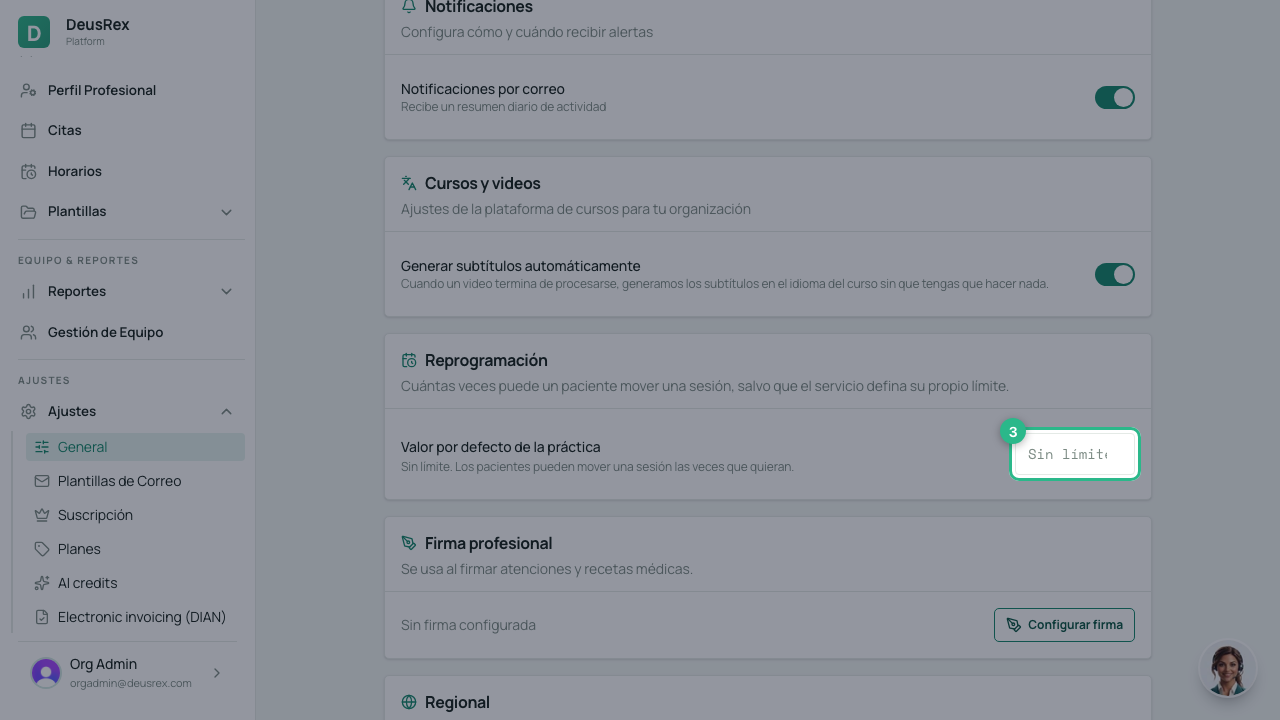
Leave it empty if you don’t want a limit.
Where the number lives
It resolves in two steps, and the first one with a value wins:
- The service limit (Your Business → Services → Configure).
- The practice default, if the service sets none of its own.
That lets you treat an initial assessment differently from a therapy session without configuring every service one by one.
Empty, 0 and a number are three different answers
- Empty on the practice — no limit.
- Empty on a service — use the practice value.
- 0 — the session can never be moved once booked.
- A number — that many moves.
⚠️ 0 does not mean “not configured”. It is the strictest setting there is: no session of that service will ever be movable.
What happens at the limit
- The appointment keeps its time. It is not cancelled.
- Nothing is charged and nothing is refunded.
- The patient can keep it, cancel it, or book a new session.
- If they insist or claim an emergency, SarAI does not decide: it hands the conversation to a person. When it does, it switches its own assistant off in that chat, and the conversation waits in Social Media → Inbox with the AI toggle off. A notification, “Conversation needs review”, also reaches whoever administers the organization. SarAI does not answer there again until somebody takes over.
A move the practice makes — shifting a whole recurring series, for example — is recorded but does not spend the patient’s allowance.
The policy is separate
The limit does not live in the policy. A policy can name the rule, and then the policies screen shows whether it is Enforced or whether the limit is missing. If you name the rule and configure no number, nothing is enforcing it: SarAI will leave those cases to a person until you set one.
See also the guides How to define your policies and How to reschedule or cancel an appointment.