How to share your success story
When you move up a stage or finish a session, the Companion invites you to share your story to inspire other businesses.
Steps
- Open Companion → Share your story (or click Share on the prompt when it appears).
- Write a headline summarising what you achieved. This is optional.
- Tell your story: what you achieved and what helped.
- Write the name you want to appear under.
- Give your role and city (for example, “Dentist, Medellín”).
- If you like, upload a photo or a video. Both are optional.
- Tick the public use authorisation.
- Click Send story.
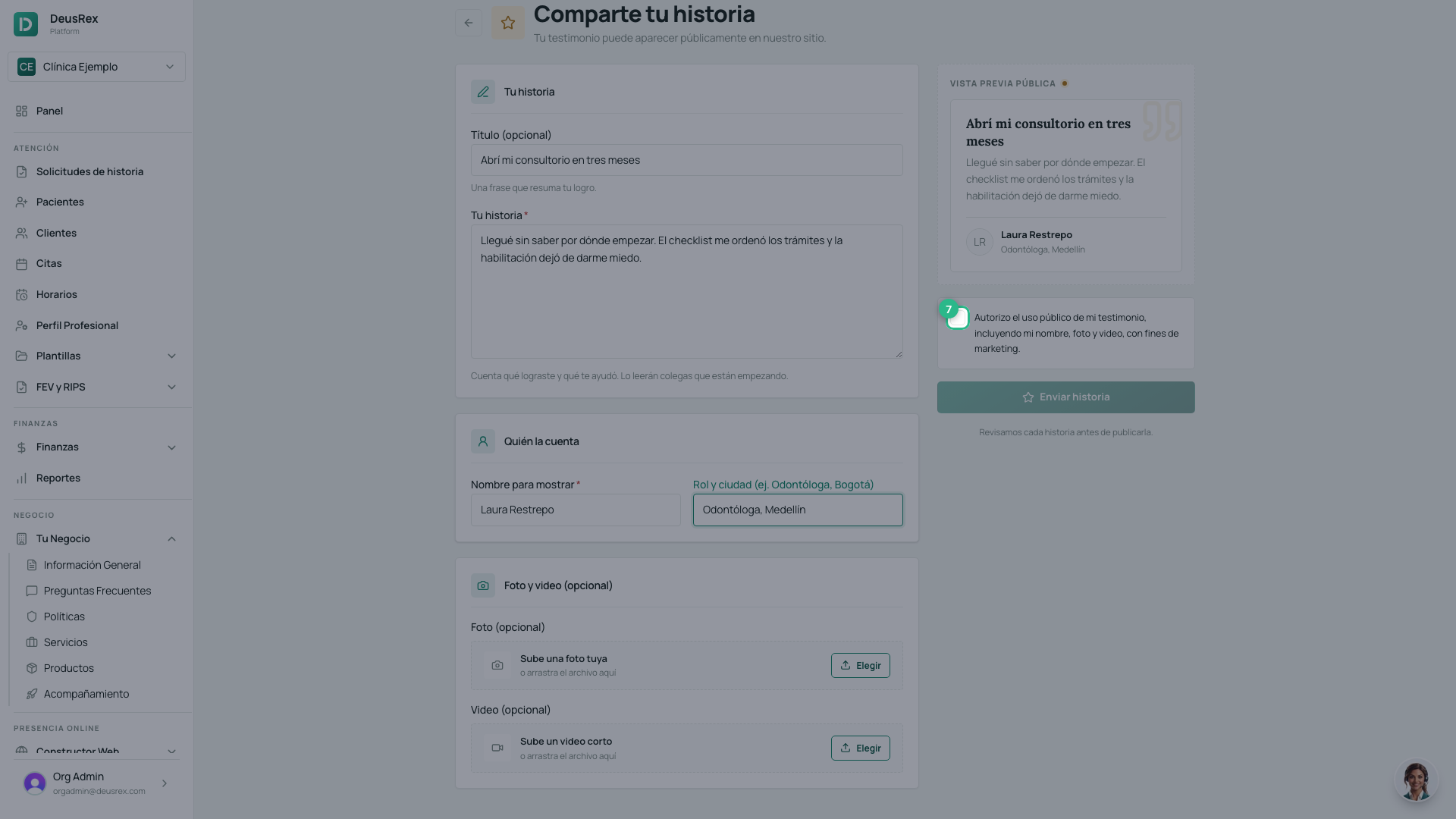
The authorisation is required
⚠️ The Send story button stays disabled until you tick the authorisation box. That is not a bug: without your express permission we cannot publish your name, your photo or your video.
As you type you will see a public preview: it is exactly what you are authorising.
What happens next
Your story goes under review. Someone at DeusRex reads it before publishing, so it may take a while before you see it on the site.
Tip
Share concrete wins (“I am now licensed”, “my first 10 appointments”): specific stories are the ones that motivate others most.