How to take vital signs
On this page
Vital signs (blood pressure, heart rate, temperature, weight, height) are recorded per appointment and saved in the patient’s history to track their progression over time.
Before you start
Recording vital signs creates a clinical record, so the platform requires your professional profile to be ReTHUS-verified. Without it the Registrar button stays disabled.
Steps
-
Open the patient’s profile.
-
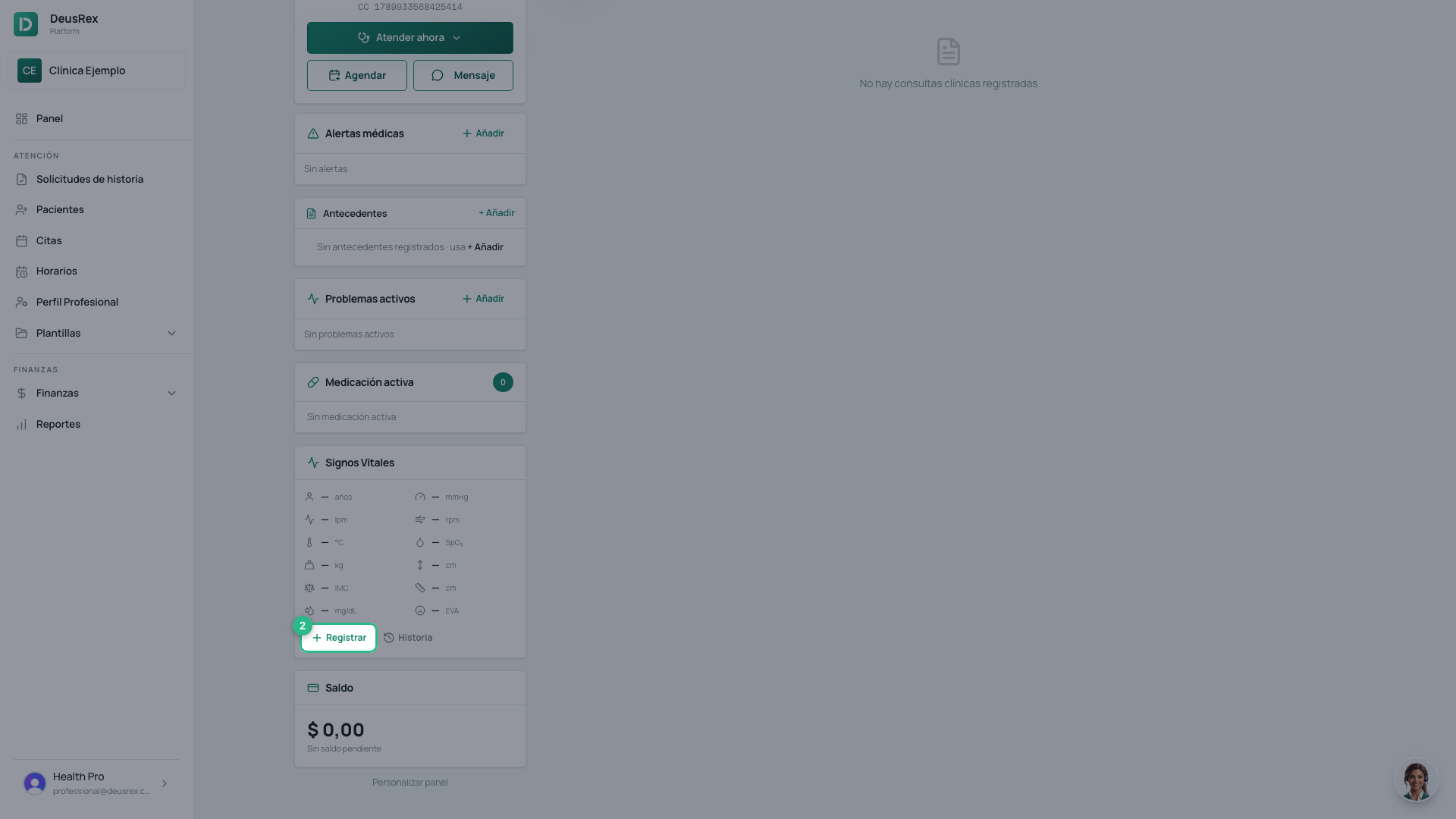
In the Signos Vitales card, tap Registrar. The dashes turn into fields you can type in.
-
Enter the values you recorded: blood pressure, heart rate, temperature, weight, height and whatever else applies.
-
Tap Guardar.
-
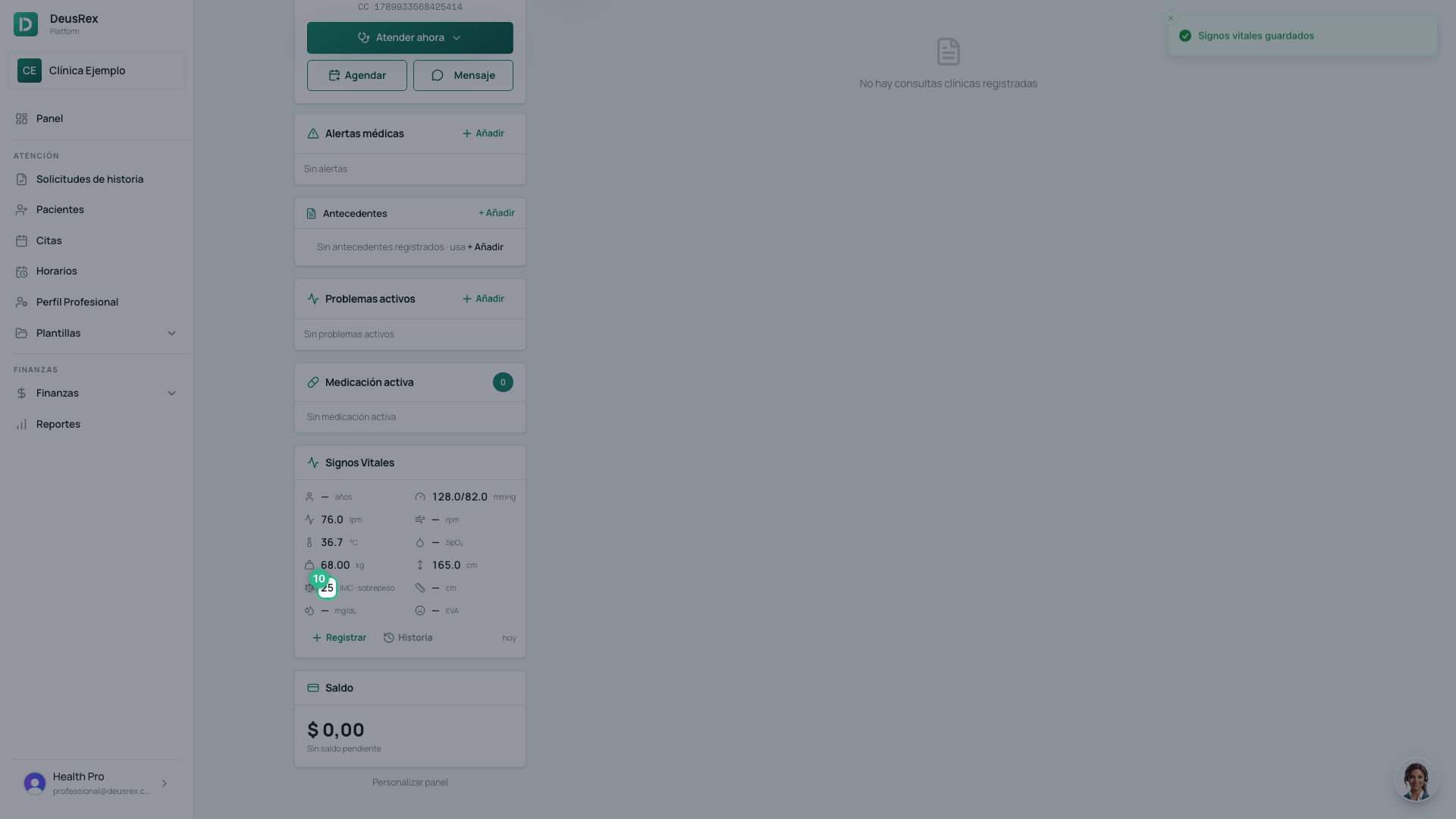
The BMI appears on its own, with its category. You do not type it.
Seeing the trend
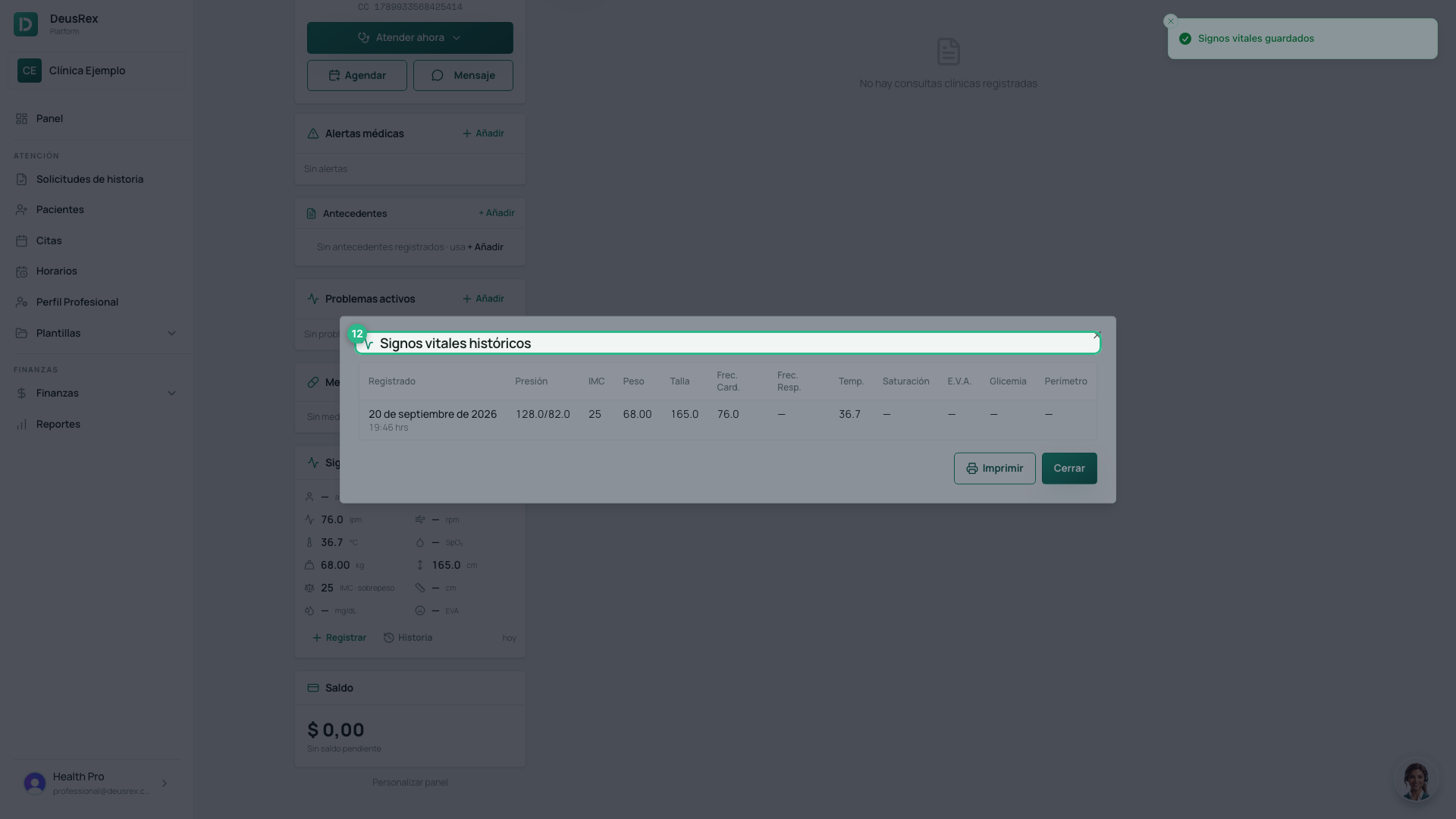
In the same card, the Historia button opens Signos vitales históricos: every reading with its date. That is what helps when monitoring blood pressure, weight or growth.