How to file an invoice with the EPS and answer returns and objections
On this page
FEV y RIPS → Cuentas EPS → Por cobrar follows each invoice to an EPS from issue to payment: the filing, the returns, the objections (“glosas”), your answers and the payments, with the legal deadlines counted in business days (holidays skipped).
Before you start
- The invoice must be accepted by the DIAN (guide How to issue the electronic invoice to the EPS).
- Downloading the package and filing need the CUV: file the RIPS in FEV y RIPS → Radicación RIPS → Enviar al Ministerio.
- Issuing credit notes needs DIAN electronic invoicing enabled with a credit note numbering resolution.
Steps
-
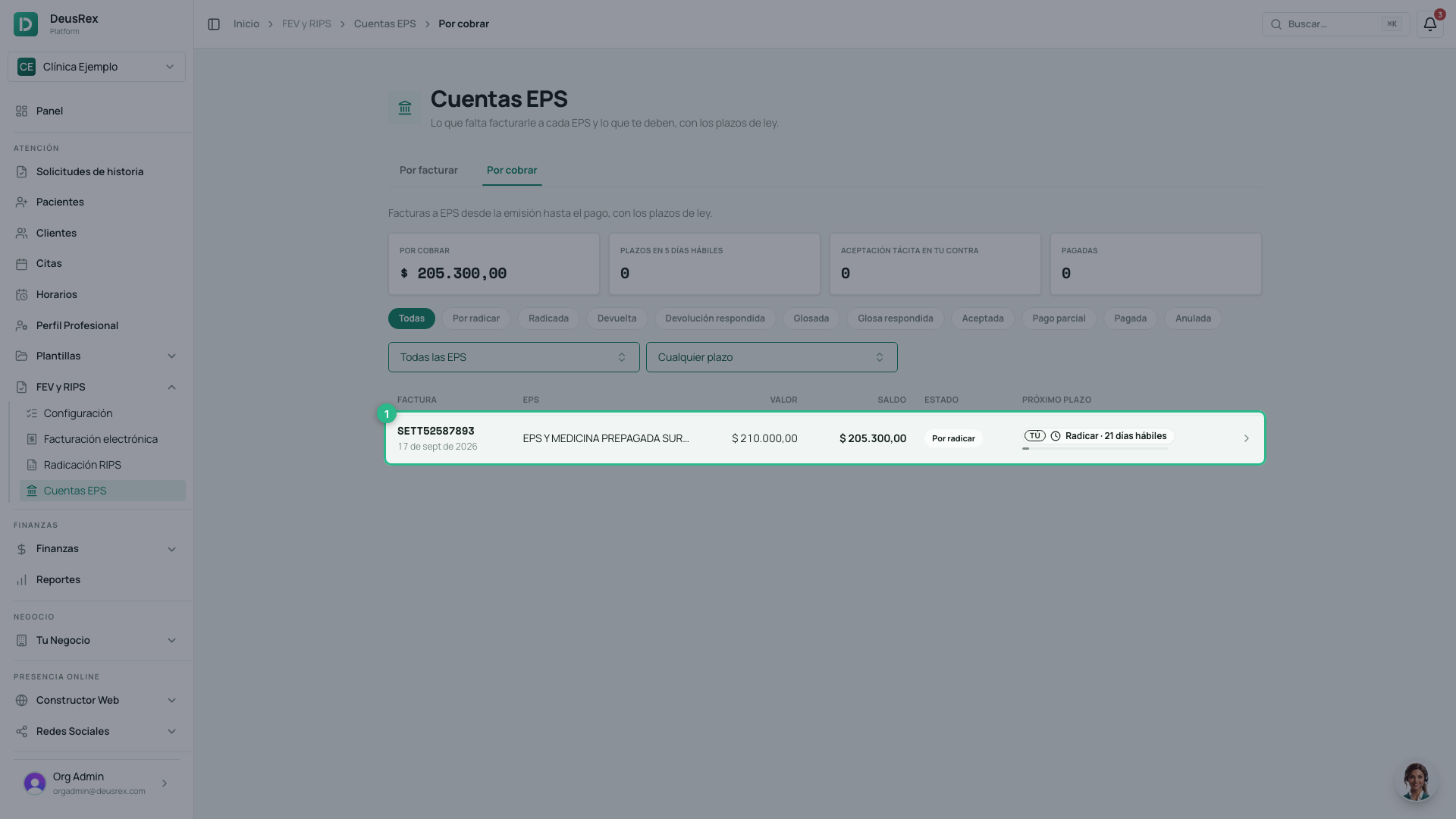
Open FEV y RIPS → Cuentas EPS and choose the Por cobrar tab. Each invoice shows its status, its balance and the next deadline: who owes it (Tú — you — or the EPS) and how many business days are left. Filter by status, EPS or deadline.
-
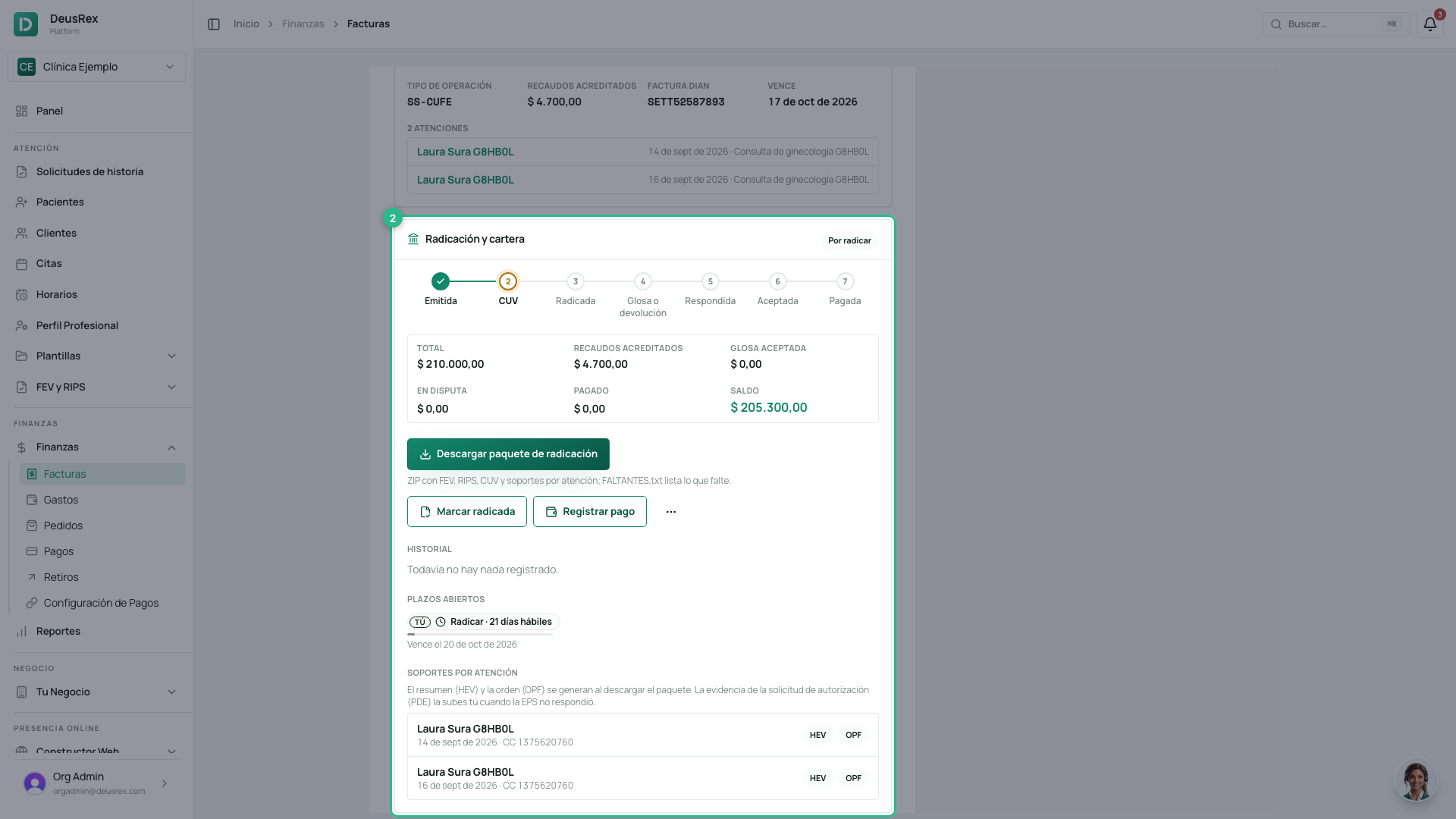
Open an invoice. Radicación y cartera shows which step it is at, the amounts (total, copays credited, objections accepted, in dispute, paid and balance), the history and the open deadlines.
-
Press Descargar paquete de radicación. It is a ZIP, with no folders, holding the invoice (XML and PDF), the RIPS, the CUV answer and, for each visit, the summary (
HEV_) and the order or prescription (OPF_). Anything missing is listed in FALTANTES.txt. -
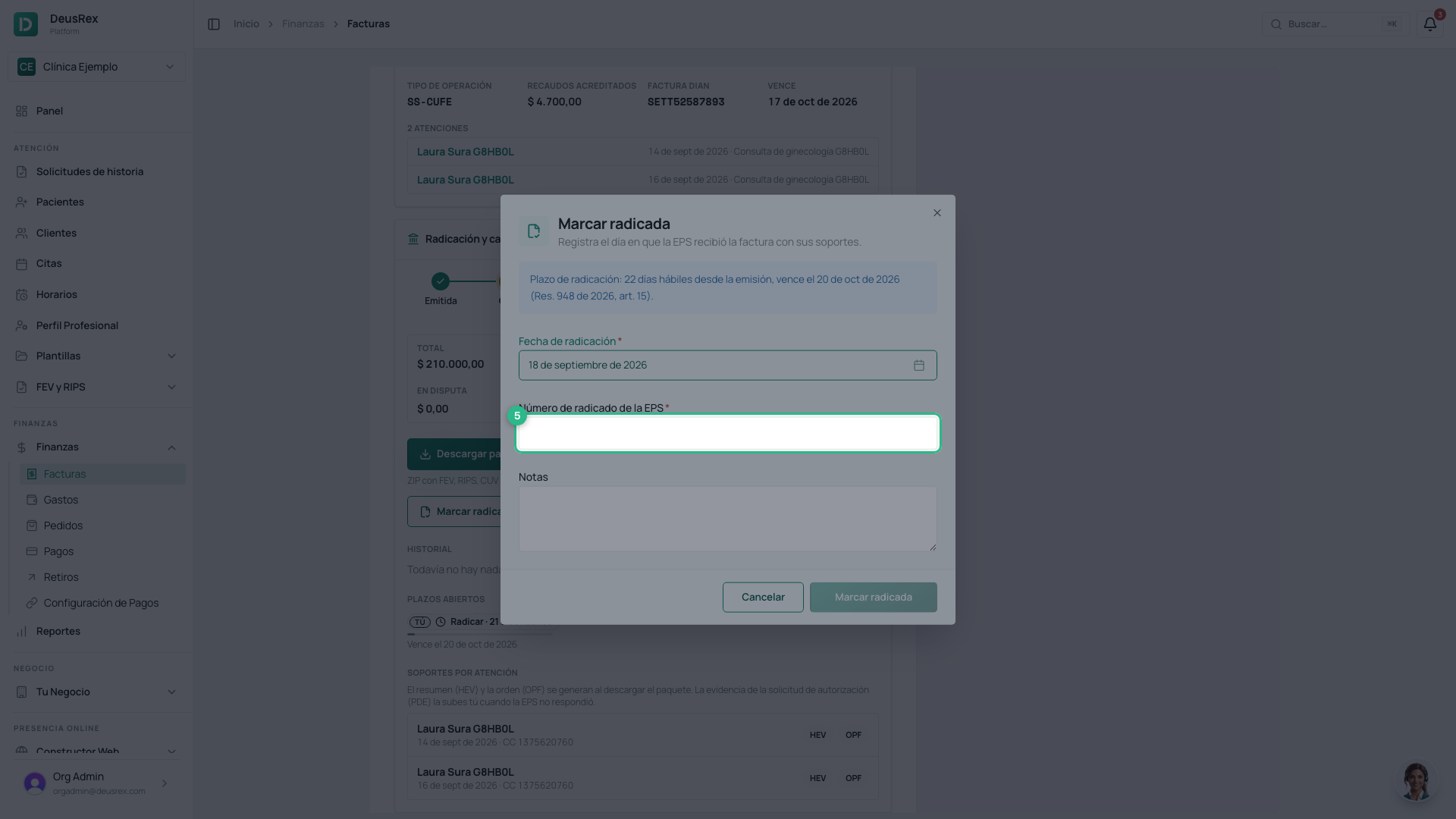
File the package on the EPS portal or by email, then press Marcar radicada.
-
Enter the EPS filing number, check the date and confirm with Marcar radicada. You have 22 business days from issue to file; a later date gets a warning.
-
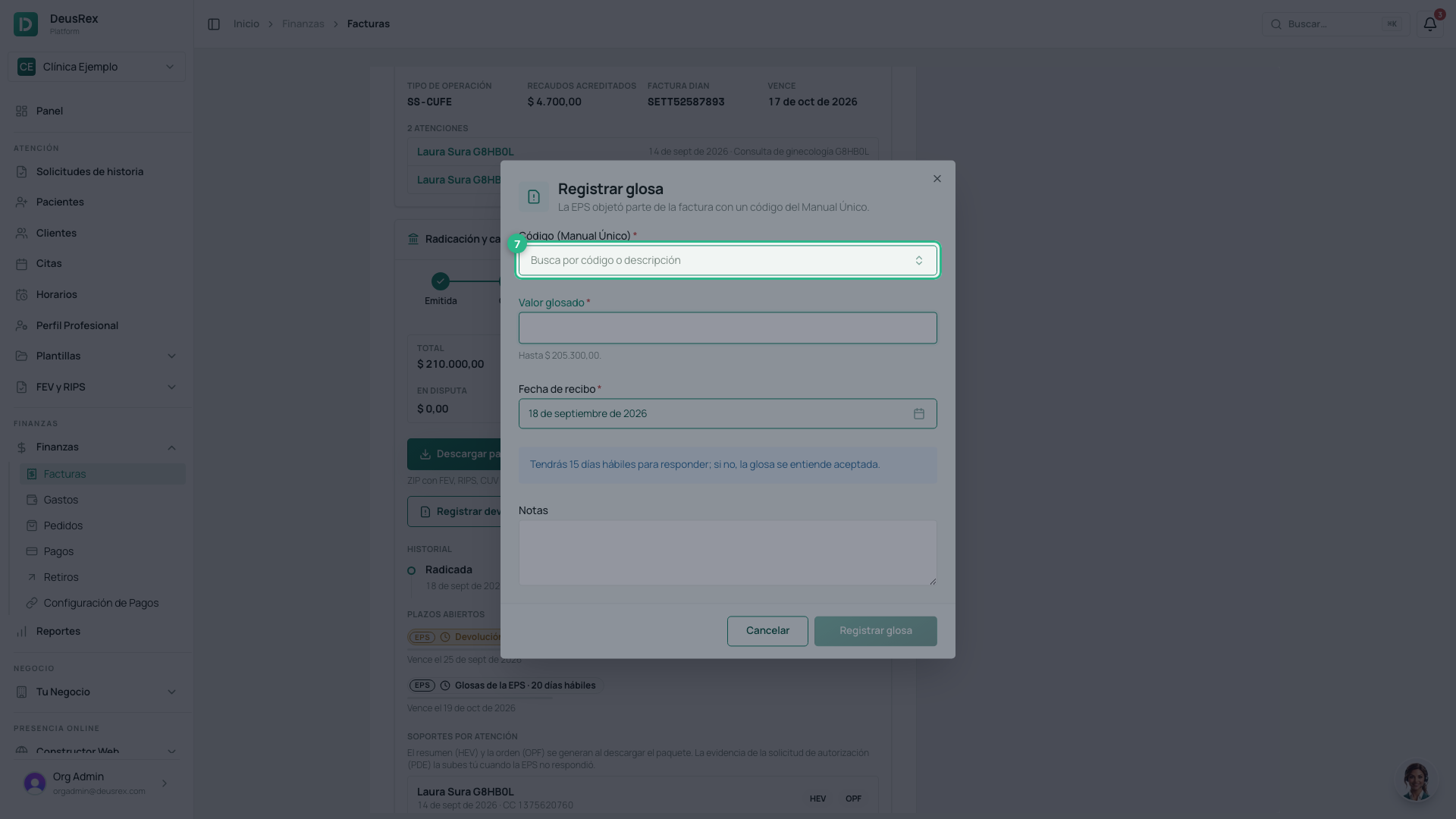
If the EPS objects to part of the invoice, press Registrar glosa. If it returns the whole invoice, press Registrar devolución.
-
Find the Manual Único code the EPS sent (by code or by words), enter the amount objected and the date you received it, and save.
-
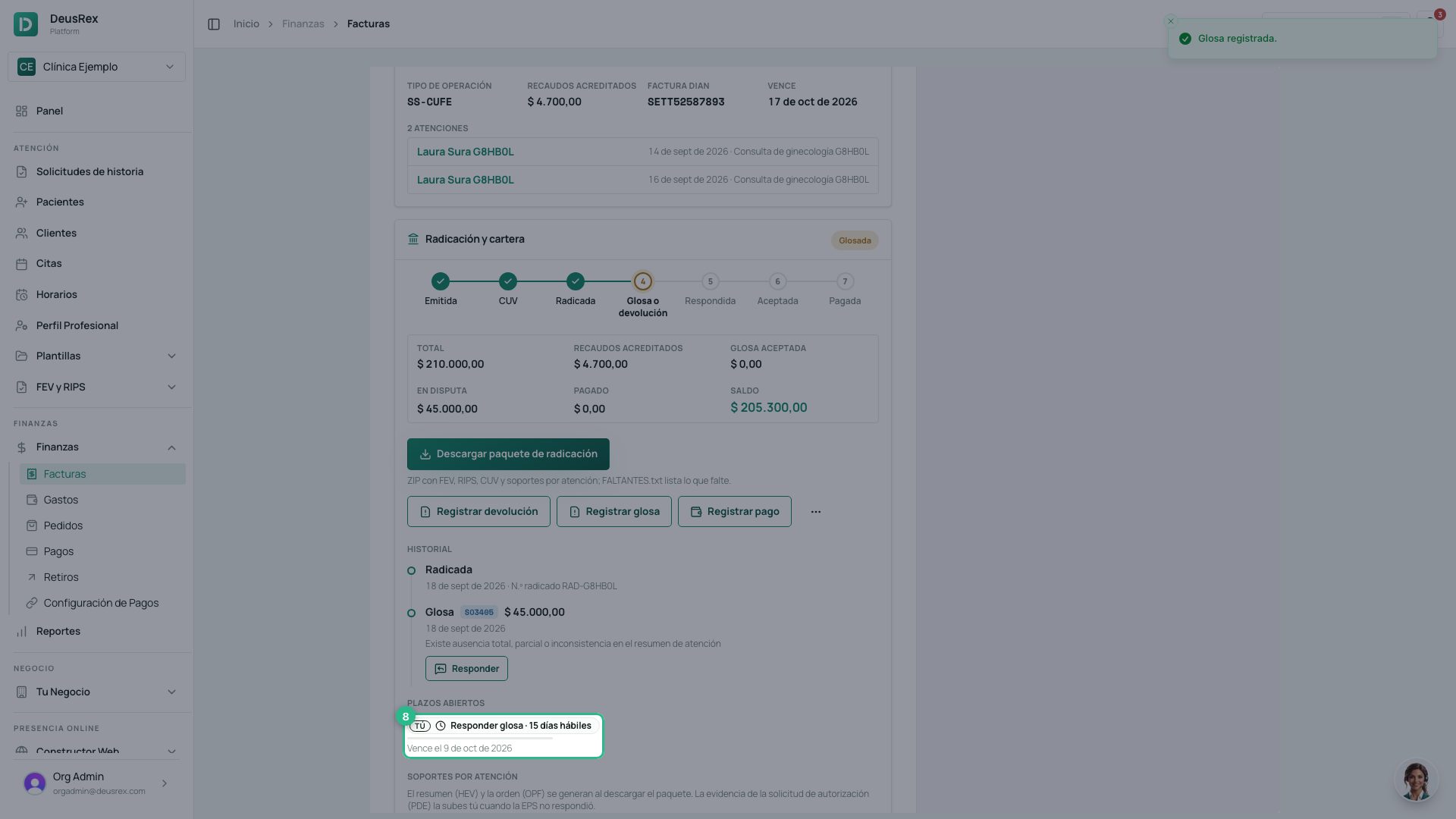
Plazos abiertos shows your answer deadline: 15 business days for an objection and 5 for a return. You are reminded at 5 and at 2 business days.
-
Once you answer the EPS, press Responder on the objection.
-
Pick the answer code you sent:
- RE9702: you accept the whole objection.
- RE9801: you accept part of it; enter how much.
- RE9502, RE9602 or RE9901: you accept nothing.
Save the answer.
-
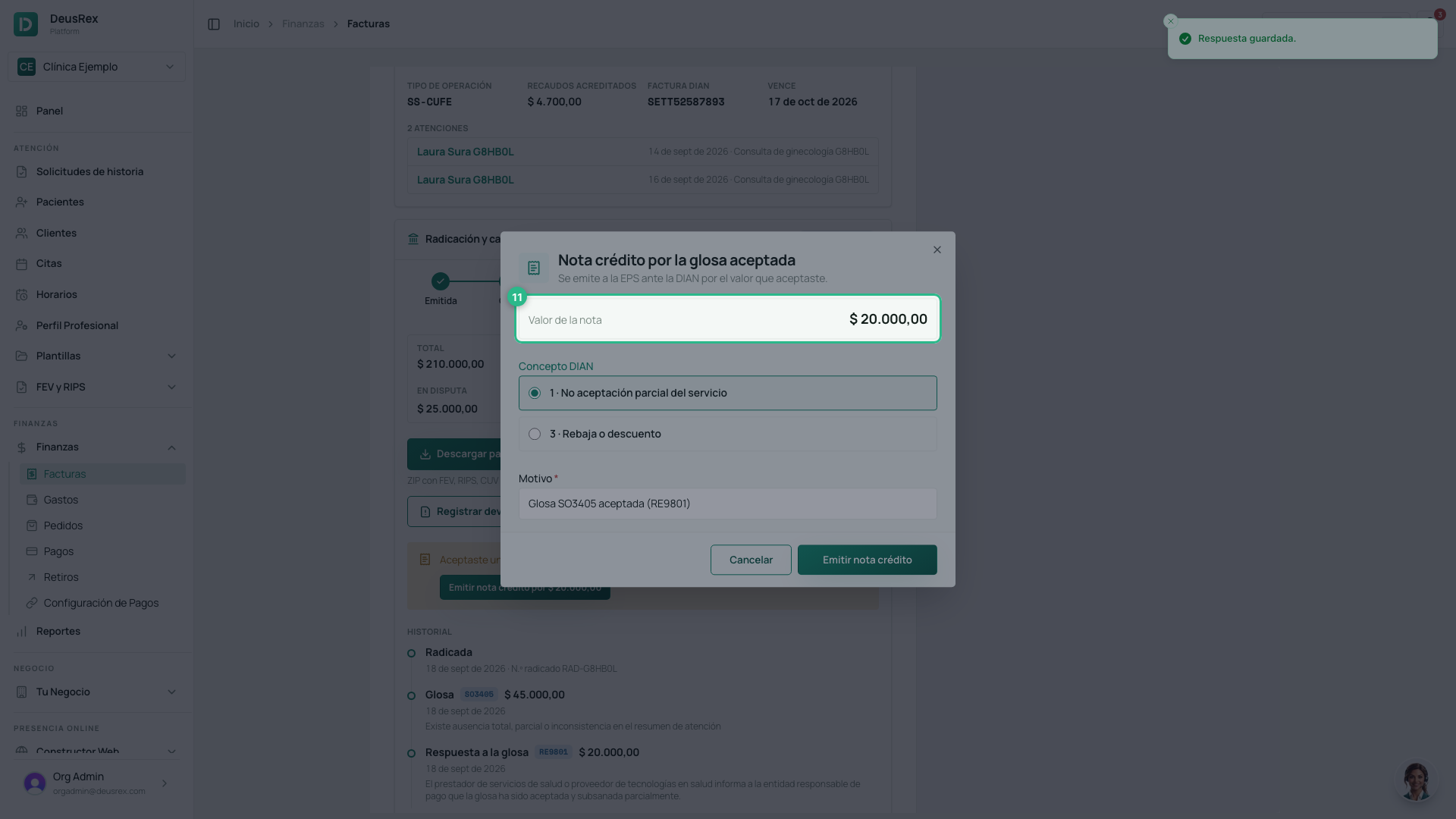
If you accepted an amount, the credit note opens with that amount and the reason already filled in. Check the DIAN concept and press Emitir nota crédito. If you close it, it stays pending on the invoice.
-
When the EPS pays, press Registrar pago.
-
Enter the amount (a partial payment is fine), the date and the transfer reference, and confirm with Registrar pago.
-
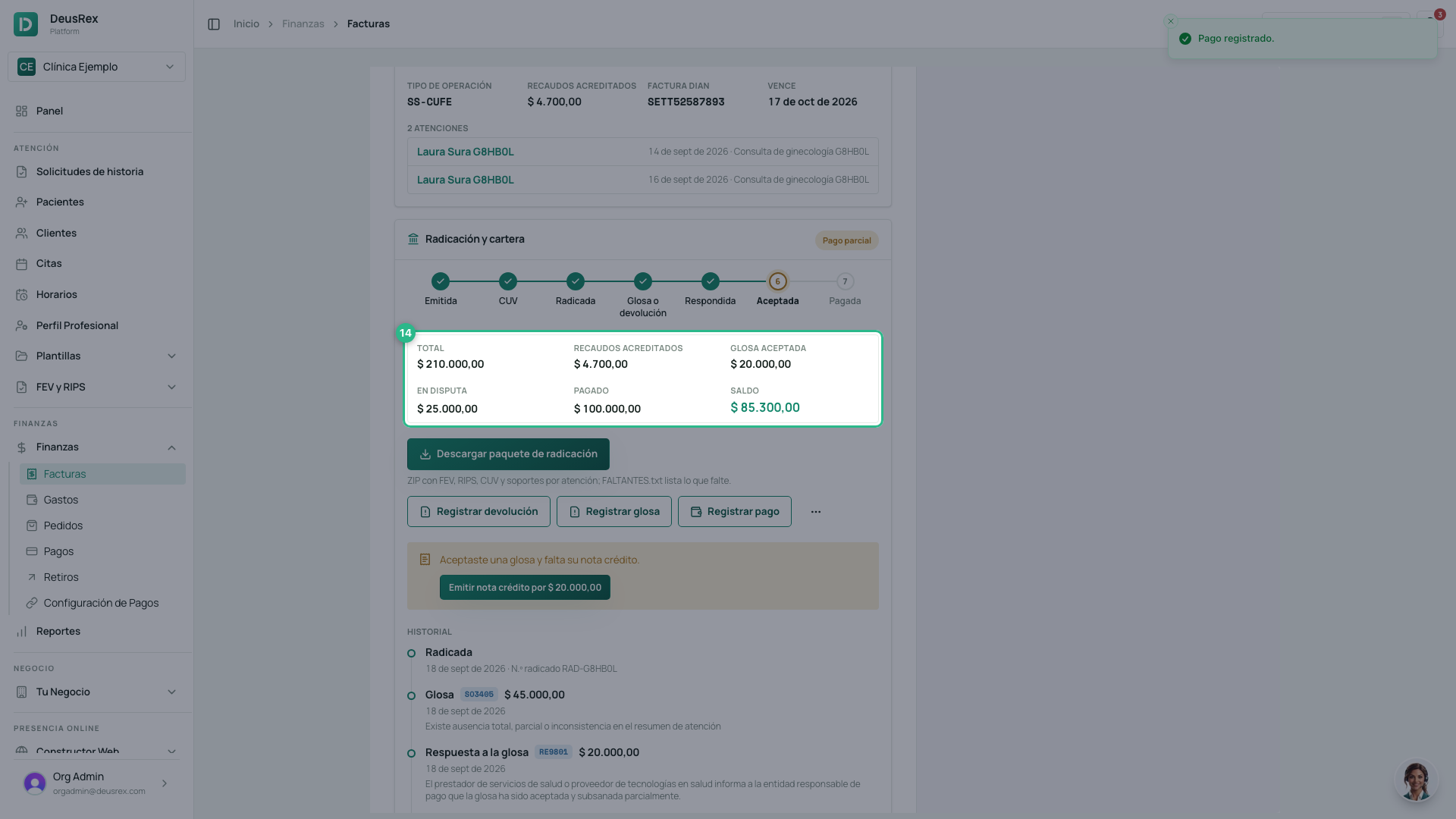
The invoice stays Pago parcial until the payments add up to the balance: total, minus copays credited, minus what you accepted of the objections. Then it becomes Pagada.
The deadlines
| Step | Who | Deadline | If missed |
|---|---|---|---|
| File | You | 22 business days from issue | The EPS may return it (DE56) |
| Return the invoice | EPS | 5 business days from filing | It can no longer return it |
| Answer the return | You | 5 business days from receipt | It counts as accepted |
| Decide on your answer | EPS | 5 business days | The return was unjustified |
| Object | EPS | 20 business days from filing | The invoice is accepted |
| Answer the objection | You | 15 business days from receipt | It counts as accepted |
| Decide on your answer | EPS | 10 business days | The objection is lifted |
When you miss a deadline, the invoice shows it in red as Aceptación tácita. When the EPS misses one, it shows in green as Aceptación tácita a tu favor; a late return or objection is marked Extemporánea and is answered with RE9501 or RE9502.
Rules: Resolución 948 of 2026 (art. 15), Resolución 2284 of 2023 (art. 6 and Technical Annex 3), Ley 1438 of 2011 (art. 57) and Decreto 441 of 2022.
The EPS decision
If you did not accept the whole objection, record the EPS decision with Registrar decisión de la EPS: the amount it upholds (0 if it lifts it). What it upholds stays in dispute.
Authorization evidence
When a visit’s authorization is the request number (the EPS never
answered), the package needs the evidence of that request (PDE_). Upload it,
as a PDF, under Soportes por atención → Subir PDE.
Annulling the invoice
If a return stands (for example, the patient belongs to another EPS), open ⋯ → Anular factura and enter the reason. A credit note for the whole amount is issued; once the DIAN accepts it, the invoice is Anulada and its visits return to Por facturar (EPS). An invoice with payments cannot be annulled.