How to edit patient information
On this page
You can update a patient’s contact and affiliation details anytime from their profile.
Steps
-
Open Patients and enter the patient’s profile.
-
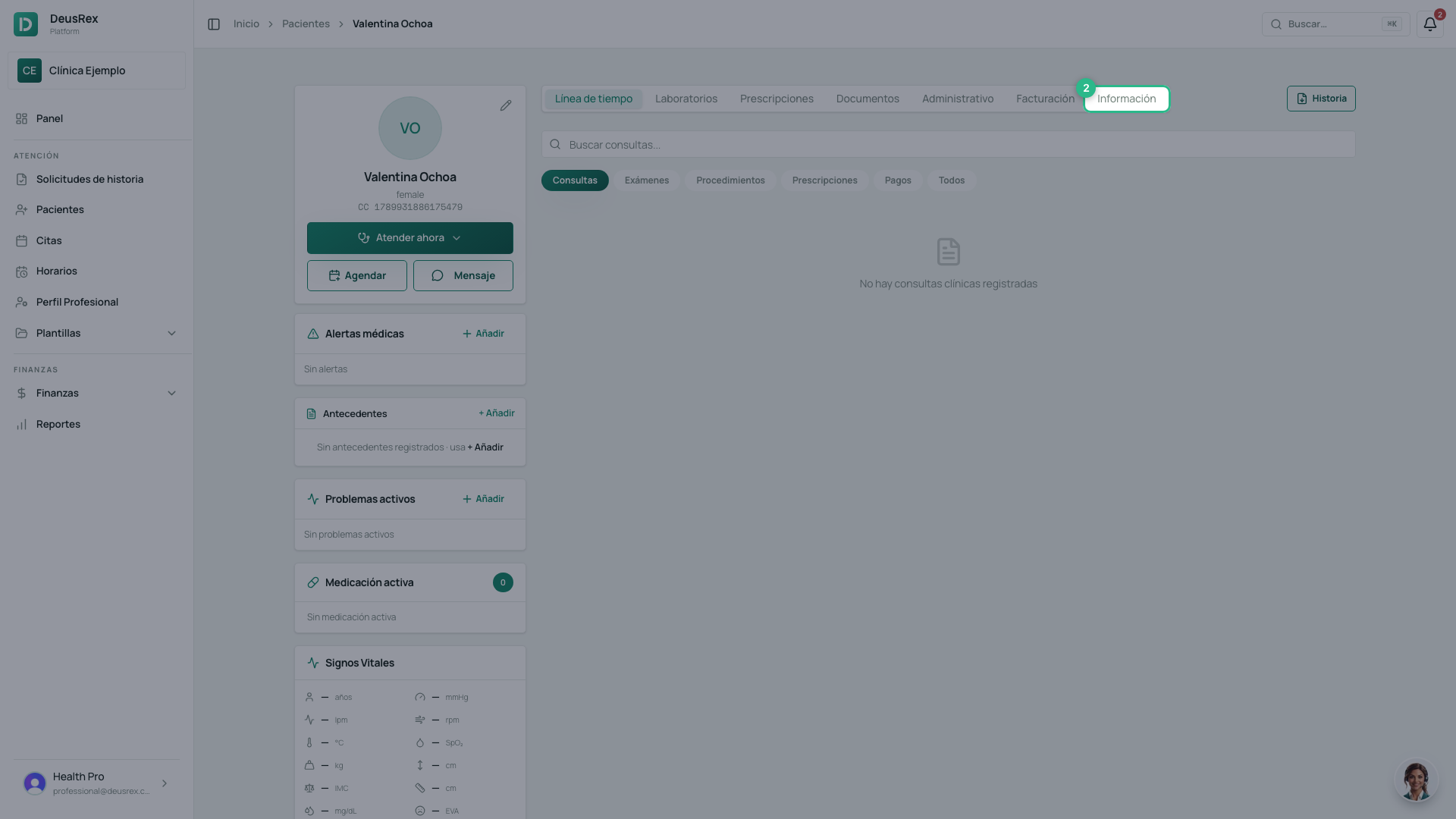
Go to the Información tab.
-
The fields are already editable. There is no “Edit” button: you type straight over whatever you want to correct — contact, address, health plan (EPS), and coverage type.
-
Click Guardar Cambios. The pencil in the corner of the patient card is a shortcut to step 2, not a separate form.
Tip
Keep the health plan (EPS) and coverage type up to date: they’re used in electronic invoicing and the RIPS report, and incorrect information can cause the claim to be rejected.
The titular’s authorizations
Under the Administrativo tab you will see the Autorizaciones del titular card with two lines, Data processing and Marketing. Both are read-only: they show what the patient authorized, and when.
There is no switch because those decisions belong to the titular, not to the practice. The patient changes them from their own My account page. They grant them in three ways: by booking on your public page, by signing the authorization document, or by answering Sarai on WhatsApp, Instagram or Facebook when they ask for an appointment by chat.
That is why the card may say the authorization came from a conversation. It is just as valid: Sarai shows the full text and records only an explicit yes.
If a patient phones asking to stop receiving promotions, today you cannot record that yourself from here. Ask them to change it under My account.
If the patient says they already gave Sarai the details
Sarai does not modify an existing patient’s record while the conversation is not yet linked to that person — for example, when they write from a new WhatsApp number. A document number does not prove who is writing, so the record is left untouched.
The appointment is still booked normally. What is not saved is the change of email, phone, or name. Update it yourself with the steps above.