How to read an advisor profile
Before you book, the advisor profile tells you who they are, what they specialise in, and what working with them costs.
Steps
-
Open Companion → Advisors.
-
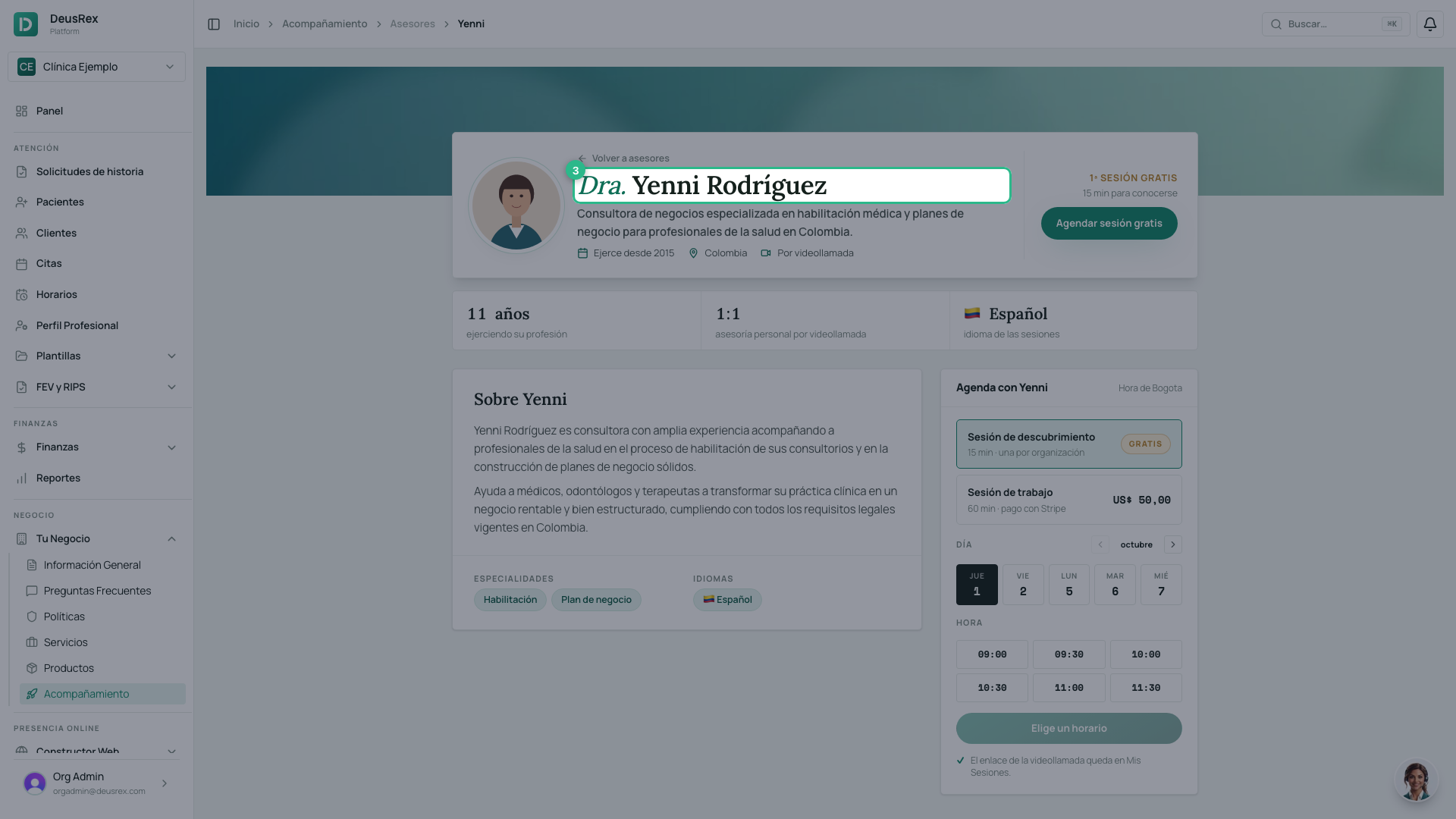
Click the card of the advisor you are interested in. The card shows their title and name (for example, Dra. Yenni Rodríguez).
-
Read their profile: over their cover, a card with their photo, title and name, what they do, the year they started practicing and their country. Below, their years of experience and the session language, their introduction, the topics they work on and their specialties.
-
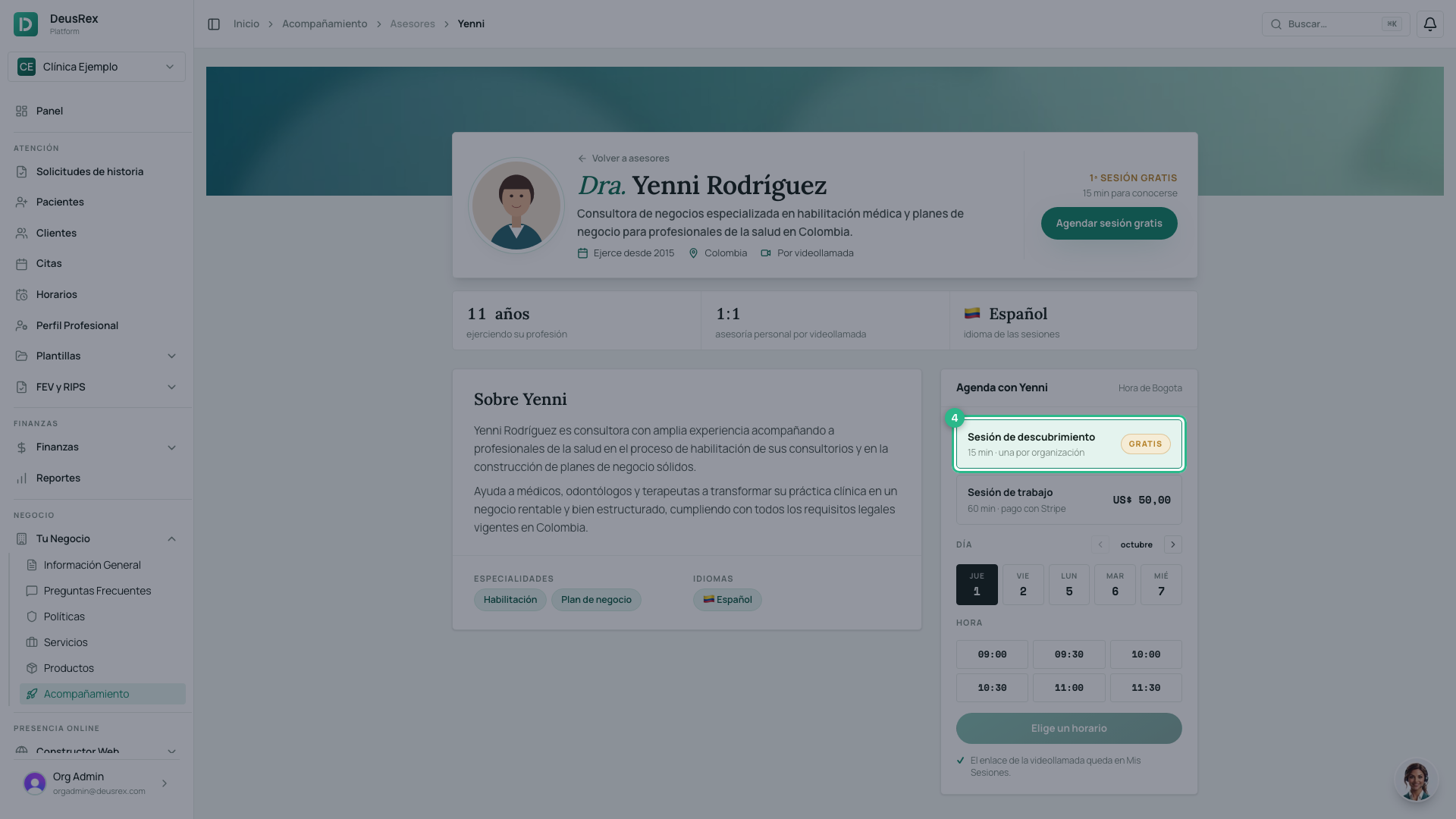
Compare the two options in the Book with… box on the right: Discovery session and Working session, each with its duration and price. The discovery session is marked Free.
The two options
- Discovery session — short and free. Use it to explain your situation and see whether this is the right person. Your organization gets one free discovery session, with the advisor of your choice.
- Working session — longer and paid. This is where the real work happens.
Each advisor sets their own duration and price, so compare across profiles before you decide.
If you already used your free session
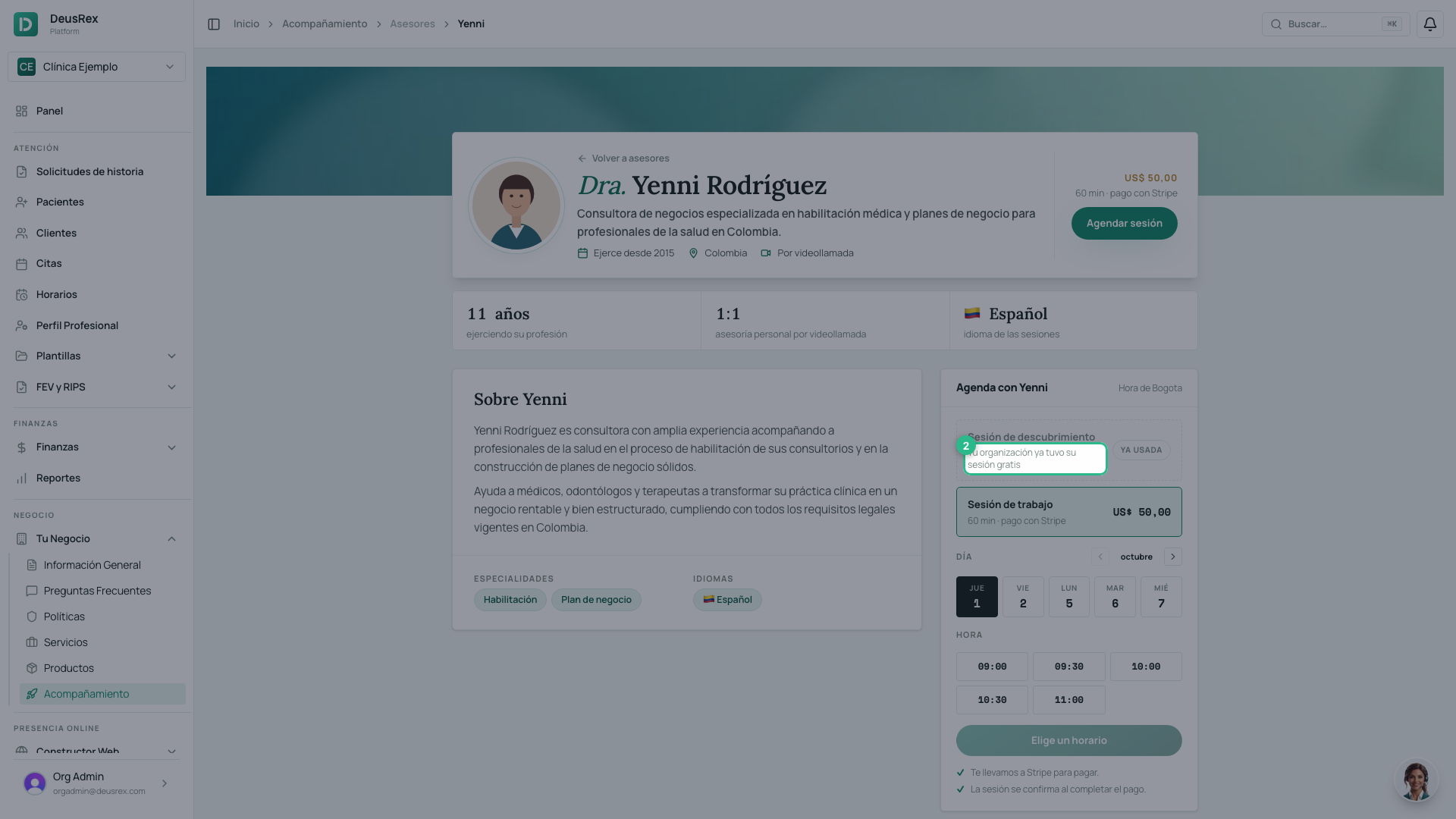
Once your organization has booked its discovery session, that option shows as Used — Your organization already had its free session — and the Working session, still available, is selected instead.
Tip
If your organization has not used it yet, start with the discovery session: it costs nothing and saves you paying for a working session with someone who is not the right fit. Once you have chosen, continue in How to book sessions with advisors.