How to charge and record a patient payment
The patient’s Facturación tab is their account: what they owe, what they have paid, and the abonos they have in credit.
Recording a payment
-
Open the patient’s profile and go to the Facturación tab.
-
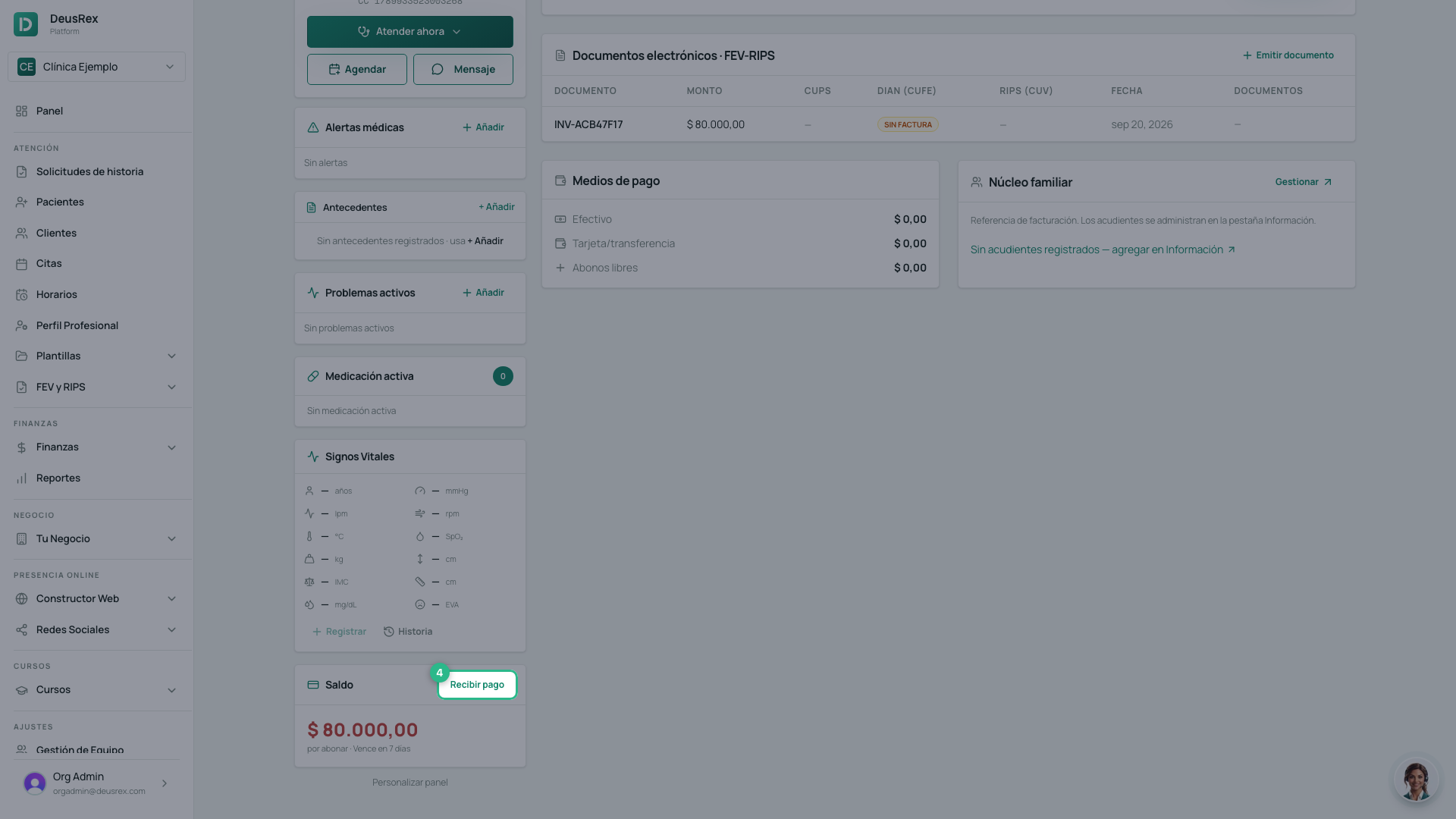
Click Recibir pago.
-
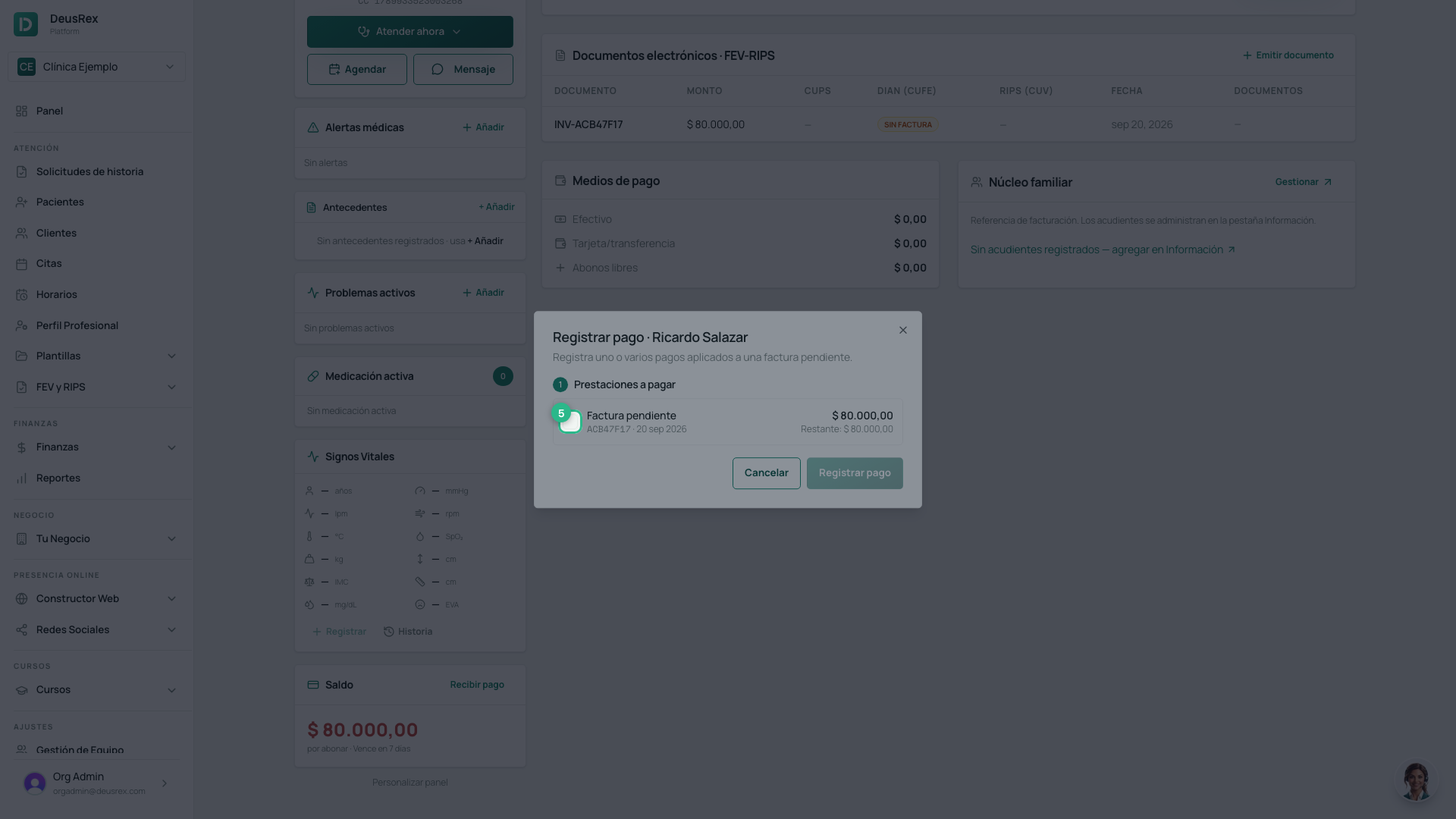
Tick the invoice you are charging. The dialog opens on this list, and nothing else appears until you tick one — no quick amounts, and the register button stays disabled.
-
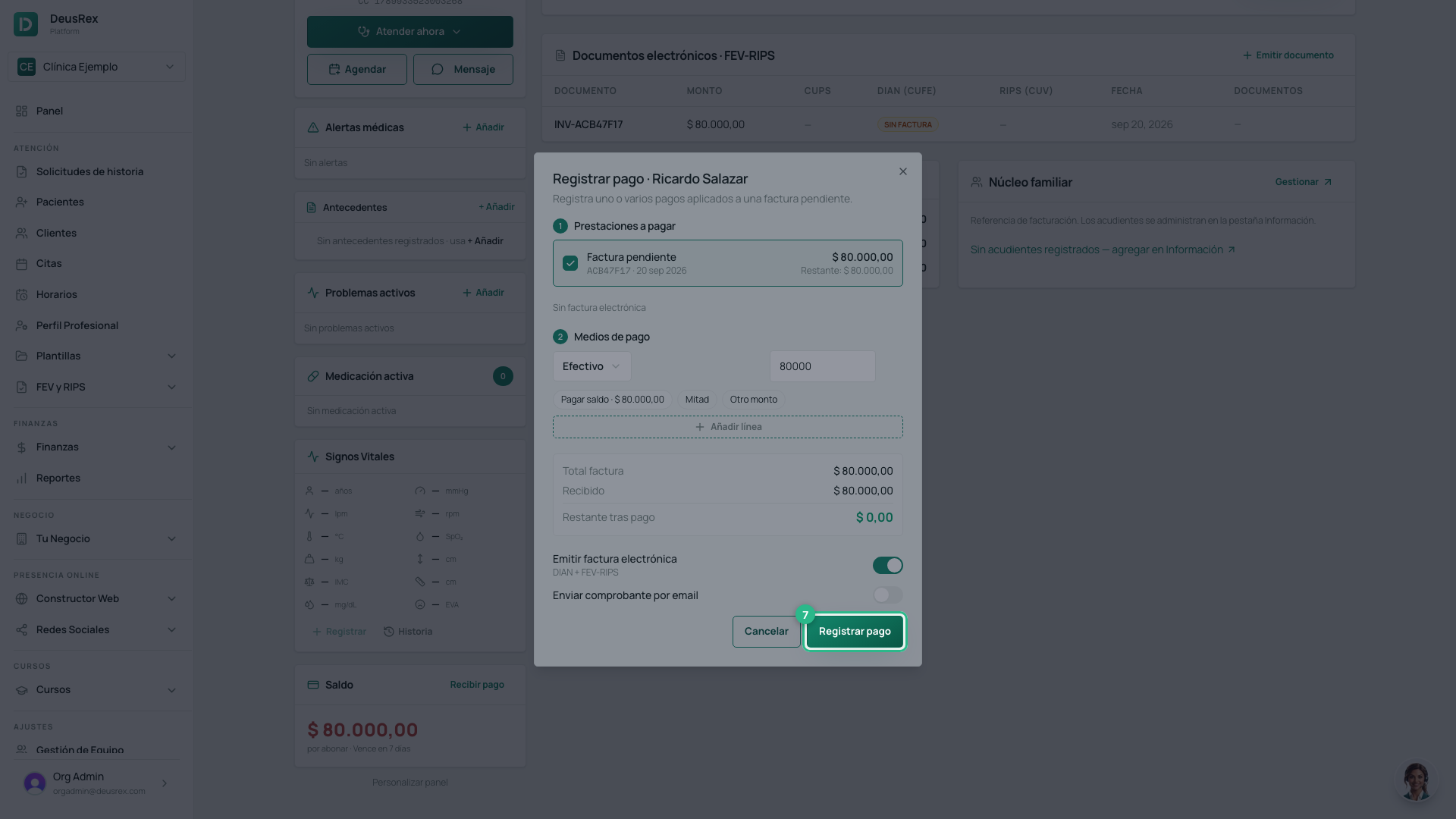
Click Pagar saldo to charge the whole outstanding amount. Mitad and Otro monto are there when the patient pays part of it.
-
Click Registrar pago.
Abonos libres and abonos consumidos
| What it is | |
|---|---|
| Abonos libres | Money the patient already handed over that is not applied to any invoice yet |
| Abonos consumidos | What has already been taken off an invoice |
A free abono is used automatically on the next charge.
Sending the charge by email
Enviar cobro por email sends the patient the payment link for the outstanding invoice. It goes to the email on their record, or to their núcleo familiar if someone else is responsible.
⚠️ With no email on file the send cannot happen. Fix it first in the Información tab.
Tip
Charge before the patient leaves. An outstanding balance nobody looked at on the day is the one that becomes an awkward phone call three weeks later.