How to void and print a prescription
A signed prescription is never deleted. If you made a mistake, or the patient will not use it, you void it: it stays in the record marked Anulada, with the date. That is what a clinical record requires.
Where they are
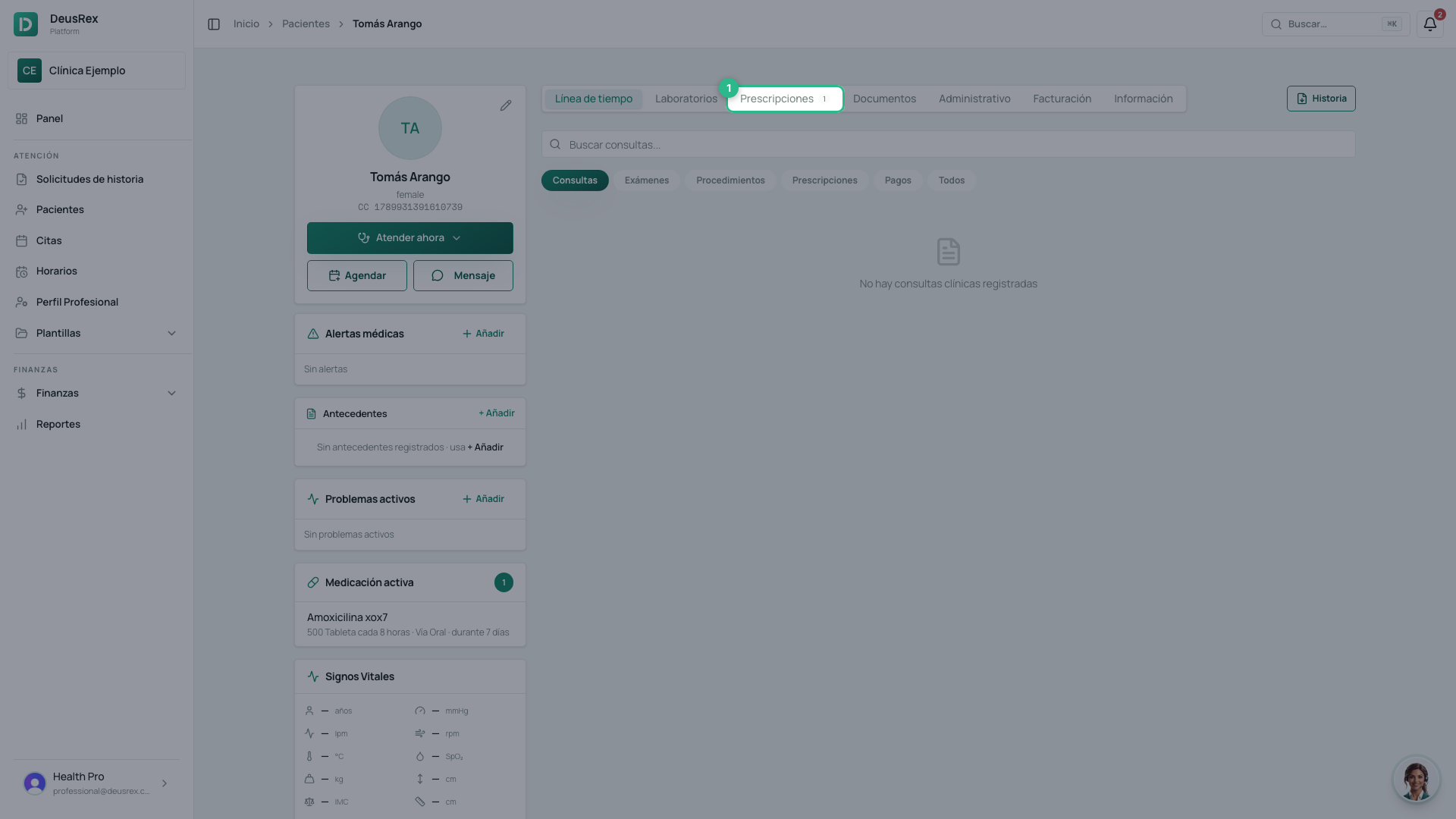
In the patient’s profile, the Prescripciones tab lists them all with their Estado: Activa or Anulada.
Printing
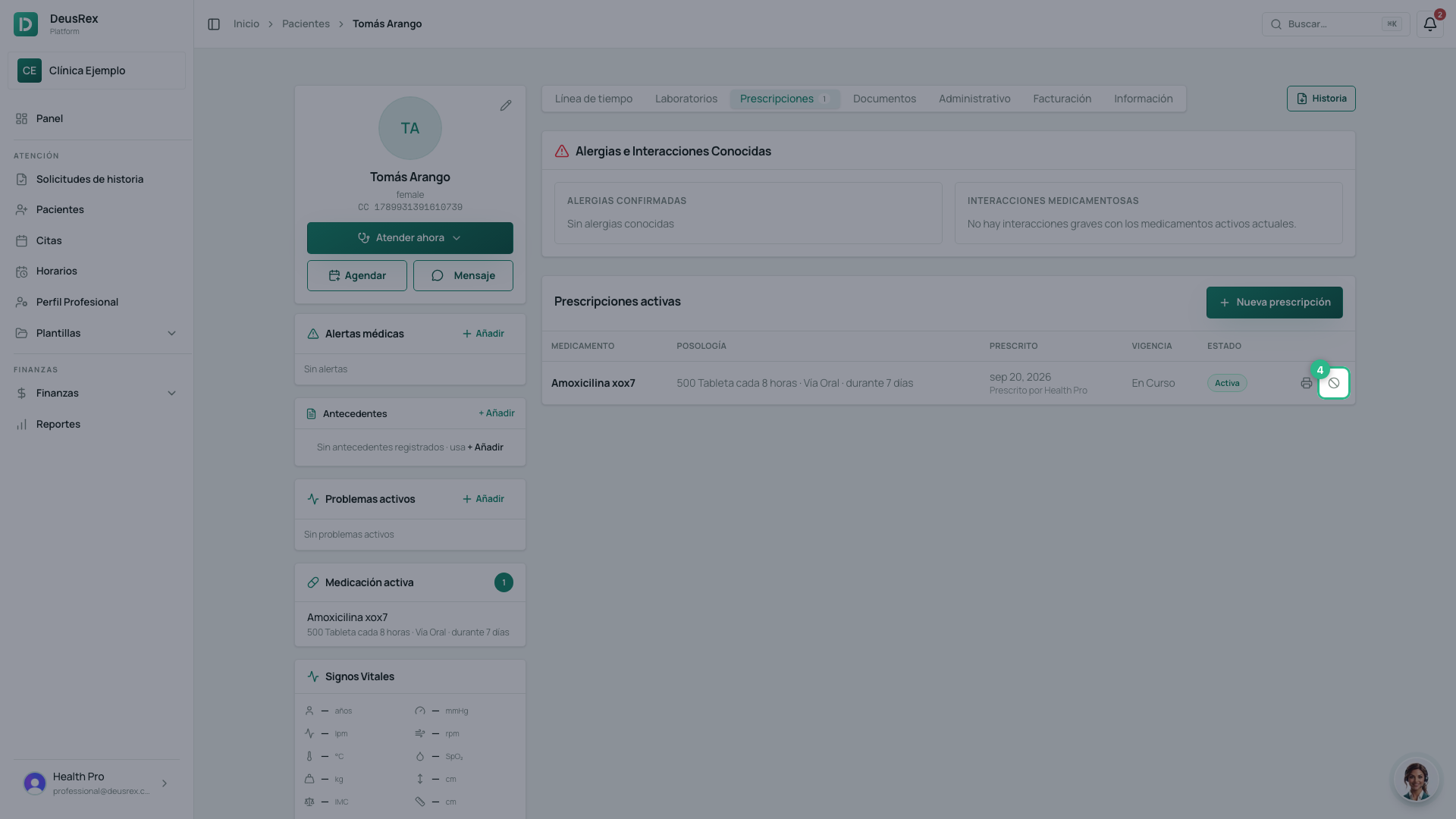
- Find the prescription in the list.
- Click the Imprimir button in its row.
Voiding
- Click Anular in the prescription’s row.
- Confirm in the Anular prescripción dialog.
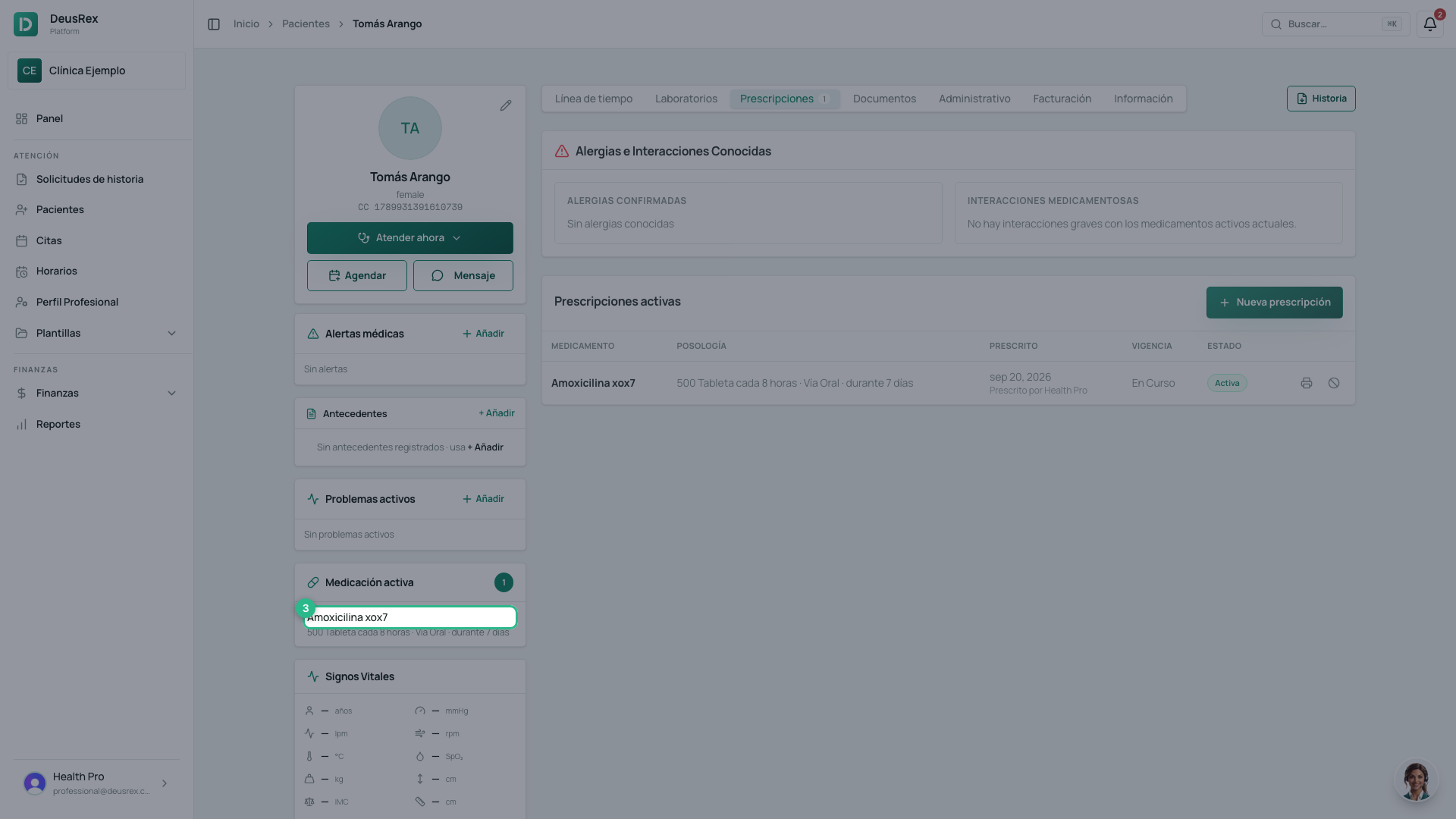
- The row becomes Anulada and no longer offers the void button.
Why it is not deleted
A prescription already handed over may have reached a pharmacy. Deleting it would leave the record saying it never existed. Voiding it tells the truth: it existed, and it is no longer valid.
Tip
The patient’s confirmed allergies appear above this list. Read them before prescribing again.