How to record the RIPS data
The RIPS data is what the Ministry of Health requires for every attention. It is captured inside the consultation and used when the electronic invoice and the RIPS report are generated.
There is no «Datos RIPS» section
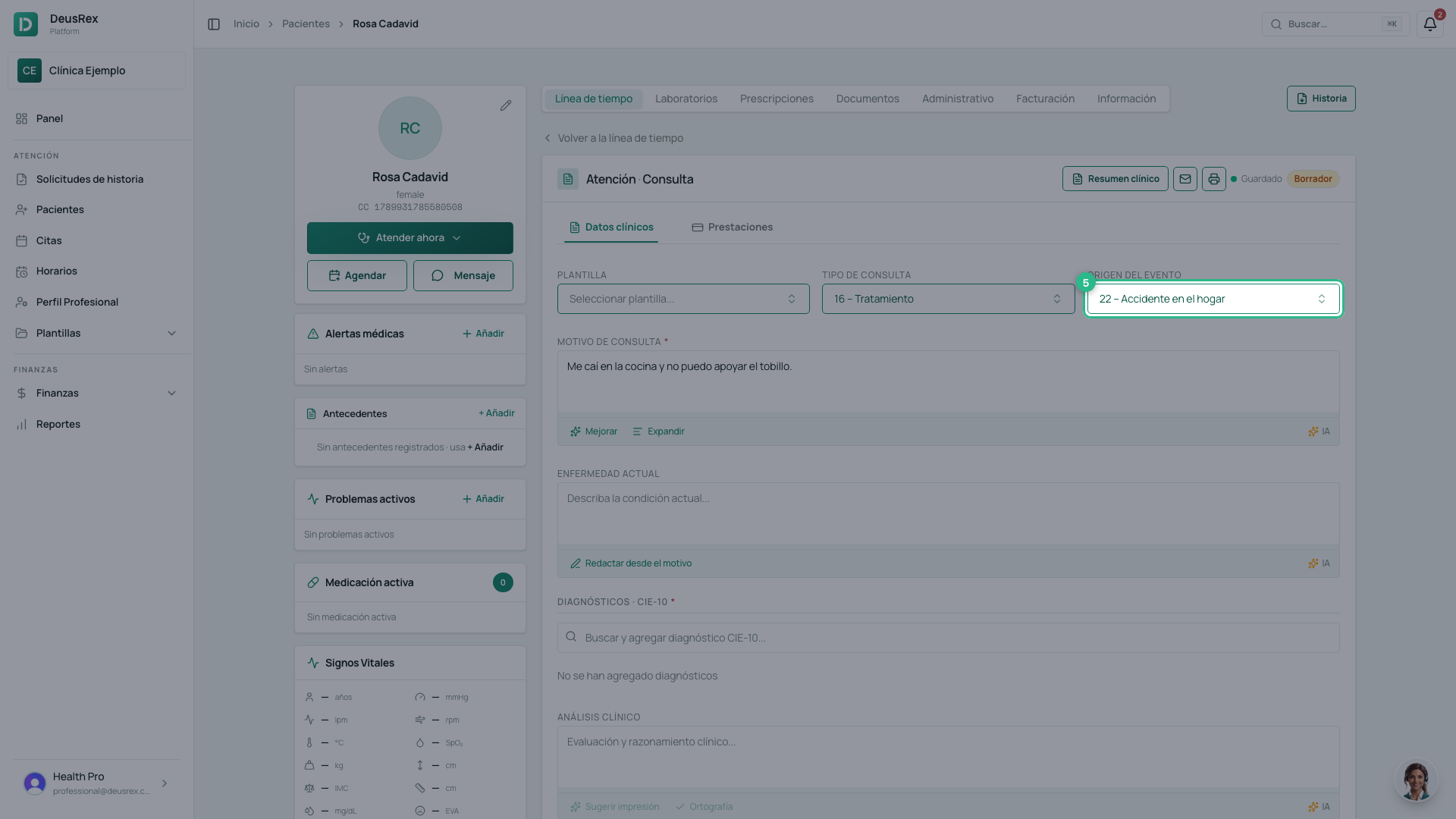
They are two fields already sitting in Datos clínicos, on the same row as the template:
- Tipo de consulta is the RIPS finalidad.
- Origen del evento is the causa of the attention.
Both arrive pre-filled. Your job is to check them, not to type them: the platform never asks you to key in a code.
Opening either one lets you type to filter. Between finalidades and causas there are more than sixty options, so typing “tratamiento” or “tránsito” beats walking the list.
They only appear for organizations in Colombia.
Steps
- In the consultation, find Tipo de consulta. That is the finalidad code.
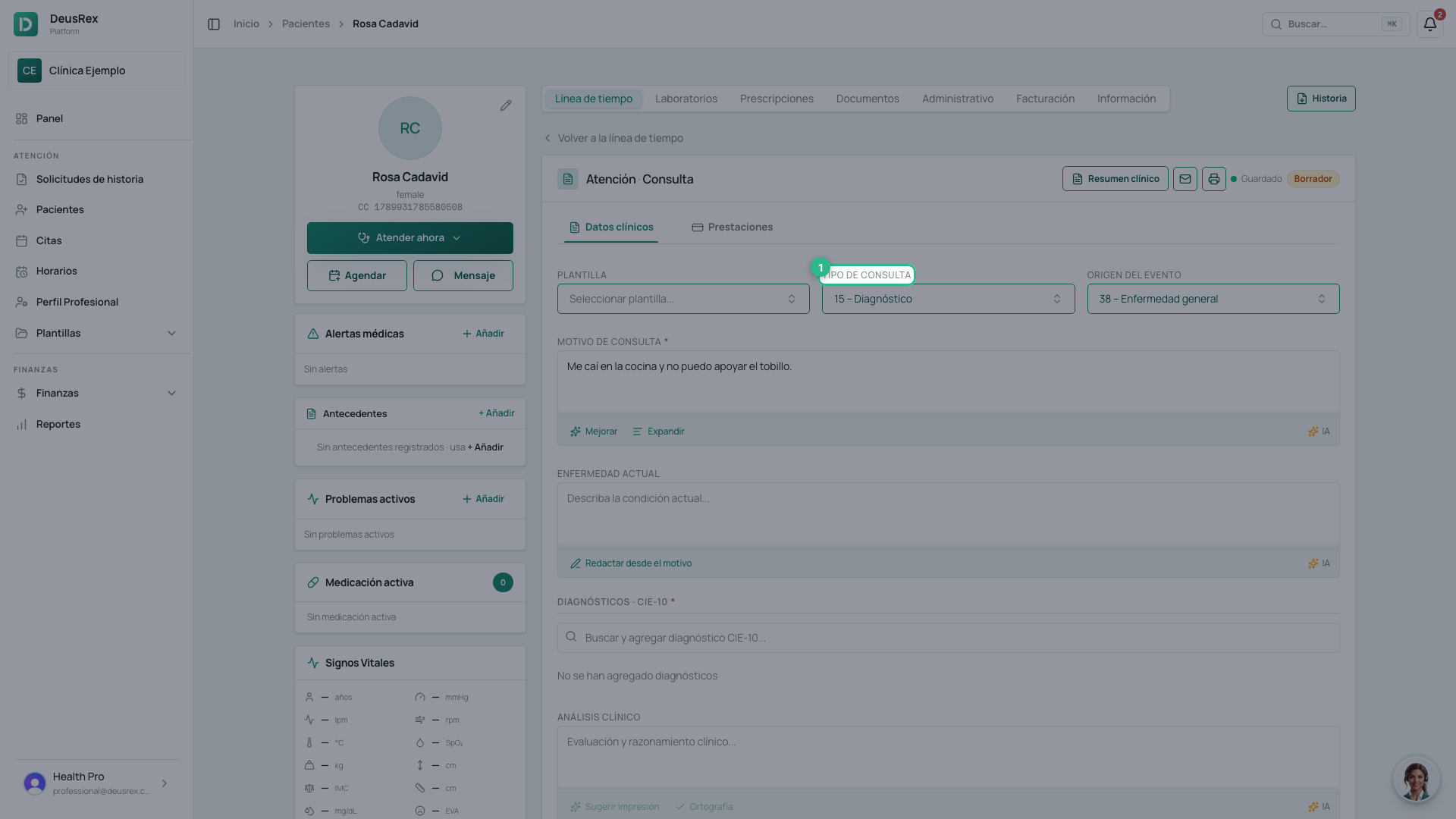
- Open it and pick the finalidad that fits — 16 – Tratamiento, say, instead of the 15 – Diagnóstico that comes by default. Type part of the name to filter the list if you prefer.
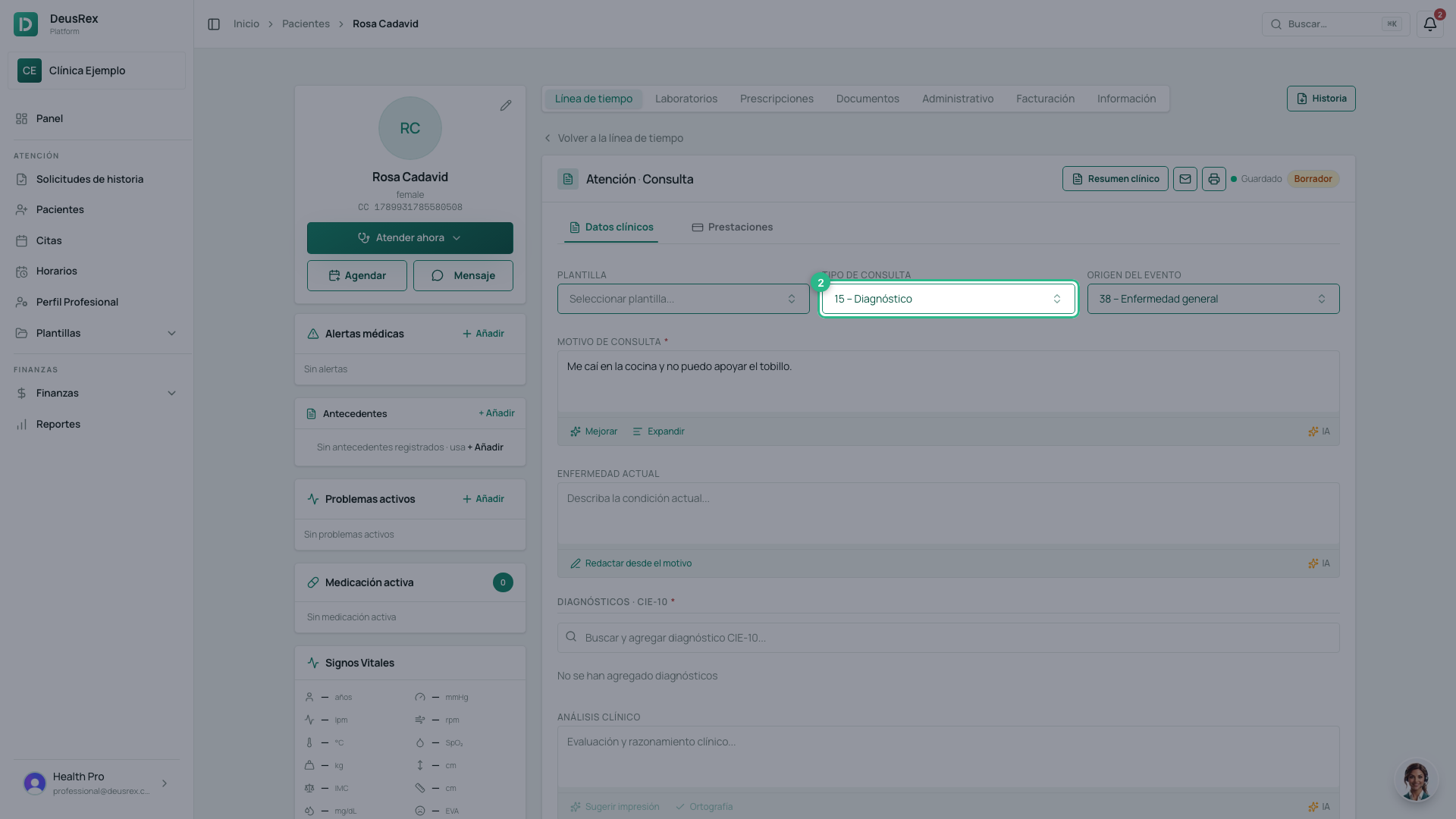
- Find Origen del evento. That is the causa code.
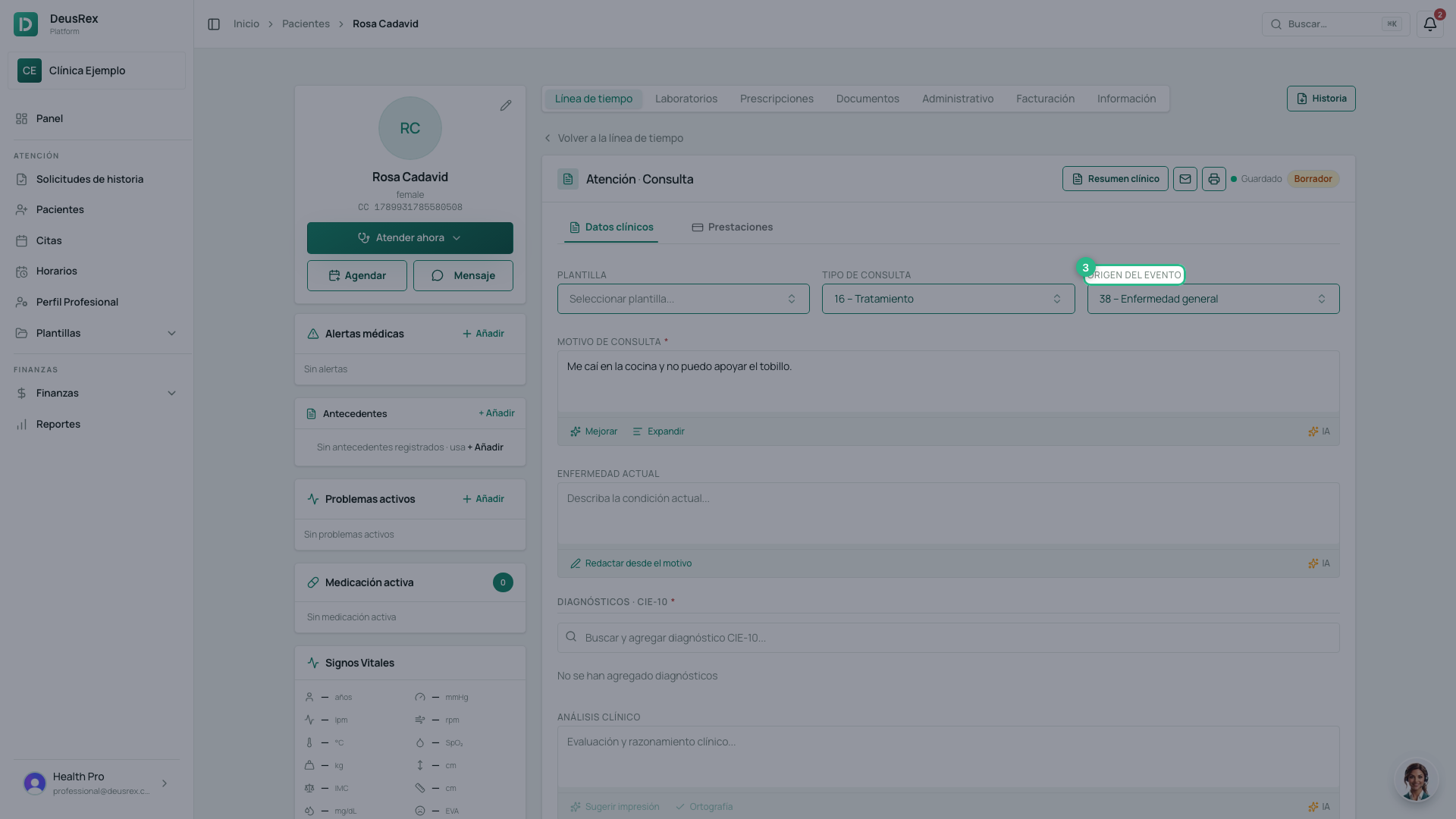
- Set the real cause, filtering the same way if it is quicker. It arrives as 38 – Enfermedad general, which is the commonest, but an accident, an injury or a suspicion of violence each has its own code.
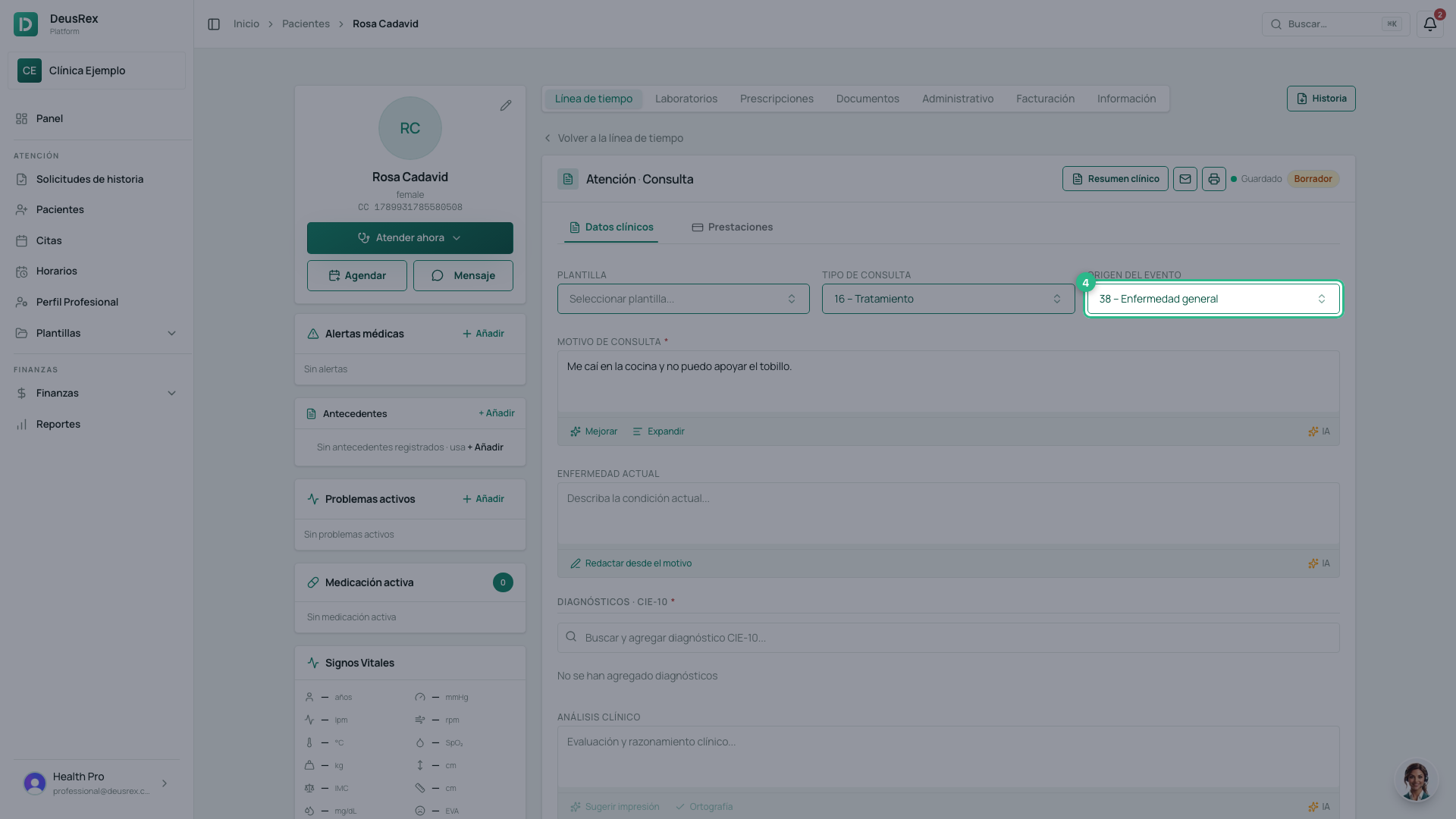
- There is nothing to save: they are saved with the rest of the consultation.
Prestaciones are RIPS too
Every test or procedure you add to the consultation also enters as a prestación of the attention. That is what is later reported and invoiced.
Tip
Check Origen del evento before signing. It is the field most often left at its default, and it is the one that separates a general illness from a work or traffic accident — with different consequences for whoever pays.