How to record clinical history
Clinical history brings together the patient’s background information: medical, family, allergic, medication, surgical history, and habits.
Steps
-
In the patient’s profile, find the Antecedentes section and click + Añadir.
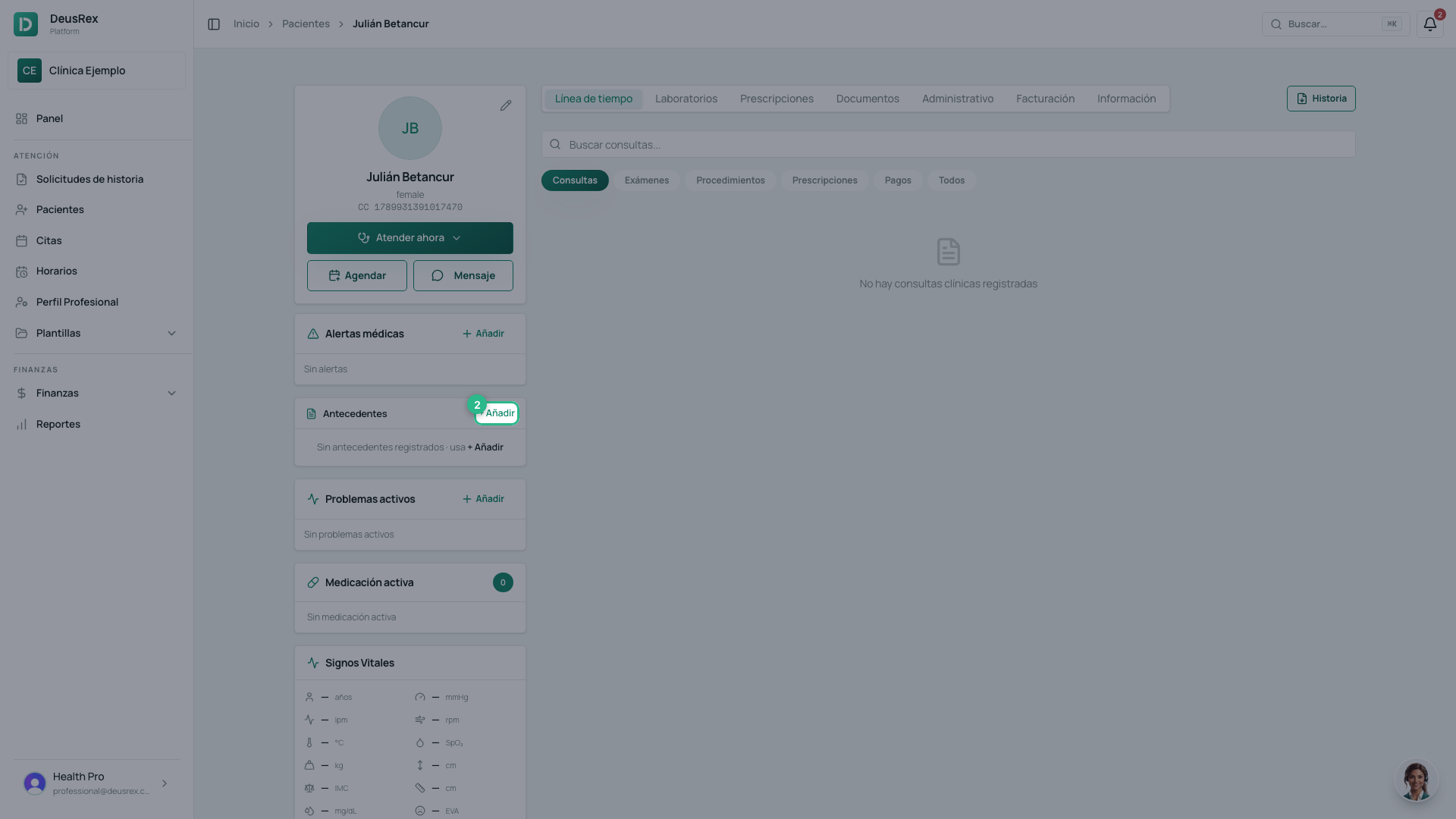
-
Choose the Tipo de antecedente: Patológico, Alérgico, Familiar, Quirúrgico, Farmacológico or habits.
-
Type the Condición / diagnóstico. Optionally add the ICD-10 code and the year it started.
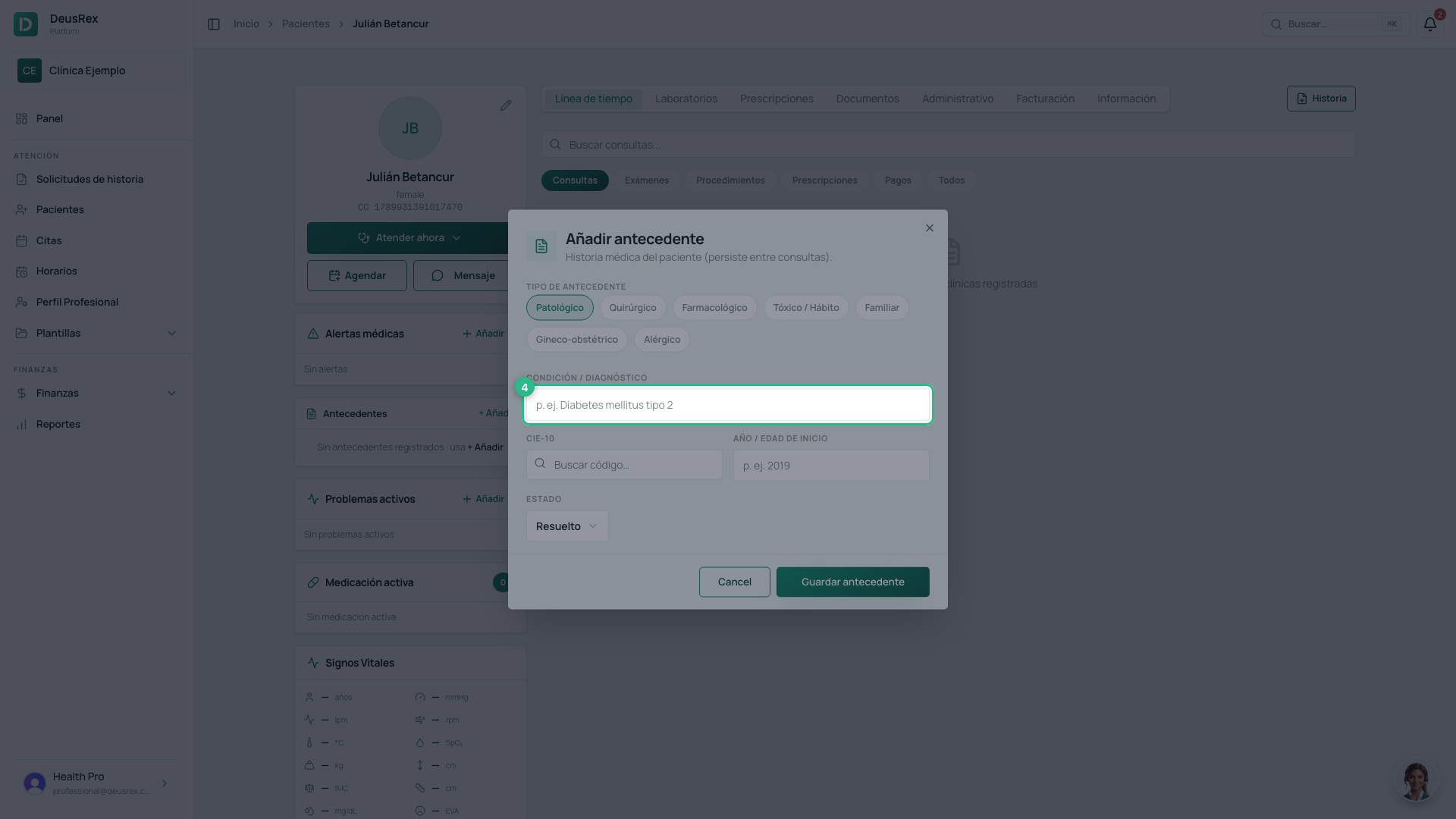
-
Click Guardar antecedente. It stays visible whenever a new appointment is opened.
Tip
Record allergies well: they appear highlighted and help you avoid risky prescriptions.