How to configure the clinic's dentistry settings
On this page
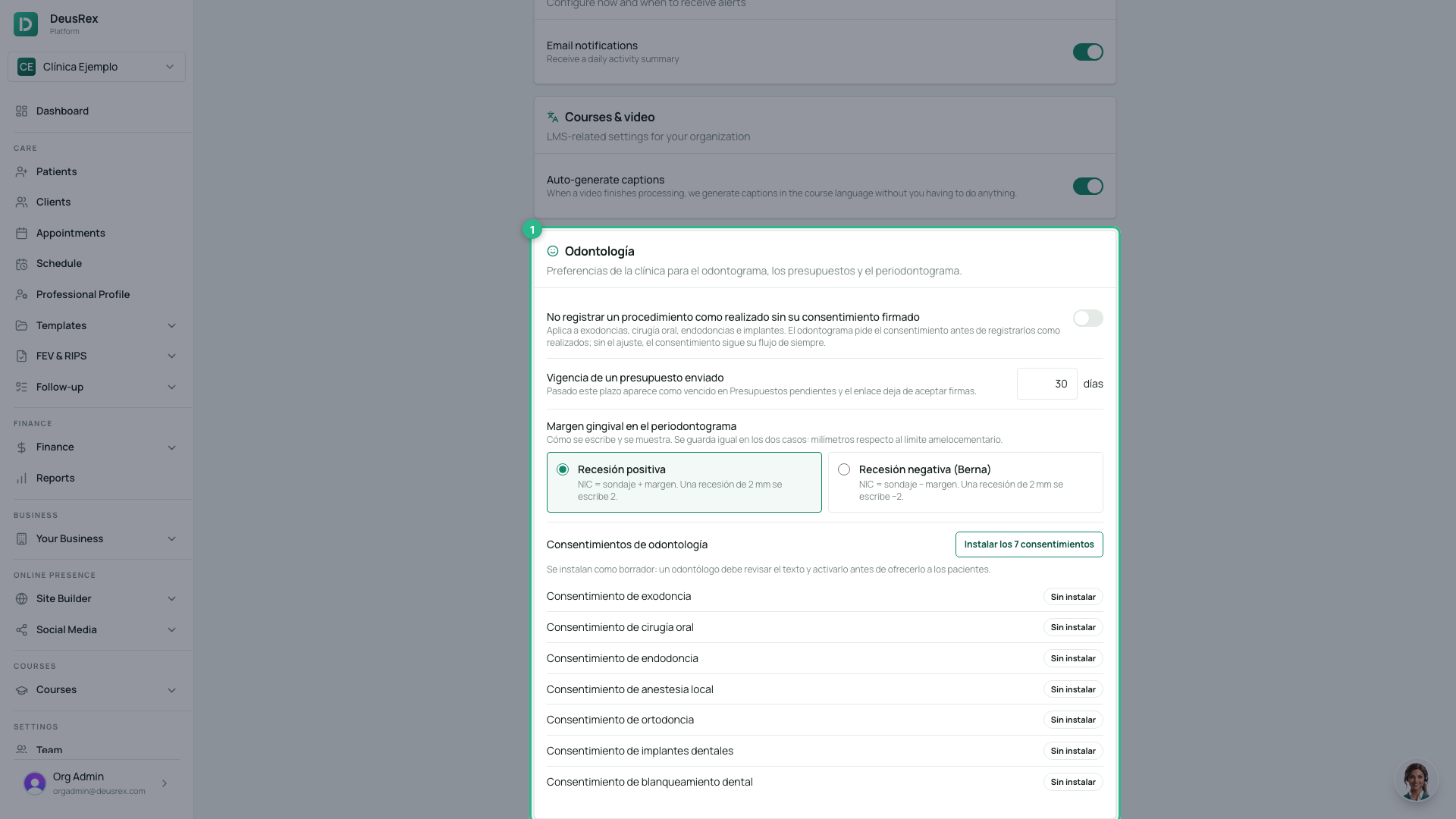
The Odontología card in Ajustes gathers what the clinic decides once: which consents it requires before an irreversible procedure, how long a sent quote lasts and how the gingival margin is entered.
Before you start
- You need the clinic administrator role.
- The card appears in dental clinics: it is enough for one professional to have the Odontología or Ortodoncia specialty.
Steps
- Open Ajustes and scroll down to the Odontología card.
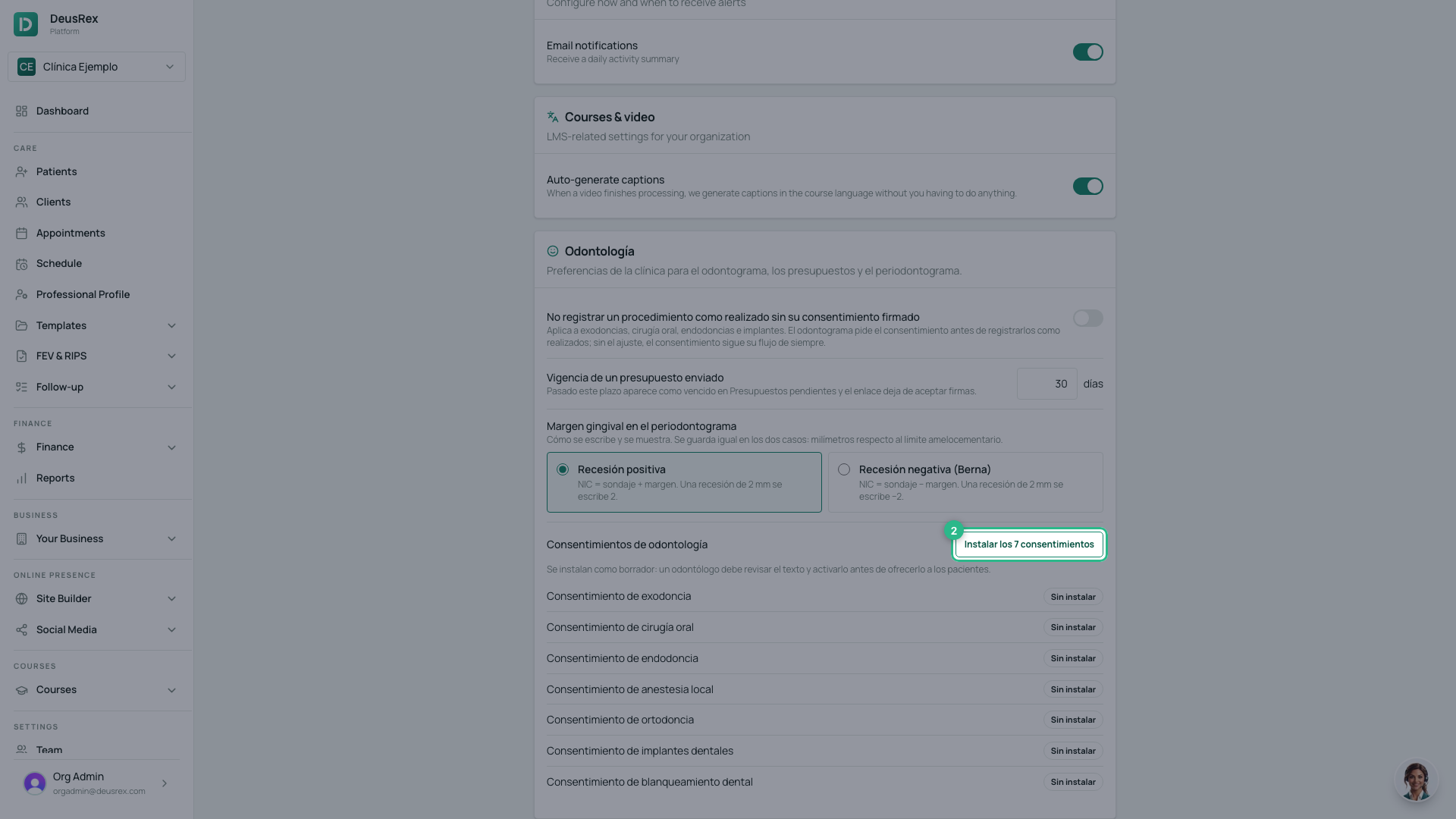
- Click Instalar los 7 consentimientos: extraction, oral surgery, root canal treatment, local anaesthesia, orthodontics, implants and whitening. They are installed as a draft.
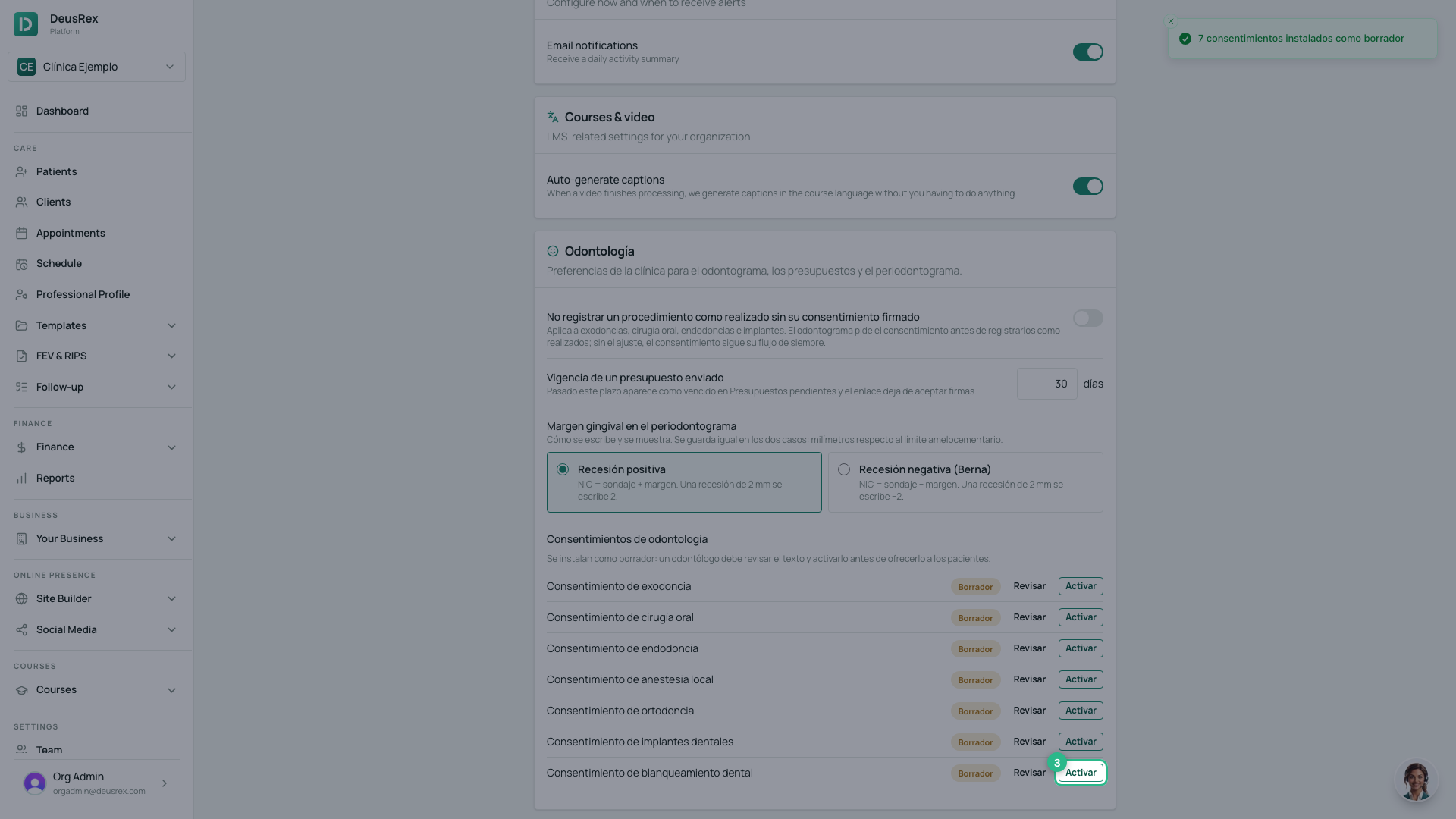
- Click Revisar to read and adjust the text of one, and Activar when it is ready. Only active ones are offered to patients.
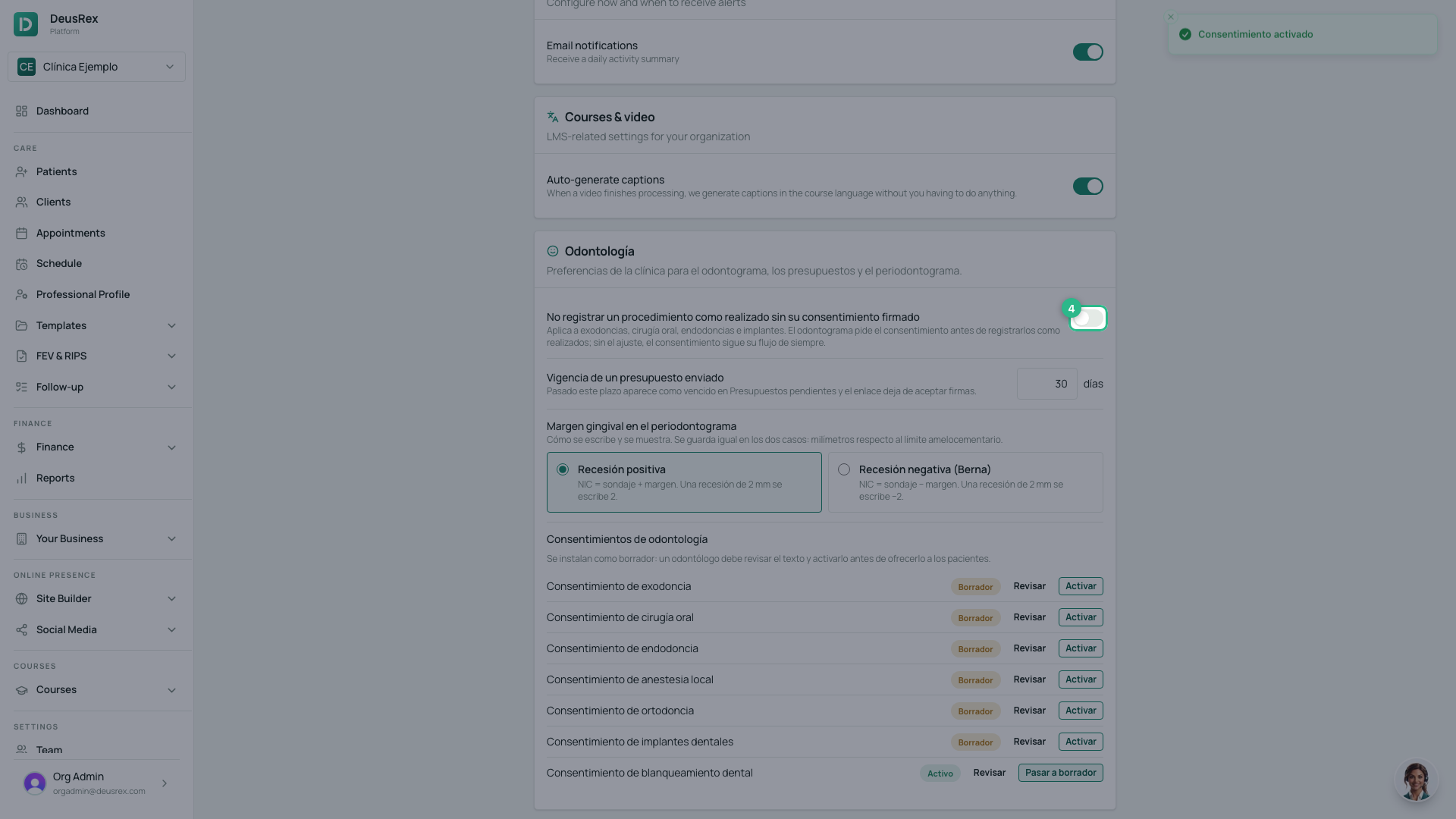
- Turn on No registrar un procedimiento como realizado sin su consentimiento firmado. From then on, the odontogram asks for the signed consent before recording an extraction, an oral surgery, a root canal or an implant as Realizado: it is signed on the spot or the treatment stays planned.
- In Vigencia de un presupuesto enviado, type the number of days. After that period, the quote shows as expired and its link stops accepting signatures.
- In Margen gingival en el periodontograma, choose Recesión positiva or Recesión negativa (Berna).
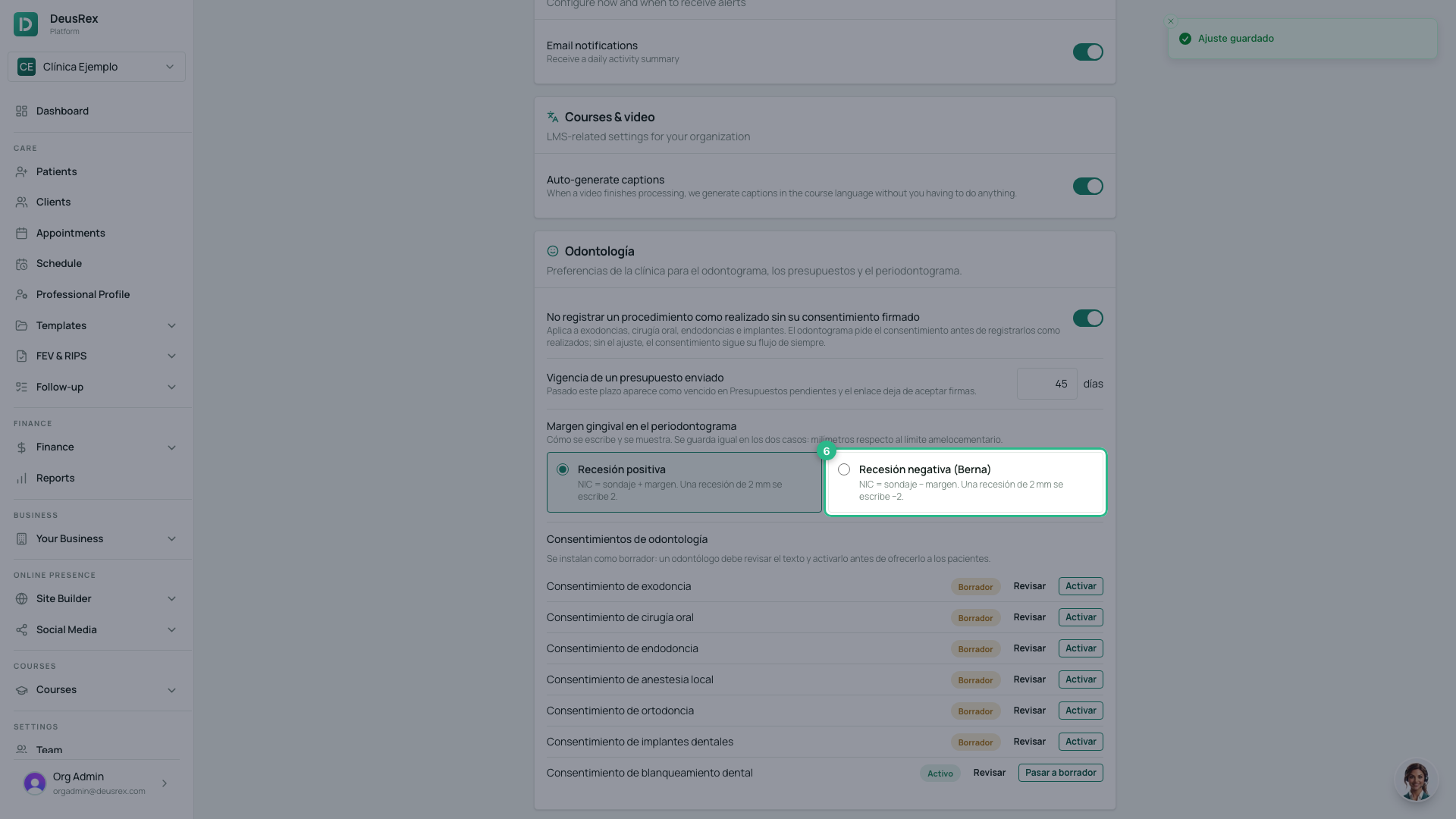
Each change saves by itself and shows Ajuste guardado.
Tip
The consents DeusRex installs are a starting point: a dentist at the clinic should read and adjust them before activating them. The margin setting only changes how it is entered and displayed — what is stored is the same, so changing it does not alter earlier probings.