How to read lab results
The patient’s Laboratorios tab has two views, and the one with the values is not the one that opens first.
Careful: the results are under Tendencias
The tab opens on Exámenes, which lists ordered exams as documents. If the patient has results loaded but no document, that view says “Aún no hay exámenes estructurados” — and it looks as if there is nothing.
The values are under Tendencias.
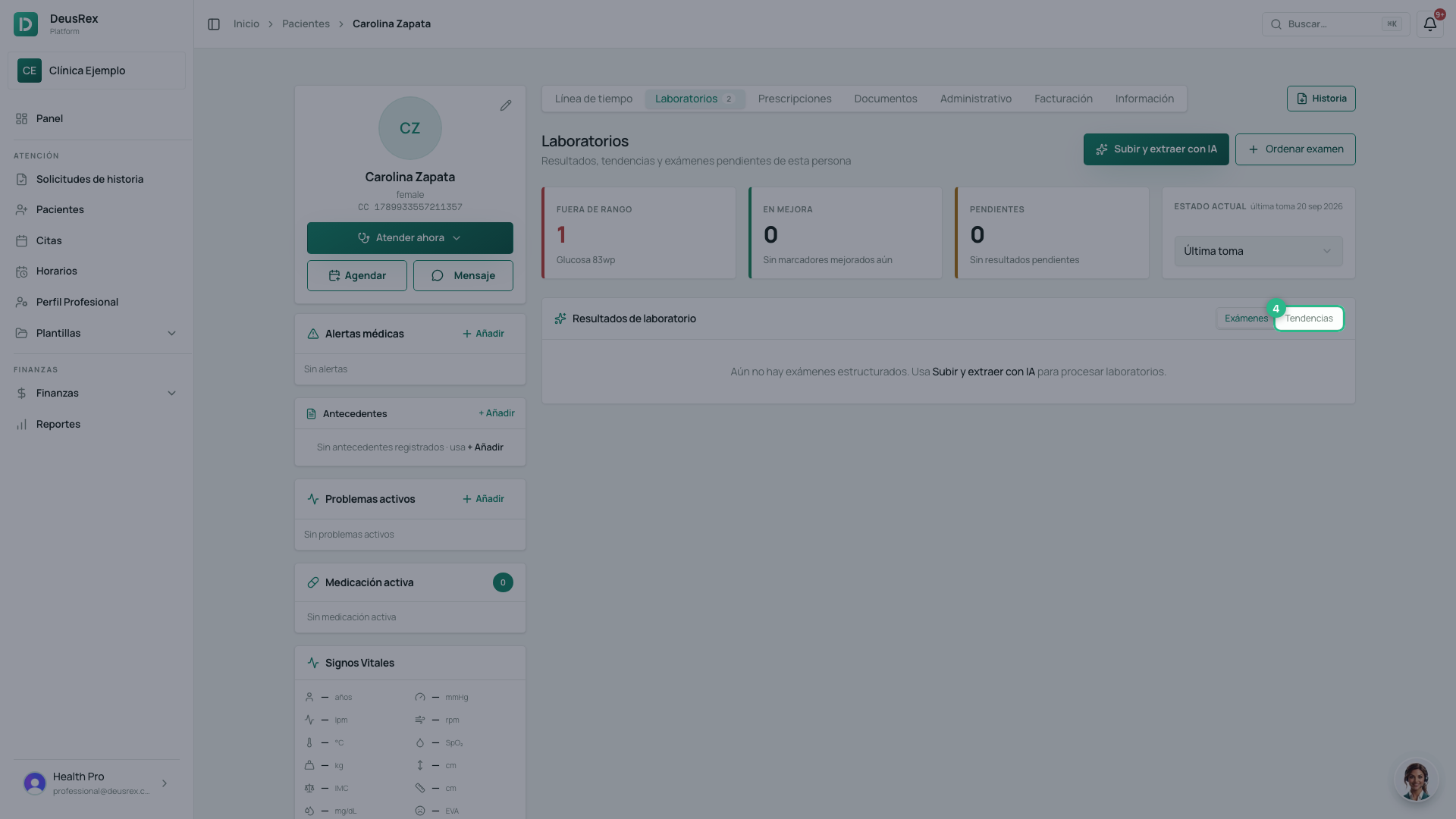
Steps
-
Open the patient’s profile and go to the Laboratorios tab.
-
Read the summary at the top first:
Card What it counts FUERA DE RANGO Results flagged high or low EN MEJORA Values that moved closer to the middle of the range since the previous reading PENDIENTES Exams taken with no result yet ESTADO ACTUAL The date of the latest reading 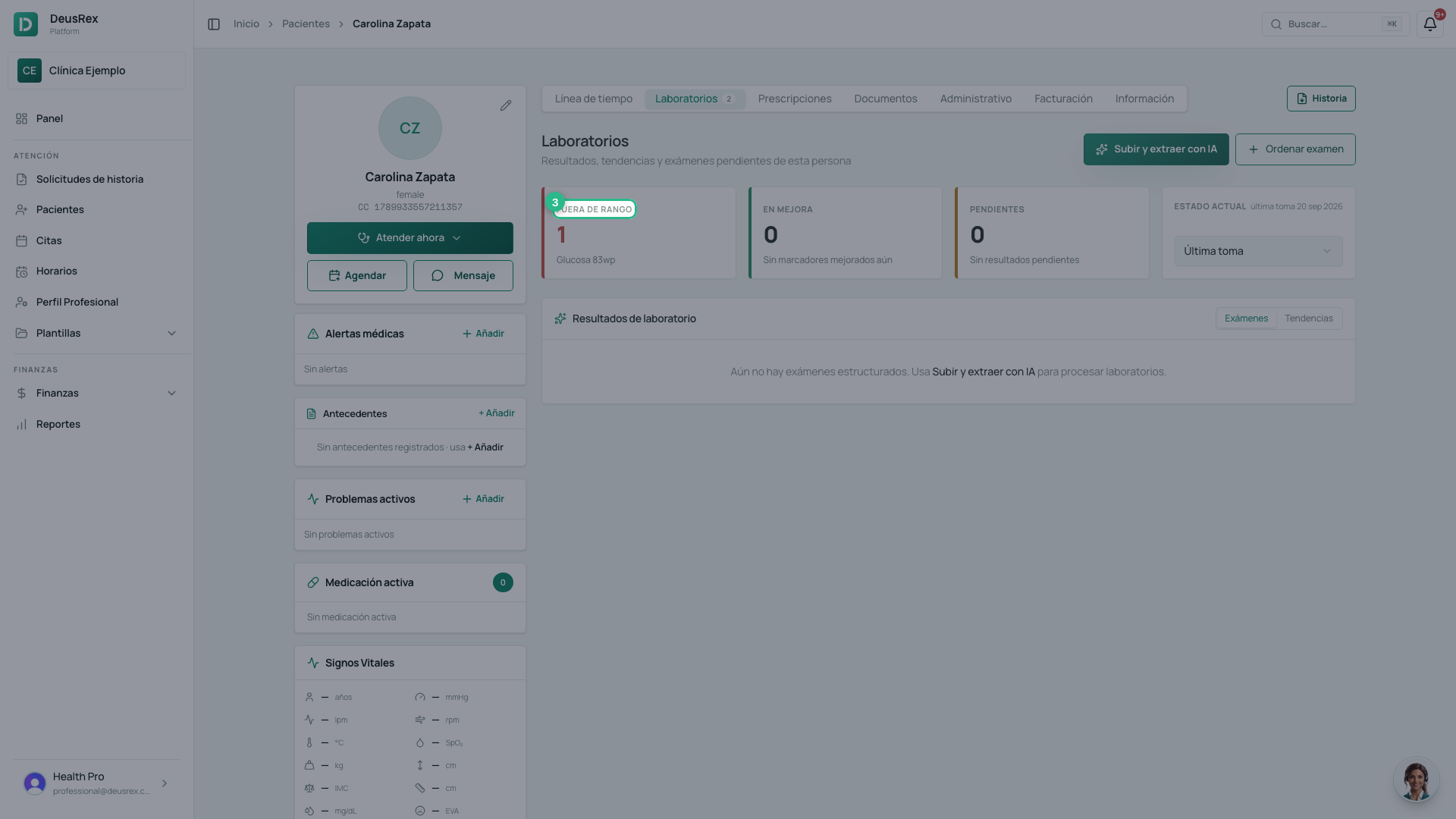
-
Click Tendencias.
-
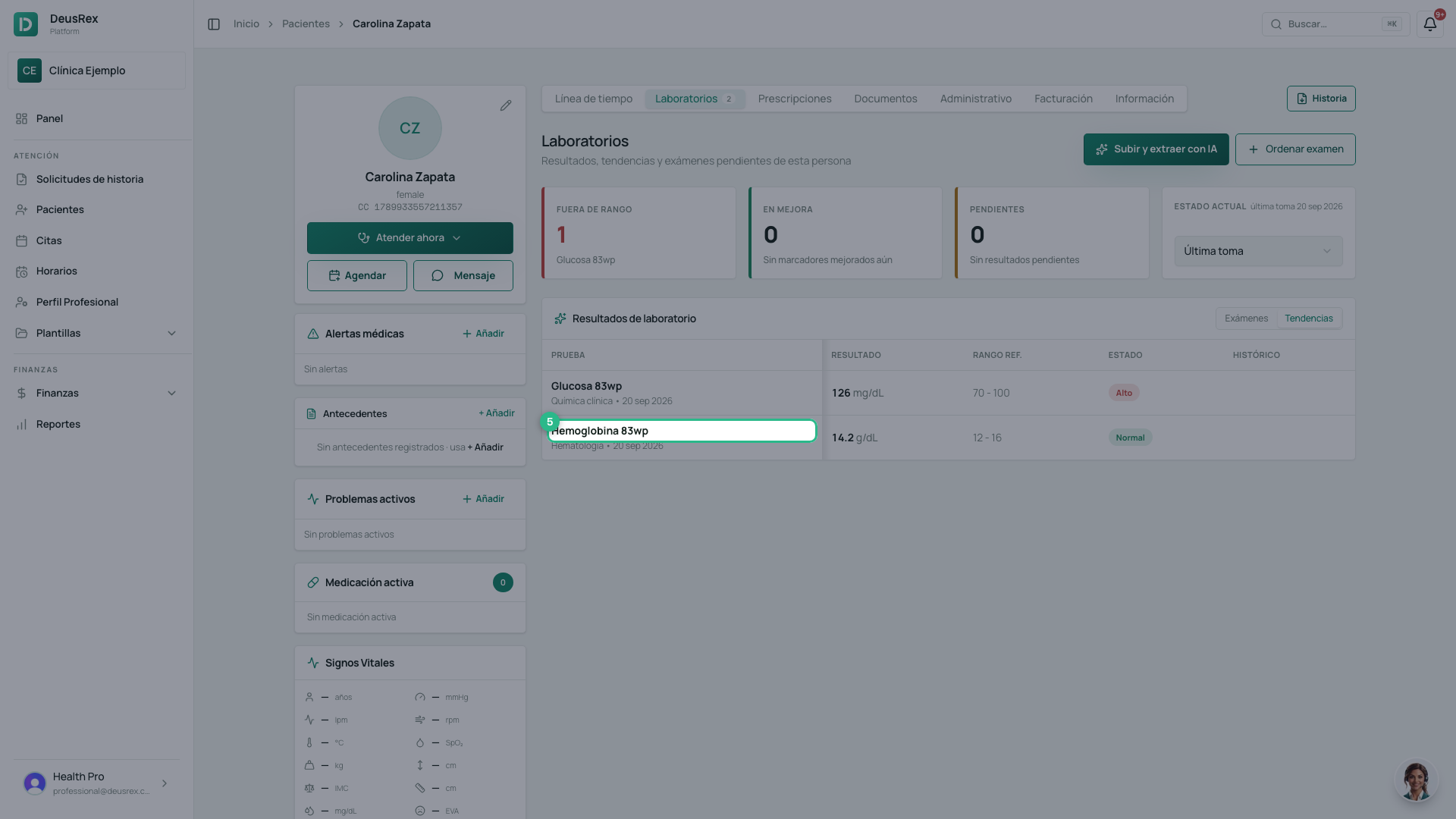
Each result shows its value, its unit and its reference range. Anything outside the range is flagged for you.
The Periodo selector
Top right, Última toma limits the list to the most recent date. Change it to 6 or 12 months to compare over time.
Loading results
- Subir y extraer con IA reads a lab PDF or photo and pulls the values out as structured results.
- Ordenar examen creates the medical order. The results arrive later.
Tip
One value says little. Look at the trend: a glucose of 126 that came down from 160 tells a different story from one that came up from 95.